ENGLISH
9
6 “SPIN SPEED” button
By depressing this button you can reduce the max.
spin speed proposed by the machine. The relevant
light illuminates.
The maximum speeds are:
For model EWF 810
• for cotton, synthetics, hand wash and wool:
850 r.p.m.
• for delicates fabrics: 700 r.p.m.
For model EWF 1010
• for cotton: 1000 r.p.m.
• for synthetics, hand wash, wool and delicates:
700 r.p.m.
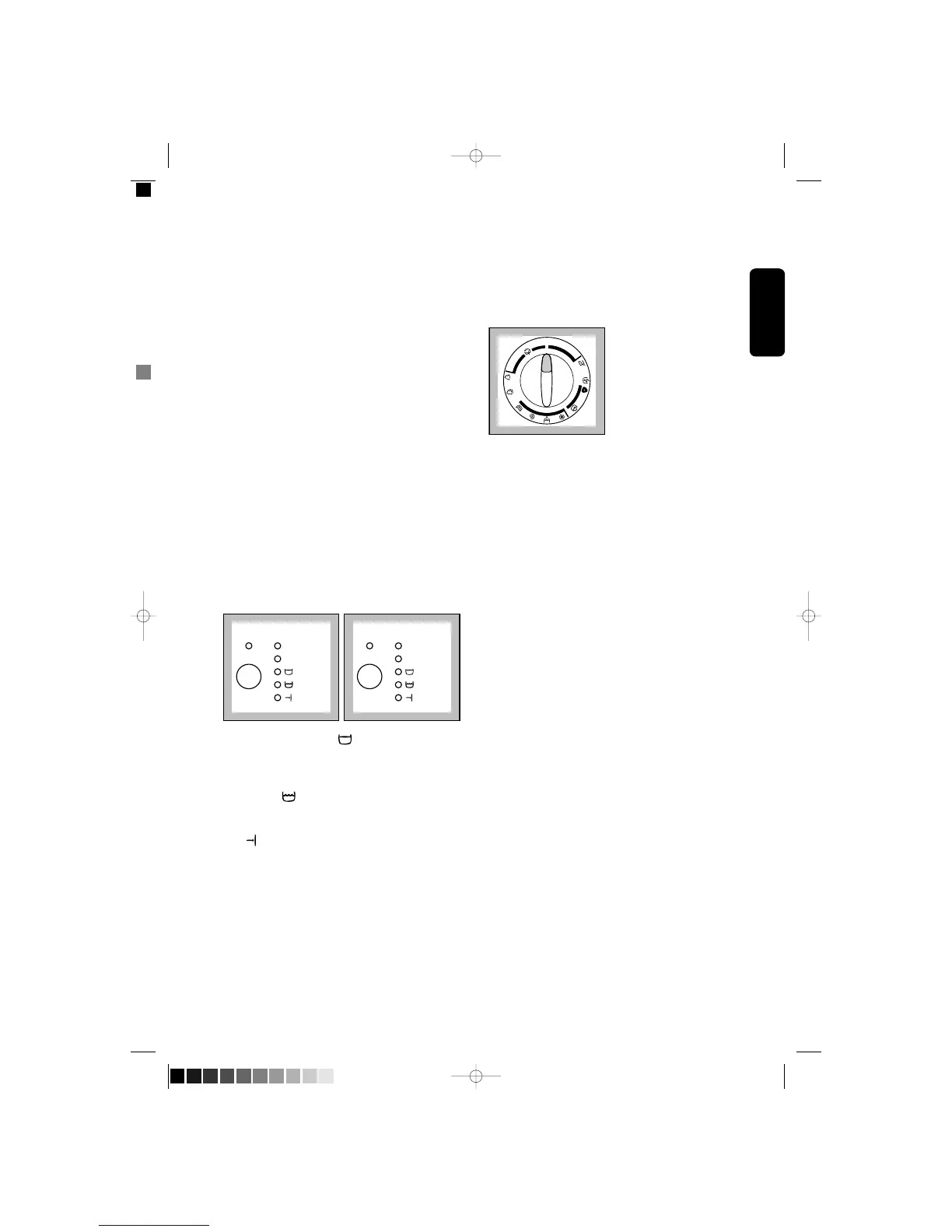
7 Programme progress display
When you select the programme, the light
corresponding to the max programme speed lights
up.
Spin speed lights: are on during the washing
programme and remain alight at the end of the
cycle.
EWF 810 EWF1010
By selecting Rinse Hold option the water at the
last rinse is not emptied out to prevent the fabrics
from creasing. If you have selected this function, the
Rinse Hold pilot light lights up.
In Progress : when this light comes on this
means that the machine is performing the washing
programme.
End : when the programme has finished, the
“End” pilot light comes on
The “End” light flashes in the event of operating
problems:
• 4 flashes: door open
• 2 flashes: problem with water draining
• 1 problem with water supply
For more information see paragraph “Something not
working”.
8 Programme selector dial
The selector dial can be turned either clockwise or
anticlockwise.
Position O corresponds to Reset
programme/Switching OFF of the machine.
At the end of the programme the selector dial
must be turned to position O, to switch the
machine off.
ATTENTION!
If you turn the programme selector dial to another
programme when the machine is working, the lights
of the programme progress display start to flash for
2 seconds. The machine will not perform the new
selected programme.



 To Next Page