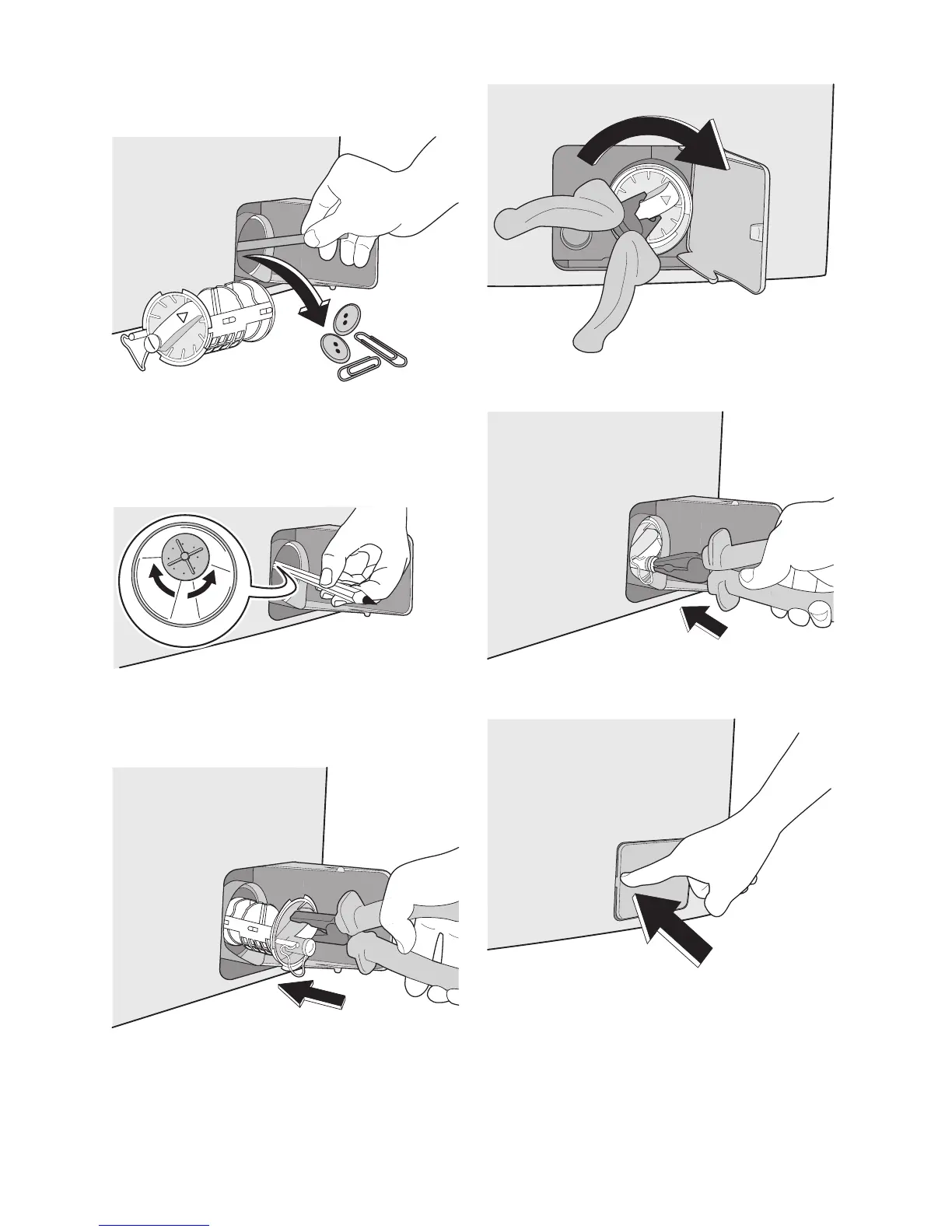
7. Remove foreign bodies and fluff from the
pump seat and from the pump impeller.
8. Check carefully whether the pump im-
peller rotates (it rotates jerkily). If it
doesn’t rotate, please contact your
Service Centre.
9. Replace the filter into the pump by in-
serting it correctly into the special
guides. Screw the pump cover firmly by
turning it clockwise.
10. Replace the emergency emptying cap
into the filter cover and fix it firmly.
11. Close the pump door.
18 electrolux



 To Next Page