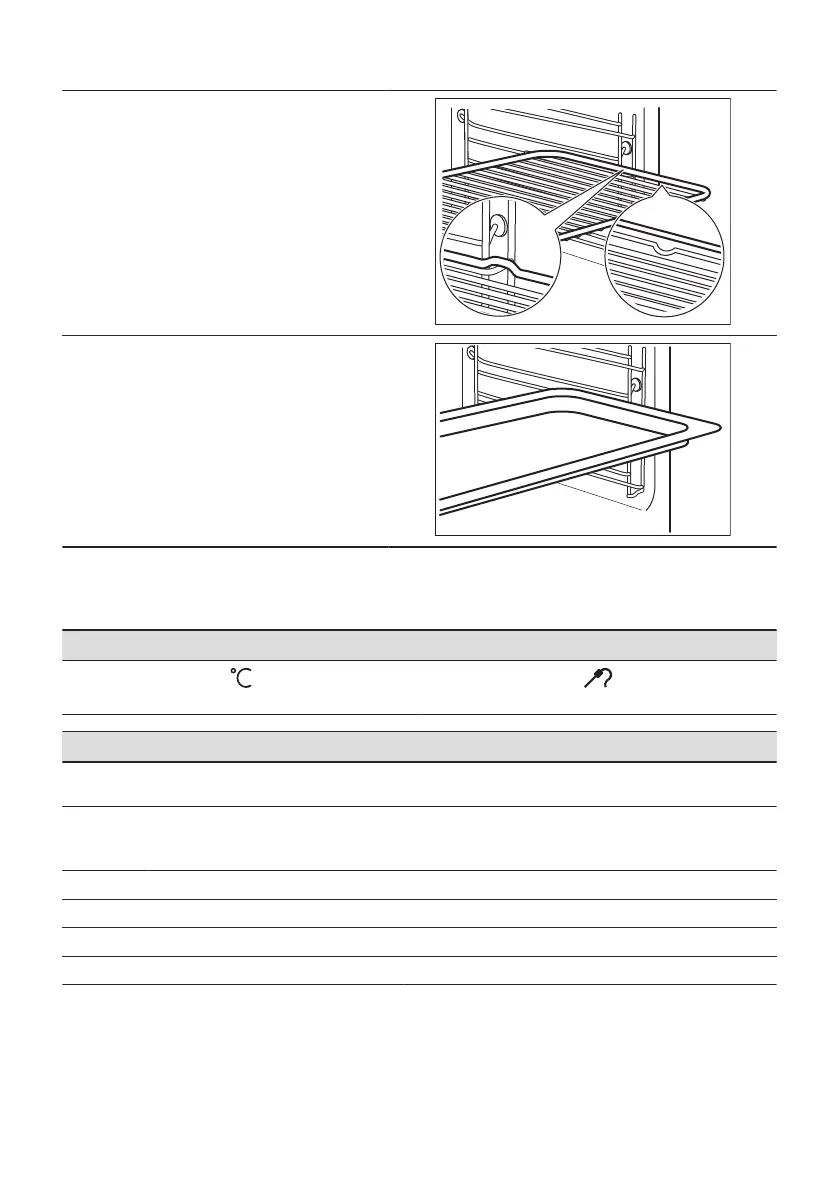
Wire shelf:
Push the shelf between the guide bars of the shelf
support and make sure that the feet point down.
Baking tray / Deep pan:
Push the tray between the guide bars of the shelf
support.
9.2 Food Sensor
Food Sensor - measures the temperature inside the food.
There are two temperatures to be set:
The oven temperature.
The core temperature.
For the best cooking results:
Ingredients should be at room tem‐
perature.
Do not use it for liquid dishes. During cooking it must remain in the dish.
How to use: Food Sensor
Step 1 Turn on the oven.
Step 2 Set a heating function and, if necessary, the oven temperature.
Step 3 Insert: Food Sensor.
Meat, poultry and fish Casserole
142 ENGLISH







 To Next Page