17
Alt.
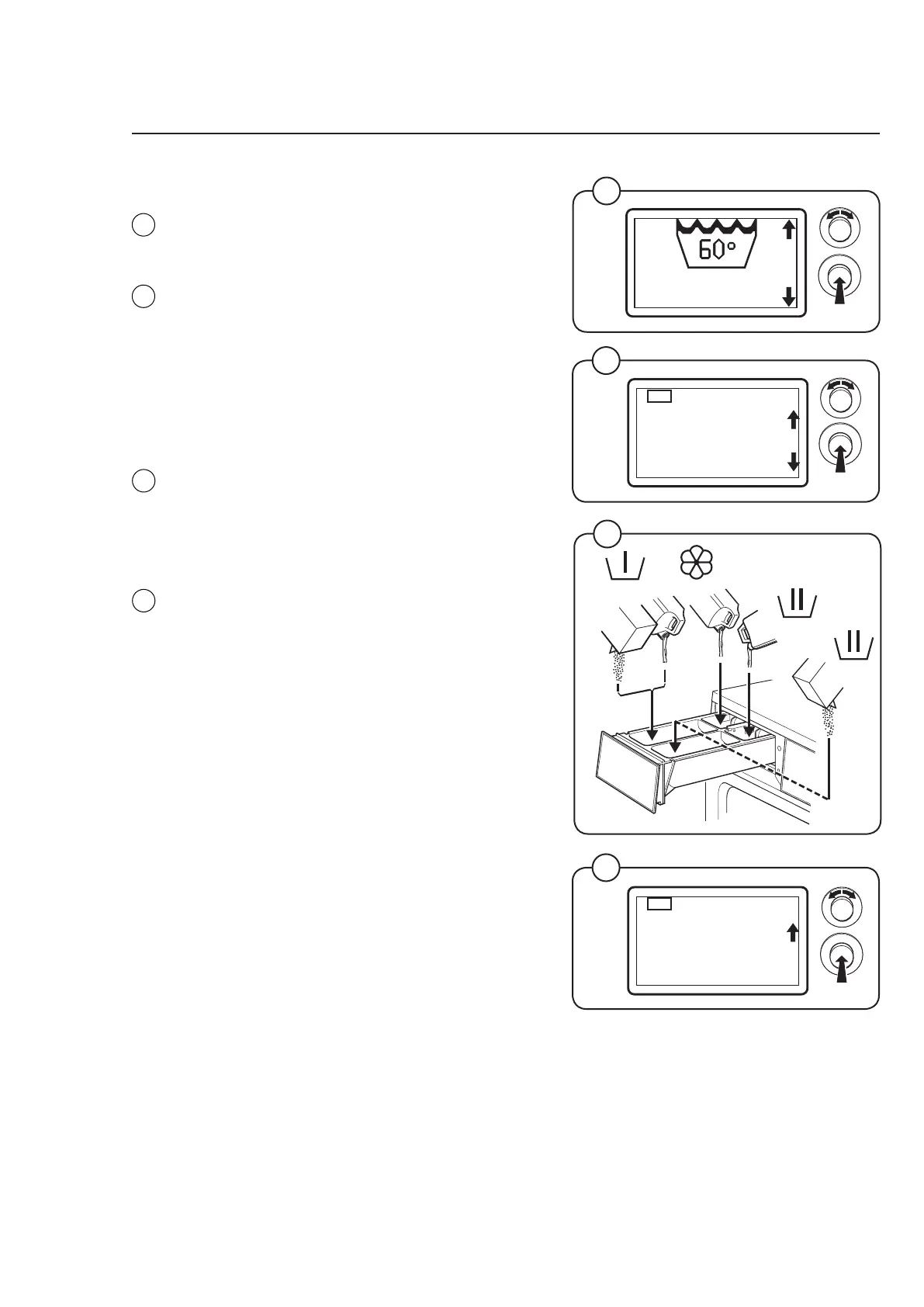
Starting with control knob
• Select the desired wash program with the
control knob and confirm by pressing the
knob.
• Add any options to the selected wash pro
-
gram. Select from the list with the control
knob and confirm by pressing the knob.
Note!
Max two options can be chosen for each
wash program
• If the machine has a coin meter, insert the
correct amount of coins/tokens.
• Add the correct amount of detergent and sof
-
tener.
Note!
Refer to the dosages on the detergent
packaging. Do not overdose.
• Select START with the control knob and press
the knob.
Handling
6179/6180
6182
1
2
4
6179/6180
6179/6180
6204
6204
3
60°
60°
6229
NORMAL 60
OPTION
OPTION 1
NORMAL 60
START
OPTION 1
4
2
3
1



 To Next Page