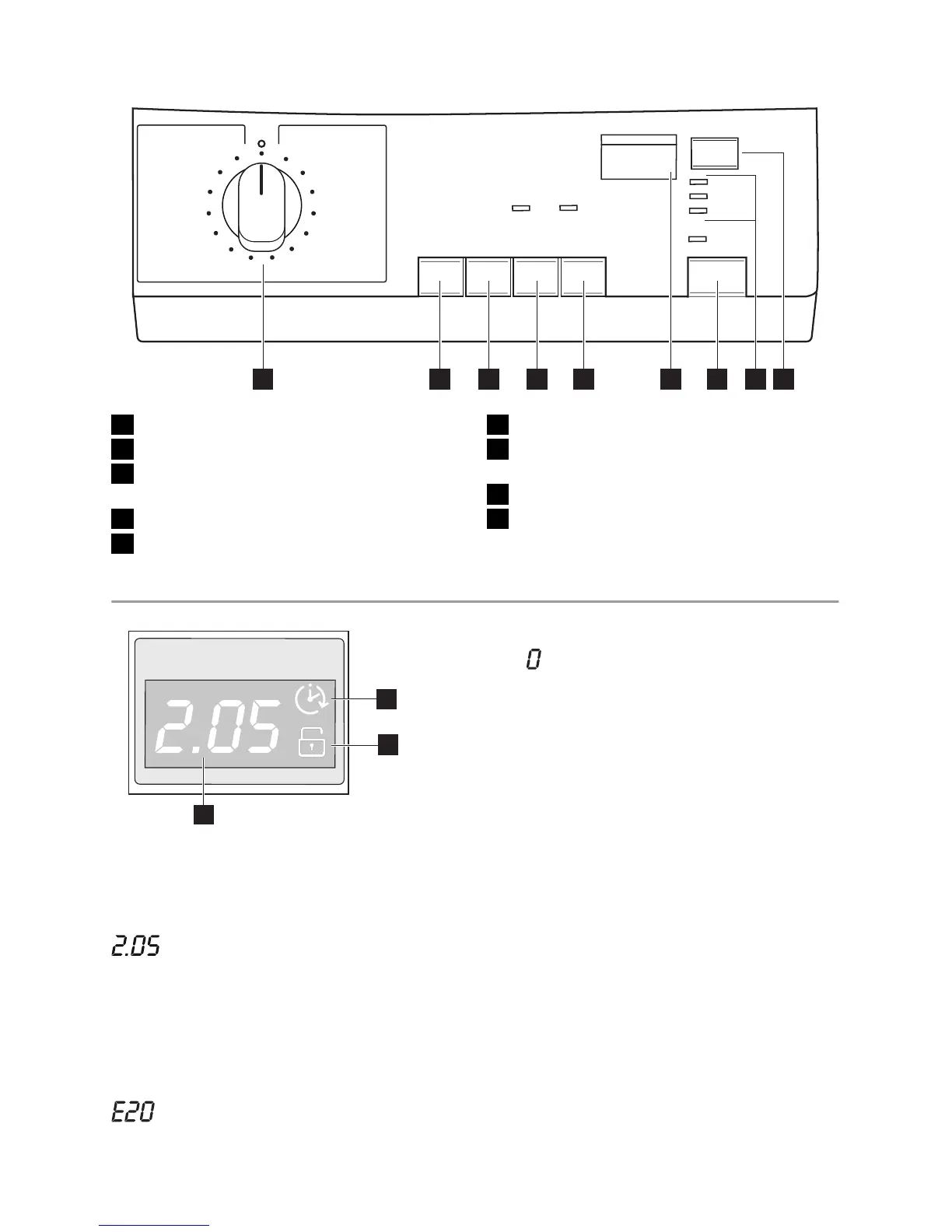
1 2 3 4 5 76 98
1 Programme selector dial
2 SPIN button (U/Min.-Essorage)
3 PREWASH button (Vorwäsche-Prélav-
age)
4 STAIN button (Flecken-Taches)
5 TIME SAVING button (Zeitsparen-Temps)
6 DISPLAY (Laufzeit-Temps restant)
7 START/PAUSE button (Start/Pause-Dé-
part/Pause)
8 Indicator pilot lights
9 DELAY START button (Zeitvorwähl-Dé-
part différé)
Display (6)
6.2
6.3
6.1
6.1
Duration of selected programme : After
selecting a programme, the duration is dis-
played in hours and minutes (for example
). The duration is calculated automat-
ically on the basis of the maximum recom-
mended load for each type of fabric. After the
programme has started, the time remaining
is updated every minute.
Alarm codes
In the event of operating problems, some
alarm codes can be displayed, for example
(see chapter «What to do if...»).
End of programme
When the programme has finished a blinking
zero
is displayed, the DOOR (Tür/Porte)
pilot light ( 8.2 ), the WASHING (Waschen/
Lavage) pilot light ( 8.1 ) and the pilot light of
button 7 go out and the door can be opened.
Incorrect option selection
If an option which is not compatible with the
set wash programme is selected, the mes-
sage Err is displayed for about 2 seconds
and the yellow pilot light of button 7 light
starts blinking.
6.2
Delayed start
The selected delay (20 hours max) set by
means of the relevant button appears on the
display for about 3 seconds, then the dura-
tion of the previously selected programme is
displayed. The symbol 6.2 will appear on the
display. The delay time value decreases by
one unit every hour. When only 1 hour re-
mains, the time decreases every minute.
6.3
Child safety lock symbol
See section "Child safety lock" for details.
electrolux 5




 To Next Page