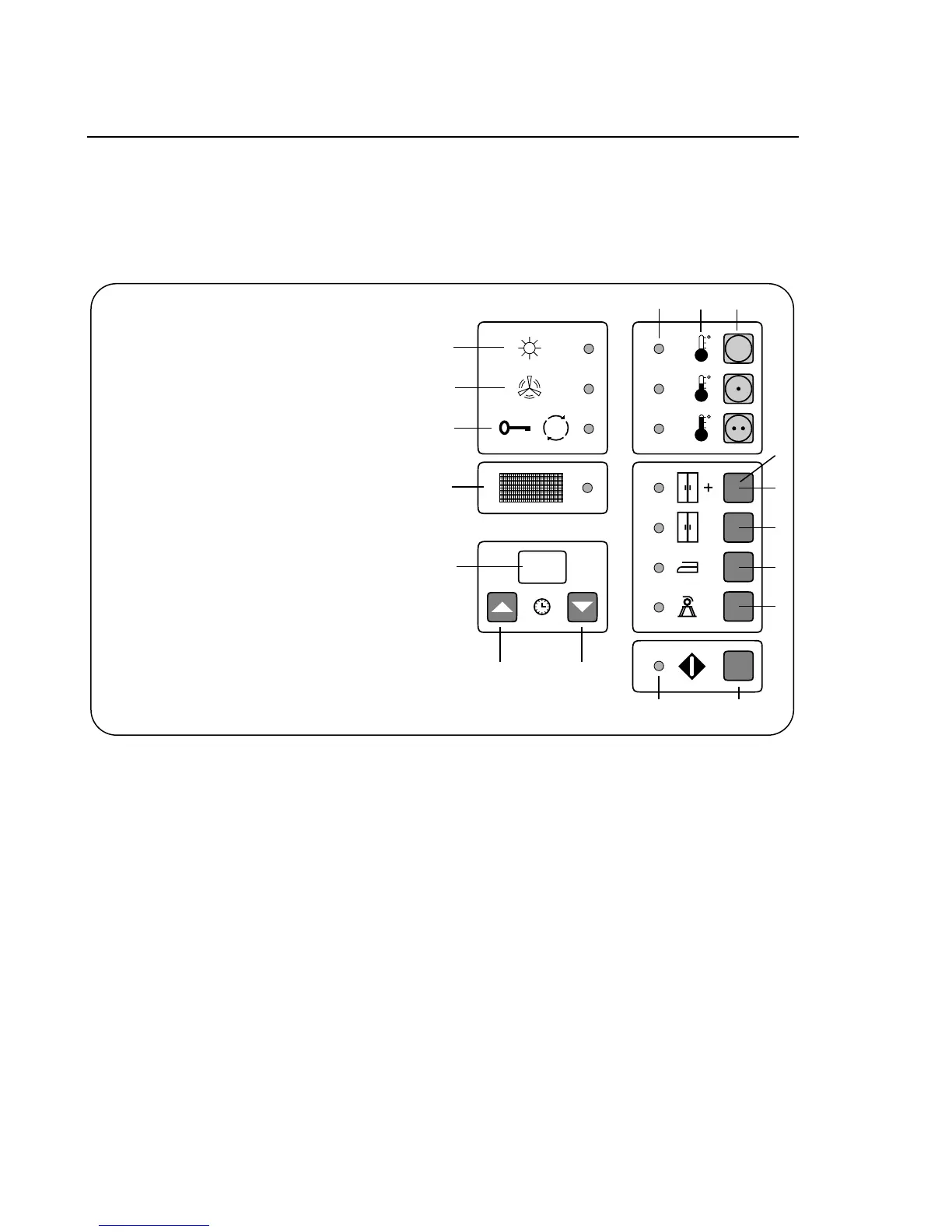
A. Program selector
B. Temperature symbols
C. Lamp is lit for selected program
D. Start button
E. Lamp flashes / ready to start
F. Drying / lamp is lit
G. Cooling / lamp is lit
H. Drying time completed / lamp is lit
I. Filter / lamp is lit: Clean filter
J. Display indicates drying time
when time controlled is selected.
K. Timer buttons for desired drying time,
one press = one minut
L. Select residual moisture program by
pressing one of the following buttons:
1. Extra dry
2. Storage dry
3. Iron dry for iron
4. Iron dry for ironing machine
C B A
E
D
F
G
H
I
J
K K
L
1
2
3
4
Instructions for Use
2
Explanation




 To Next Page