EasyManua.ls Logo

Electrolux Z2250 Series - User Manual

Electrolux Z2250 Series
12 pages
Print Icon
To Next Page IconTo Next Page
Loading...
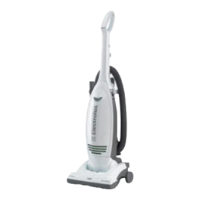
Upright
VACUUM CLEANER
OWNER’S GUIDE
Z2250 SERIES
Household Type
Please Retain
We suggest you record the model, type and serial numbers
below. They are located on the silver rating plate on your
cleaner. For prompt and complete service information, always
refer to these numbers when inquiring about service.
Model & Type
___________________________
Serial No.
______________________
It is also important to keep your receipt as proof of date of
purchase.
Important Information 2-3
Guarantee .....................
3
Assembly Parts .............
4
How to Assemble .......
4-5
How to Use ...................
5
Accessories ..................
6
Filters ............................ 6
Dustbag .....................6-7
Brush Roll & Belt ..........
7
How to Clear
Blockages .....................
8
Troubleshooting ............
9
Thermal Cut Off ............
9
Index
IMPORTANT
For any advice
on your cleaner and to
order dustbags, filters
and accessories,
please telephone
Electrolux
Customer Care
08706 055055
www.electrolux.co.uk

Questions and Answers

  • T
    Teresa BaileyJul 29, 2025
    What to do if my Electrolux Z2250 motor suddenly stops?
    • T
      Thomas Jones IIIJul 29, 2025
      If your Electrolux Vacuum Cleaner suddenly shuts off, turn the power switch off (0) and unplug it. Check for overheating sources like a full dustbag, blocked hose, or clogged filter. Fix these issues and wait 30 minutes before reuse. After 30 minutes, plug it back in and turn the power switch on (I). If it still doesn't work, contact customer care.
  • B
    burgesscaitlinAug 3, 2025
    How to fix Electrolux Z2250 when the motor will not start?
    • K
      Kimberly DeanAug 3, 2025
      If the motor of your Electrolux Vacuum Cleaner won't start, ensure the plug is securely pushed into the outlet. Try another outlet and check the circuit breaker.
  • N
    Nathaniel BlevinsAug 8, 2025
    How to turn Electrolux Z2250 Vacuum Cleaner height knob if it's hard to turn?
    • D
      dale48Aug 8, 2025
      If the height knob on your Electrolux Vacuum Cleaner is hard to turn, put the handle in the operating position. Tilt the cleaner back to raise the front wheels off the floor, then turn the knob.
  • J
    Julie MurphyAug 13, 2025
    Why my Electrolux Z2250 Vacuum Cleaner does not clean the carpet or floor?
    • A
      Ashley ThompsonAug 13, 2025
      Your Electrolux Vacuum Cleaner might not be cleaning the carpet or floor due to several reasons. You should clean or replace the filters because fine dust can block airflow. Also, replace the dustbag, ensuring it's properly seated. Make sure the hose adapter is secure and remove any hose blockages. Check the base hose and long hose. Replace a broken, cut, loose, or misshapen belt. Finally, clean hair and thread from the brush roll bristles and end cap area, or replace the brush roll if the bristles are worn.
  • N
    Natasha OwenAug 18, 2025
    Why is there no suction at the end of the Electrolux Z2250 hose?
    • A
      Ann CombsAug 18, 2025
      If there's no suction at the end of your Electrolux Vacuum Cleaner hose, ensure the hose adapter is secure. Clean or replace the filters, as fine dust can reduce suction. Remove any clogs from the hose that restrict airflow, checking both the base hose and the long hose. Also, replace the dustbag.
  • P
    phartAug 25, 2025
    How to reduce noise from the brush roll area of Electrolux Vacuum Cleaner?
    • J
      jlongAug 25, 2025
      To address noise coming from the brush roll area of your Electrolux Vacuum Cleaner, remove the hood and clear any debris or items from the brush roll area. Also, replace any broken, cut, loose, or out-of-shape belt.

Summary

Important Information and Safeguards

Important Advice

Key information regarding cleaner advice and ordering accessories.

Please Retain Information

Advice to record model, type, and serial numbers for service.

Important Safeguards

Essential safety precautions to follow when using the vacuum cleaner.

Getting Started

Before You Start

Preliminary checks and setup steps before operating the cleaner.

Check Voltage and Electrical Connection

Ensuring correct voltage and proper mains cable connection.

Service and Guarantee

Service Checklist

Troubleshooting steps before contacting service for common issues.

Product Guarantee

Details on warranty coverage, conditions, and exclusions.

Assembly and Operation

Assembly Parts Identification

Diagram and list of all vacuum cleaner parts and accessories.

How to Assemble the Vacuum

Step-by-step guide for assembling the Electrolux vacuum cleaner.

How to Use the Vacuum

Instructions on operating the cleaner, including ON/OFF and handle release.

Floor Type Selector Adjustment

Adjusting cleaner base height for different floor surfaces.

Maintenance and Troubleshooting

Routine Maintenance

Regular care tasks like dustbag and filter checks.

Using Accessories

Instructions for attaching and using various cleaning attachments.

Periodic Maintenance

Less frequent but important maintenance tasks for longevity.

Brush Roll Belt Replacement

Guide on how to replace the brush roll belt (Ref: ZE090).

Clearing Hose Blockages

Step-by-step guide to identify and clear blockages in the vacuum hose.

Troubleshooting Common Problems

Table addressing issues like motor not starting or no suction.

Thermal Cut Off Explanation

Information on the thermal cut off feature and what to do if it activates.

Contact and Support

Questions and Customer Care

Contact information for Electrolux Customer Care for assistance.

Electrolux Z2250 Series Specifications

General IconGeneral
ModelZ2250 Series
CategoryVacuum Cleaner
Dust Capacity2.5 L
CordlessNo
BaggedYes
Filter TypeHEPA
Special FeaturesTelescopic tube

Related product manuals