
 Need help?
Do you have a question about the Electromaten TS 959 and is the answer not in the manual?
Outlines essential safety precautions for installation and operation by trained personnel.
Emphasizes the necessity of fitted coverings and correctly positioned safety devices for safe operation.
Details technical specifications like dimensions, voltage, power, and operating conditions for the TS 959 model.
Highlights critical safety measures like de-energizing, regulations, and proper connections for electrical work.
Details requirements for the on-site backup fuse and disconnector unit as per EN 12453.
Provides pin assignments and core details for DES/NES motor and limit switch connections.
Illustrates various mains voltage connections (3~, 1~) for the control unit.
Shows the process of connecting the mains supply to the control unit terminals.
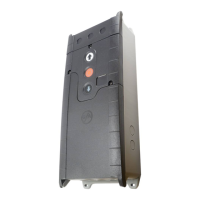
Identifies and labels all terminals, buttons, and displays on the control panel.
Step-by-step guide for rapid adjustment of OPEN and CLOSE final limit positions using the DES system.
Detailed procedure for rapidly adjusting final limit positions using the NES system, including cam adjustments.
Explains how to connect emergency stop devices to the control unit.
Outlines the sequence for programming the control, including selecting menus and saving settings.
Details the connection and activation of emergency stop devices and potential error indications.
Lists status codes, corresponding fault descriptions, and measures for fault correction.
 General
| Brand | Electromaten |
|---|---|
| Model | TS 959 |
| Category | Controller |
| Language | English |

 To Next Page