
 Need help?
Do you have a question about the Elektron VAS 622 009 and is the answer not in the manual?
Specifies where the charger can be operated safely, considering temperature, dust, and ventilation.
Details who can use the charger, including children and persons with disabilities, with supervision.
Provides essential safety guidelines for connecting and operating the charger, including power connection.
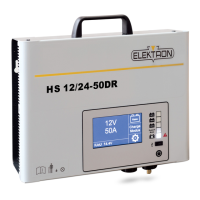
The main graphic user interface for interacting with the charger.
LEDs indicating charging status, errors, and operating modes.
Interface for service or software updates.
Button for pausing, resuming, switching on, and switching off the charger.
Explains the two primary operating modes: Charge Mode and Support Mode.
Procedure for switching between Charge Mode and Support Mode via the touch display.
Overview of operating the charger in Charge Mode for battery charging.
How to adjust default parameters like battery voltage and type in Charge Mode.
Advanced settings for de-sulphating, end-of-charge voltage, and language.
Procedure for initiating charging and the initial I-Check battery health test.
Instructions for temporarily pausing and resuming the charging process.
How to properly switch the charger off and then back on.
Indicators and steps for completing a charging cycle.
Explanation of the trickle charging mode for maintaining battery charge.
Overview of Support Mode for buffering vehicle power systems.
Steps to activate and use the charger in Support Mode.
Procedure for safely ending the Support Mode operation.
LED indications when the charger is off or preparing to charge.
LED indications for various stages of the charging process.
LED indications and error codes for troubleshooting faults.
 General
| Brand | Elektron |
|---|---|
| Model | VAS 622 009 |
| Category | Battery Charger |
| Language | English |

 To Next Page