QUICK START GUIDE
7
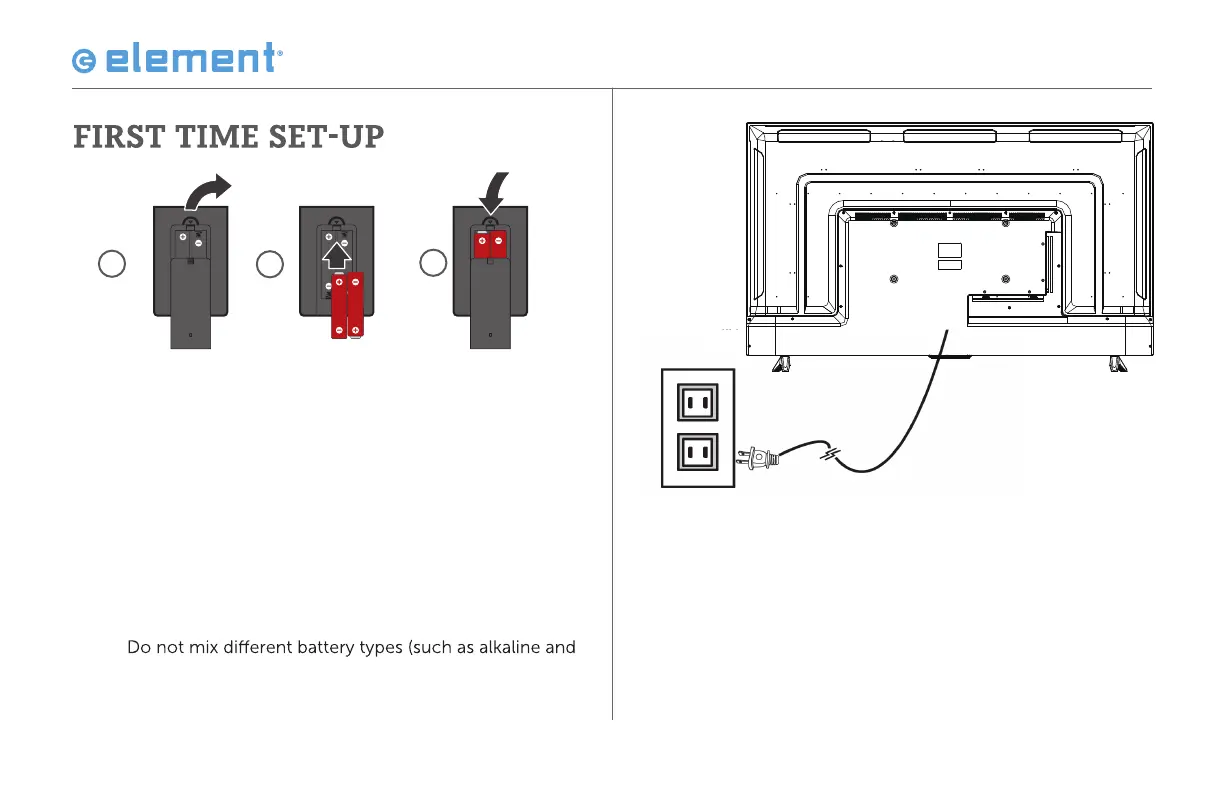
2. Remove your remote from the accessory
box and open the battery cover. Insert 2 AAA
batteries, as shown in the image above. Close
the battery cover.
CAUTION:
Incorrect installation may cause battery leakage and corrosion
resulting in damage to the remote control.
• Do not mix old and new batteries
•
magnesium batteries)
• Do not use rechargeable batteries
• Do not burn or break batteries
3. Plug the power cord into an electrical outlet.
The fl at edge of the connector goes toward the
outside of the TV.
1
2
3



 To Next Page