This document is a user manual for the Element ELCHS322 television, providing comprehensive instructions for its setup, operation, and maintenance.
Function Description:
The Element ELCHS322 is an all-in-one TV receiver, video monitor, and PC display. It supports various input sources including TV, AV, S-Video, Component, VGA, and HDMI, making it versatile for connecting to a wide range of multimedia devices such as VCRs, DVDs, Digital Video Recorders (DVRs), Cable Set Top boxes, Satellite receivers, Blu-Ray players, camcorders, and audio amplifiers. The TV is designed to receive both American TV standard ATSC/NTSC system broadcasts and digital terrestrial and cable broadcasts. It features a closed caption decoder for viewing programs with dialogue or text display, and V-chip functionality to enable parental control over inappropriate content. The TV also includes a user-adjustable sleep timer and multi-language capabilities for the On-Screen Display (OSD).
Important Technical Specifications:
- Model: ELCHS322
- Diagonal Display Size: 31.5 Inches
- Television System: American TV standard ATSC/NTSC system
- Audio Multiplex: BTSC system
- Channel Coverage:
- VHF: 2~13
- UHF: 14~69
- CATV: 1~125
- Digital Terrestrial Broadcast (8VSB): 2~69
- Digital cable (64/256 QAM): 1~135
- PC Mode Resolutions: 640×480/60Hz, 800×600/60Hz, 1024×768/60Hz
- YPbPr/YCbCr Mode Resolutions: 480I/60Hz, 480P/60Hz, 720P/60Hz, 1080I/60Hz
- HDMI Mode Resolutions: 480I/60Hz, 480P/60Hz, 720P/60Hz, 1080I/60Hz
- Native Resolution: 1366 × 768
- Power Source: AC 120 V, 60 Hz
- Power Consumption: 118W
- Audio Power: 6W+6W (total 12W)
- Connection Interface (Inputs):
- RF input: Cable/Antenna ×1
- Video input: VideoX1, S-VideoX1, ComponentX2, HDMIx2
- Graphic input: Analog RGB 15pin ×1 (VGA)
- Audio input: AV Audio X1, Component Audio X 2, VGA Audio Input X 1
- Connection Interface (Outputs):
- Audio output: Audio X 1, Coaxial Audio out x 1, Headphone audio out x 1
- Dimensions:
- Length: 31.5 inches
- Width: 9.4 inches
- Height: 23.5 inches
- Weight: 30.8 lbs
- Environmental Conditions:
- Temperature: 5°C~35°C (41F~95F)
- Humidity: 20%-80%RH
- Atmospheric pressure: 86kPa-106kPa
- Safety Class: IEC Safety Class I (must be grounded for safety).
- Wall-mounting Bracket Installation:
- Unit Dimension: 200x200 mm
- Screw Diameter: M6
- Screw Length: 12 mm
Usage Features:
The TV can be operated via buttons on the front/side panel or using the provided remote control.
- Power ON/OFF: The power indicator changes from red (off) to blue (on).
- Input Selection: Users can switch between TV, AV, S-Video, Component, VGA, and HDMI inputs using the [INPUT] button or the [ARROW] and [ENTER] buttons on the remote.
- Channel Selection: Channels can be selected using [CH+/CH-] buttons or by directly entering the channel number on the remote. The "Channel Scan" feature automatically finds and stores available channels, and "Channel Skip" allows users to delete unwanted channels from the scan list.
- Volume Adjustment: [VOL+/VOL-] buttons control the volume.
- Mute Function: The [Mute] button toggles sound on/off.
- Picture Modes: Four preset picture modes are available: Standard, Movie, User, and Vivid. In "User" mode, brightness, contrast, saturation, HUE, sharpness, and color temperature can be adjusted. Advanced video settings like DNR, Black Level, Extender, White Peak Limiter, and Flesh Tone are also accessible.
- Sound Modes: Four preset sound modes are available: Standard, Speech, User, and Music. In "User" mode, audio balance, surround sound, equalizer, auto volume control, and SPDIF type can be adjusted.
- Screen Modes (Aspect Ratio): The [ASPECT] button allows selection between Normal (original 4:3 with black bars), Wide (stretched proportionately to fill screen), Zoom (stretches 4:3 to 1:1.78), and Cinema (stretches 4:3 to 1:2.35). High Definition 16:9 pictures are displayed in "Wide" mode.
- Closed Caption (CCD): The [CCD] button changes the closed caption mode (CC1-CC4, Service1-Service2 for DTV; On/Off for TV/AV). Digital Closed Caption and Digital Caption Style options are available, allowing adjustment of font size, color, and background.
- Multi-channel Television Sound (MTS/SAP): The [MTS/SAP] button changes the sound mode to Mono, Stereo, or SAP.
- Electronic Program Guide (EPG): For ATSC tuners, the [GUIDE] button displays program information.
- Sleep Timer: The [SLEEP] button sets the TV to turn off automatically after a specified time (5, 10, 15, 30, 45, 60, 90, 120, 180, 240 minutes, or Off).
- Time Display: The [TIME] button shows the current time.
- DPMS (Display Power Management Signaling): A feature for computer monitor use, where the TV screen turns on/off in sync with the computer's sleep mode.
- Parental Control: This feature allows users to block channels, inputs, or programs based on TV ratings (U.S. TV, U.S. Movie, Canada English, Canada French). A default password [0000] is used initially, which can be changed. Blocking a rating automatically blocks all higher ratings.
Maintenance Features:
- Cleaning: The TV screen should be cleaned with a clean cellulose sponge or chamois cloth dampened with a mild detergent and warm water. Excess moisture should be wiped off with a dry cloth. The cabinet can be polished with quality furniture polish.
- Warnings: Do not use strong solvents (thinner, benzene) on or near the cabinet. Do not remove the cabinet back; refer servicing to qualified technicians.
- Troubleshooting: A table is provided in the manual to help diagnose common issues such as the TV not turning on, no picture/sound, poor picture/sound, inability to select channels, poor color, or remote control malfunction. A general solution for many issues is to unplug the AC cord, wait 1 minute, and re-plug to reset TV settings.
- Battery Replacement: The remote control uses two AAA (1.5V) batteries. Instructions are provided for installation, emphasizing correct polarity and safe disposal.
- Service Jack: A dedicated connector for service purposes only.
- Reset Default: This function restores all TV settings to their original factory defaults.

 Need help?
 General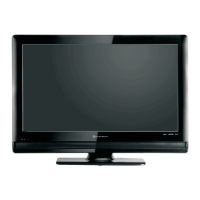

 To Next Page