Chapter 1: RPi Hardware Basic Setup
Typical Hardware You Will Need
While the RPi can be used without any additional hardware (except perhaps a power supply
of some kind), it won't be much use as a general computer. As with any normal PC, it is
likely you will need some additional hardware.
The following are more or less essential:
• Raspberry Pi board
• Prepared Operating System SD Card
• USB keyboard
• Display (with HDMI, DVI, Composite or SCART input)
• Power Supply
• Cables
Highly suggested extras include:
• USB mouse
• Internet connectivity - a USB WiFi adaptor (Model A/B) or a LAN cable (Model B)
• Powered USB Hub
• Case
Connecting Together
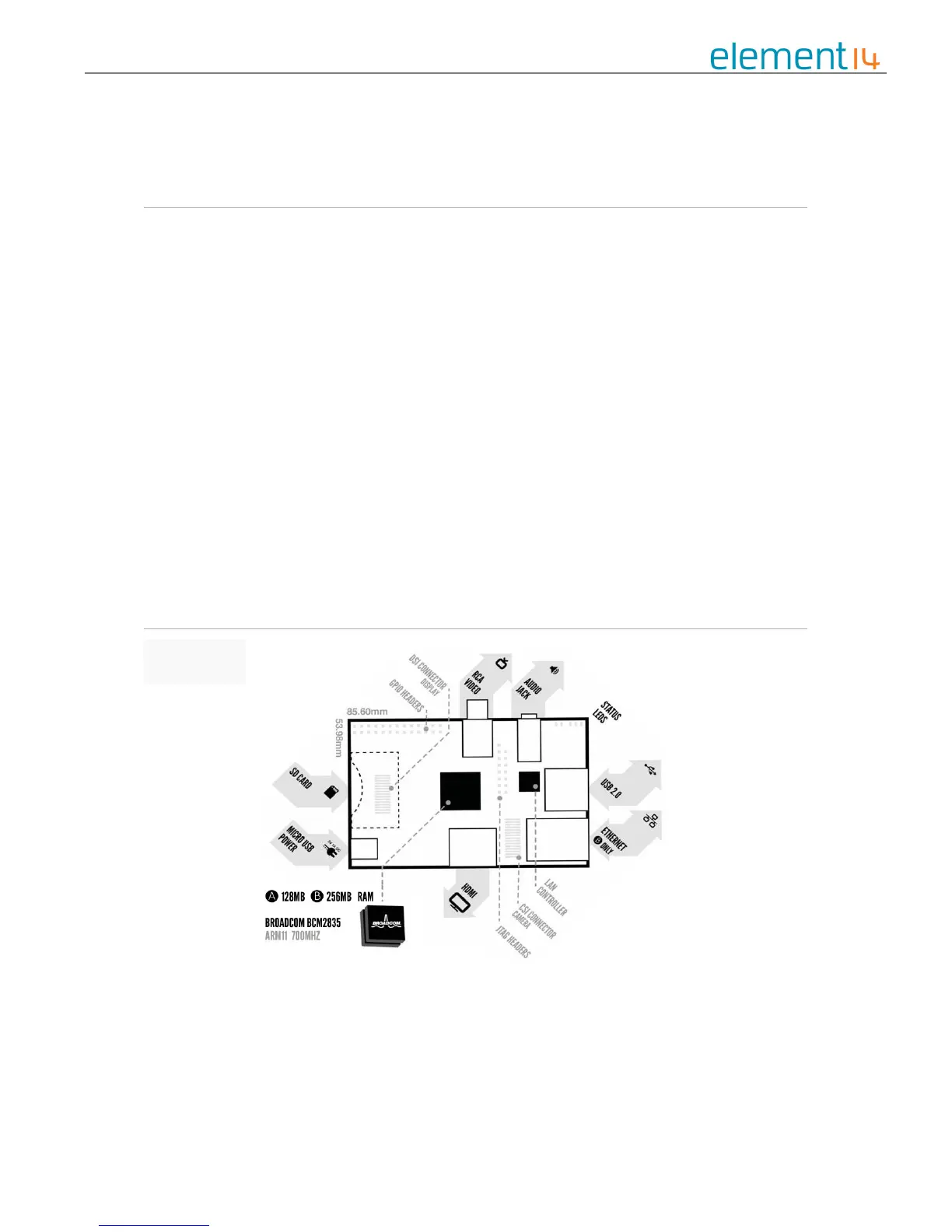
You can use the diagram to connect everything together, or use the following instructions:
1. Plug the preloaded SD Card into the Pi.
2. Plug the USB keyboard and mouse into the Pi, perhaps via a USB Hub. Connect the
Hub to power, if necessary.


 To Next Page