Element-A, EA2 User Manual
www.elementalmachines.io
sales@elementalmachines.io
771-00008 rev 02 Element-A, EA2 User Manual
Copyright © 2020 Elemental Machines
Page 9 of 15
• Verify that the Elements are displaying as 'connected' on the Elemental Insights dashboard
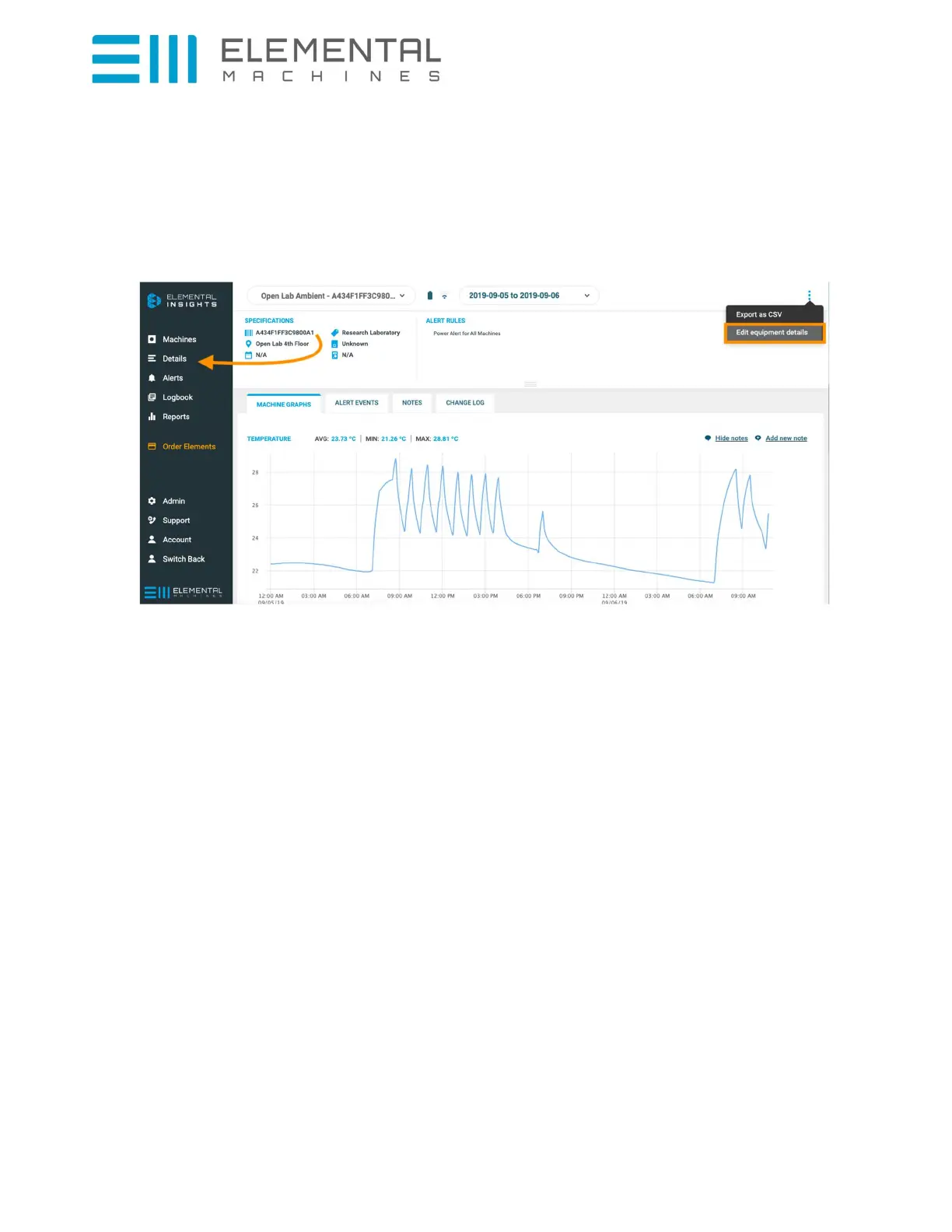
• Edit the Element descriptions in the Elemental Insights dashboard to include name and location
of the device and provide details on the equipment being monitored. Do this in the Dashboard
by clicking on Details, then Edit by clicking on the three dots on the top right of the page and
selecting “Edit equipment details”.
• Further assistance e.g. to complete the Dashboard setup can be found by clicking on Support at
the bottom left of the Dashboard.



 To Next Page