10
• Scale
• Two batteries “CR2032”
• Instruction manual
• Warranty card
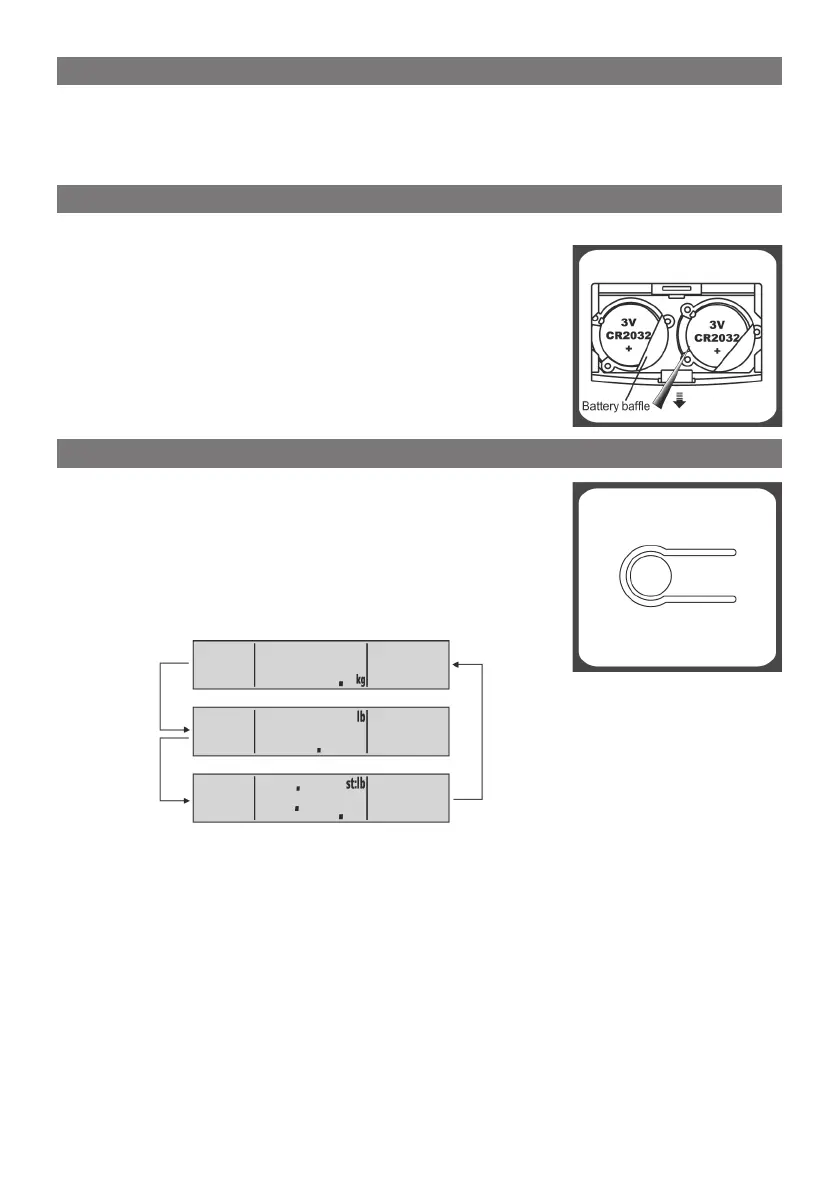
Please, use 2 x 3 V CR2032 lithium batteries. Remove isolation sheet before use;
Open the battery case cover at the bottom of scale, and
install or replace battery as follow:
A. Take out the used battery with the aid of a sharp ob-
ject, as shown in picture.
B. Install new battery by putting one side of the battery
beneath the battery bafe and then pressing down the
other side.
If your scale is available (or applicable) in kg/lb/st, you can
set to the one you prefer by pressing the unit conversion
button (picture on the right). The unit conversion button
locates on the bottom of scale.
Press the unit conversion button when scale is power off,
LCD shows current weight unit.
Press the button again to convert weight unit in following
sequence:
After selecting the preferred unit, the scale will be auto-off after 3 seconds. Selected
weight unit will be activated when the scale is turned on again.
• When setting lb/st as weight unit, the default height unit is feet/inch;
• When setting kg as weight unit, the default height unit is cm.



 To Next Page