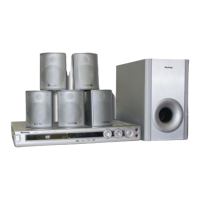
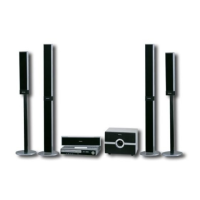
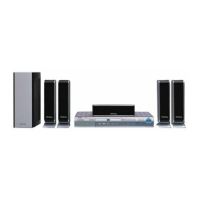
This document describes the Elenberg HT-450 Home Theatre system, a new generation home player designed to deliver high-quality video and audio.
Function Description
The Elenberg HT-450 is a versatile home theatre system with a built-in DVD player and amplifier. It supports various disc formats, including DVD, VCD, CD, MP3, and JPEG Picture CD. The system features a built-in DTS, LPCM, and MPEG digital audio output, ensuring high-fidelity sound. It also includes an AM/FM stereo tuning system for radio reception. The integrated amplifier provides a high-quality audio experience.
Important Technical Specifications
Power Supply: AC 220V ~ 50Hz
Power Consumption: 210W
Disc Output:
- TV System: PAL/NTSC
- Frequency Range: 20Hz~20KHz
- S/N A Weight: > 80dB (1KHz)
- Frequency Response: ≥ 70dB (1KHz)
- THD+NOISE: ≤ 60dB (1KHz)
- WOW FLUTTER: Below the limit of apparatus measure
Tuner:
- AM Frequency Range: 522KHz – 1620KHz
- FM Band Range: 87.5MHz – 108MHz
Power Output (RMS): 30W x 5 + 60W
Frequency Response: ±1.5dB (20Hz~20KHz)
Usage Features
The Elenberg HT-450 offers a comprehensive set of features for controlling playback, audio, and video settings.
Front Panel Controls:
- POWER BUTTON: Turns the unit on/off.
- MIC JACK & MIC VOLUME: For microphone input and volume control.
- ECHO: Adjusts echo effect.
- DVD DOOR & OPEN/CLOSE BUTTON: For loading and ejecting discs.
- REV/SEARCH BUTTON: Fast backward search.
- PLAY/PAUSE BUTTON: Starts or pauses playback.
- FWD/SEARCH BUTTON: Fast forward search.
- PREV/RADIO- BUTTON: Skips to previous track/chapter or tunes down radio frequency.
- STOP BUTTON: Stops playback.
- NEXT/RADIO+ BUTTON: Skips to next track/chapter or tunes up radio frequency.
- SOURCE BUTTON: Selects input source (DVD/LINE 1/LINE 2).
- MASTER VOLUME: Adjusts overall volume.
Rear Panel Connections:
- SPEAKER OUTPUT TERMINALS: Connects to speakers (impedance 8~16Ω).
- 2CH AUDIO INPUT: For external stereo audio sources.
- VIDEO OUT: Composite video output.
- S-VIDEO OUT: S-Video output.
- L AUDIO OUT & R AUDIO OUT: Left and Right stereo audio outputs.
- COMPONENT Y/Cb,Pb/Cr,Pr: Component video output.
- COAXIAL DIGITAL OUT: Coaxial digital audio output.
- OPTICAL OUT: Optical digital audio output.
- VGA: VGA video output.
- SCART: SCART connector.
- FM antenna & AM antenna: For radio reception.
- Power cord: Connects to AC power.
Remote Control Operation:
The system comes with a full-function remote controller. Batteries should be inserted into the cell box, and the remote control should be pointed at the remote sensor within 8 meters and within a 30-degree angle. Batteries should be removed if the controller is not used for a long time.
Disc Playback:
The unit supports DVD, VCD, CD, MP3, and JPEG Picture CD.
- DVD: Audio+Video
- MP3: Dolby Digital Audio
- VCD: Audio+Video
- CD-DA: Audio
- Picture CD: JPEG Photo CD
- MPEG-4: Audio+Video
System Setup (accessed via SETUP key):
- GENERAL SETUP PAGE:
- TV Display: 4:3 Panscan (wide-screen image on full screen, some parts cut off), 4:3 Letterbox (wide-screen image with black bars), 16:9 Wide Screen (for wide-screen TVs).
- ANGLE MARK: Shows ANGLE mark for multi-angle DVD discs.
- OSD LANGUAGE: Selects on-screen display language.
- CAPTIONS: Enables/disables captions.
- SCREEN SAVER: Activates a moving picture screen saver and standby mode after inactivity.
- LAST MEMORY: Remembers the last played position on a disc.
- SPEAKER SETUP:
- DOWNMIX: Configures audio output for LT/RT (Left and Right channels), STEREO, SURROUND (virtual surround for 5.1CH player), or OFF (turns off downmix).
- SPDIF SETUP PAGE:
- SPDIF OUTPUT: SPDIF OFF (only analog audio output), SPDIF/RAW (digital signal in original format), SPDIF/PCM (digital signal in decoded PCM form), MANUAL (allows setting CD, DOLBY DIGITAL, DTS, MPEG formats).
- PCM CHANNEL: Selects PCM frequency (48kHz or 96kHz).
- DOLBY DIGITAL SETUP:
- DYNAMIC: Reduces overall volume while maintaining audio clarity.
- CHANNEL DELAY PAGE (Not available for 2CH DVD): Adjusts speaker distances.
- 3D PROCESSING (Not available for 2CH DVD): Enables reverb mode in PROLOGIC ON mode.
- HDCD SETUP PAGE (Not available for 2CH DVD and DVD without DTS): Selects digital filter at 44.1kHz or 88.2kHz.
- VIDEO SETUP PAGE:
- COMPONENT VIDEO: YUV (analog component video), P-YUV (progressive YUV), RGB (Red/Green/Blue for SCART), P-RGB (progressive RGB), VGA (for VGA terminals).
- QUALITY: Adjusts sharpness, brightness, contrast.
- PREFERENCE SETUP:
- TV SYSTEM: PAL, NTSC, or AUTO.
- AUDIO, SUBTITLE, DISCMENU LANGUAGE SETUP: Sets initial language preferences.
- PARENTAL CONTROL: Controls content playback based on rating.
- PASSWORD SETUP: Changes password (initial factory password is 136900).
- DEFAULT: Resets to initial factory settings.
Playback Controls:
- STANDBY: Standby/working mode switch.
- SOURCE SELECT: Switches between DVD/LINE 1/LINE 2.
- OPEN/CLOSE: Ejects or loads disc tray.
- CH-LEVEL: Selects and adjusts channel levels.
- TITLE: Returns to the top menu of a DVD disc.
- MENU: Returns to the previous menu. For VCD2.0 discs, it toggles PBC (Programmed Playback Control) ON/OFF.
- V-MODE: Switches video output mode for clear picture.
- A-MODE: Switches between 2-channel and 5.1-channel audio output.
- TONE: Controls bass, mediant, and treble.
- AUDIO: Selects desired audio channel.
- SUBTITLE: Selects desired subtitle language.
- ANGLE: Changes view angle for multi-angle discs.
- L/R/ST: Selects left/right channel, stereo, or mix audio output for multi-channel VCD/CD.
- DIGITS BUTTONS: Selects tracks/chapters directly.
- STOP [■]: Stops playback, memorizing the position (single press) or stopping without memory (double press).
- PLAY [►II]: Plays or pauses playback.
- STEP: Changes to the next frame during DVD/VCD/SVCD playback.
- Fast Forward/Rewind: For quick search.
- PREV/NEXT: Skips to previous/next chapter (DVD) or track (VCD/CD).
- PROGRAM: Sets up playing order for tracks/chapters/titles. For MP3 discs, it enters DIRECTORY-PLAY or FILE-LIST mode.
- REPEAT: Repeats title, chapter, track, or the whole disc.
- A-B button: Repeats a specific segment of content.
- GOTO: Jumps to a specific title time, chapter time, or track time.
- ZOOM: Zooms in/out of the picture and moves the zoomed area.
- S.EFFECT: Applies different sound effects.
- VOLUME [▲]/[▼]: Adjusts volume up/down.
- MUTE: Mutes/unmutes sound.
- OSD: Displays disc information on the TV screen.
Picture CD Playback:
- Press STOP to view 12 small pictures.
- Use arrow keys to select pictures.
- Use MENU and ENTER to access an instruction menu for picture transformation, preview, rotation, zoom, and movement.
Line Input Operation:
The unit has extra line input terminals for connecting external analog stereo audio sources (DVD, CD, TAPE PLAYER). In LINE INPUT mode, [A_MODE] can change stereo input to 5.1CH output, and [VOLUME+/-], [CH_LEVEL], [MUTE], [TONE], [S.EFFECT] buttons are available.
Tuner Operation:
- AM/FM: Switches between AM and FM bands.
- MO/ST: Switches between mono and stereo in FM mode.
- MEMORY: Saves selected radio frequencies.
- AUTO: Automatic searching and presetting of FM/AM stations.
- DIGITS BUTTONS: Selects preset stations using two-digit input.
- SEARCH+/SEARCH-: Searches for frequencies up/down.
- RADIO+/RADIO-: Skips forward/backward to stations.
In Tuner mode, [A_MODE] can change stereo input to 5.1CH output, and [VOLUME+/-], [CH_LEVEL], [MUTE], [TONE], [S.EFFECT] buttons are available.
Maintenance Features
General Care:
- Read the manual carefully before connection and operation.
- Do not open the cover or touch internal components.
- Turn off power when not in use; unplug the power cord for long periods of inactivity.
- Keep away from direct sunlight, heating sources, or equipment.
- Avoid exposure to rain or moisture.
- Place the unit on a horizontal, ventilated surface; do not block heat holes.
- Clean the cabinet with a soft cloth; do not use detergent or alcohol.
- Do not place objects filled with liquids on the apparatus.
Troubleshooting:
The manual provides a table of common symptoms, their causes, and remedies, such as:
- No power: Check power cord, replace fuse.
- No picture: Check TV/player video setup, video cable connection.
- No sound: Check audio cable connection, source selection, audio setup.
- Distorted picture: Clean disc, note that distortion can be normal in fast forward/rewind.
- Luminance unsteady/picture with noise: Anti-copy circuit influence (connect directly to TV).
- Unable to play: Disc missing, bad, upside down, dirty, or parental control active.
- Key malfunction: Power wave/static interference (turn on/off power).
- Remote control doesn't work: Point at sensor, check distance, replace batteries.
- Can't locate any channels (Tuner): Antenna not connected, source mode not in tuner mode.
Service Life:
The service life of the product is 3 years from the moment of sale. After this period, it is recommended to consult a service center for further operation to ensure normal use.

 Need help?
 General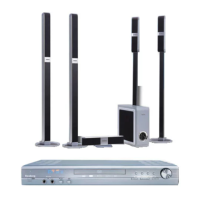

 To Next Page