11
Battery and charging
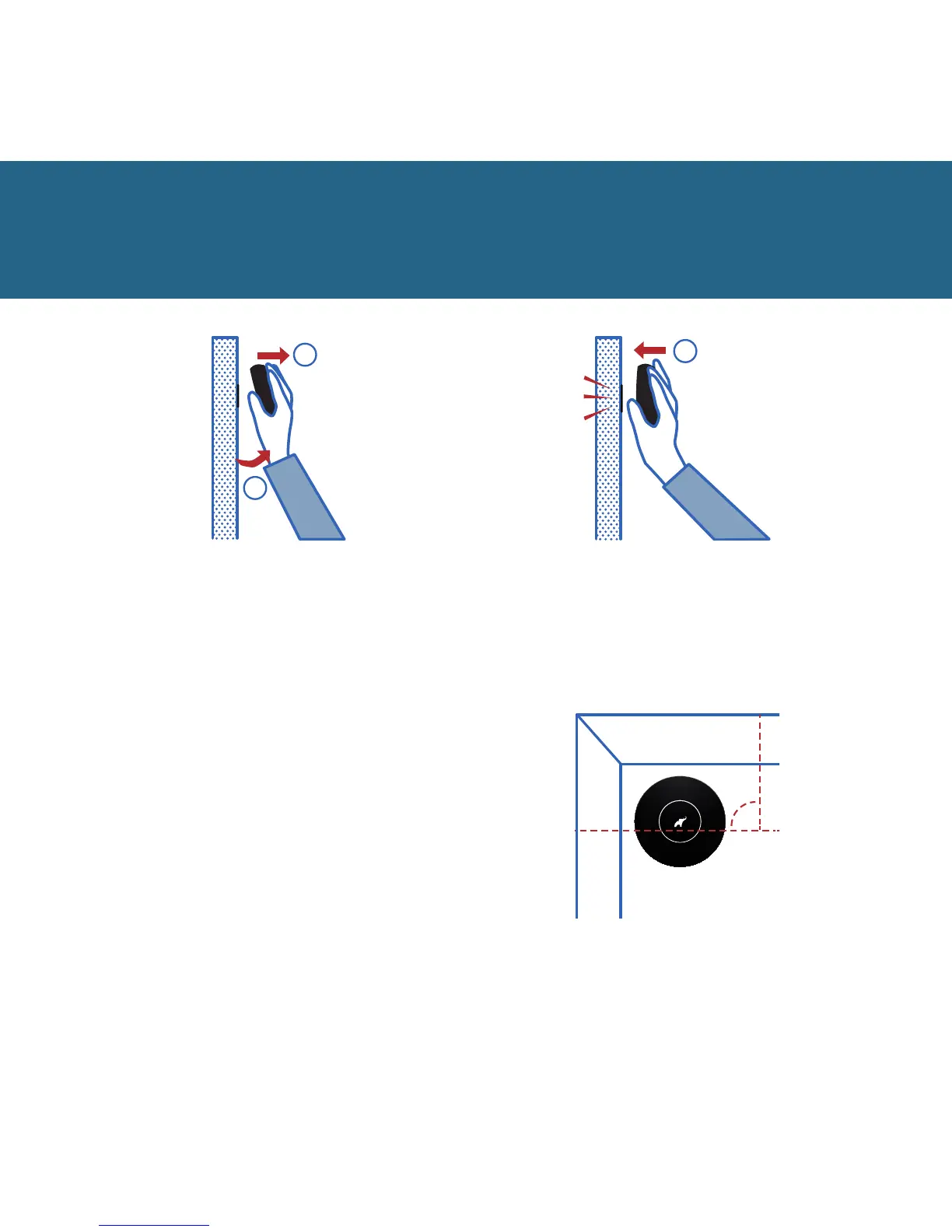
To remove the device for charging,
make sure that it is turned o
(in standby mode), then tilt it (1)
and pull it (2)
1
2
1
To replace your device after
charging, put it against the
entire surface of the fixing.
90
o
The logo must be positioned
as shown above.


 To Next Page