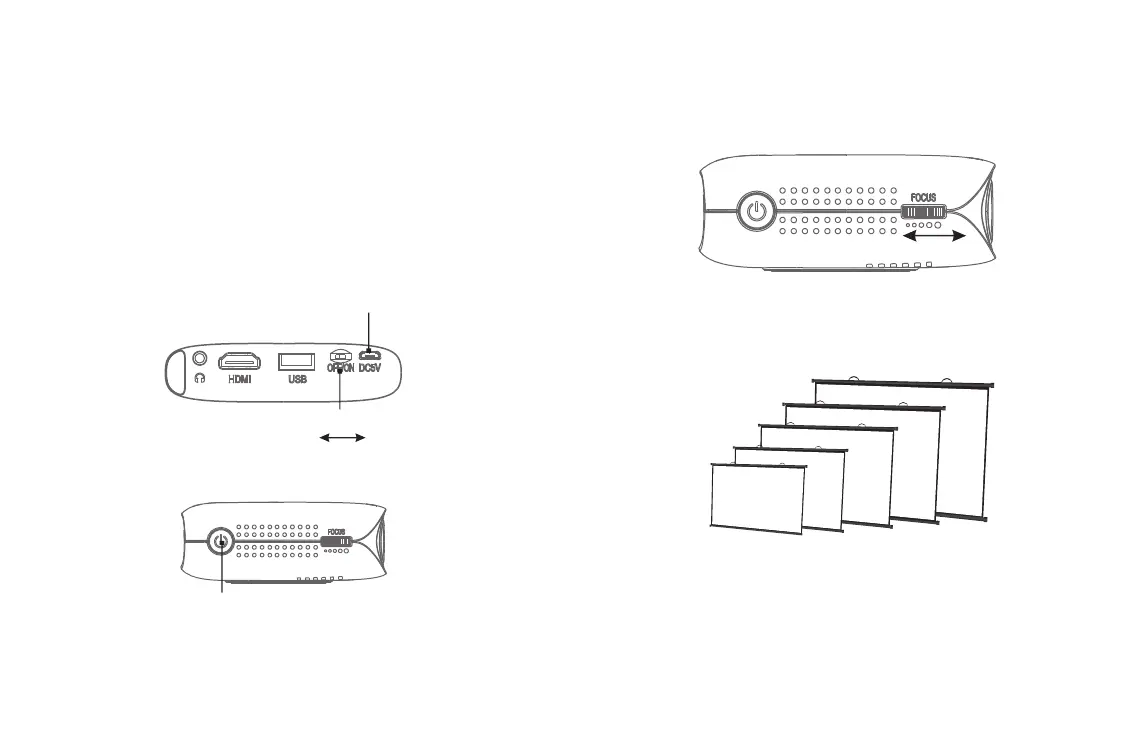
Master Switch
Micro USB Charging port
Towards the left is OFF
Towards the right is ON
●Powering ON/OFF
Powering ON
Step1: Plug the DC terminal of the power adaptor into “Micro USB Charging
port” terminal of projector.
Step2: Move the master switch right to “ON”, press the power key.
Powering OFF
Step1: Press the power key, the projector is o.
Step2: When the projector is o, return the master switch to the o position.
Failure to do so may result in the projector turning on while in transit
resulting in electrical fires.
Power key
5
6
Adjust the focus ring front or back lightly until the image is clear.
●Focusing
Focus Ring
100 inch
80 inch
60 inch
40 inch
20 inch
0.5m
1.0m
1.6m
2.1m
2.6m



 To Next Page