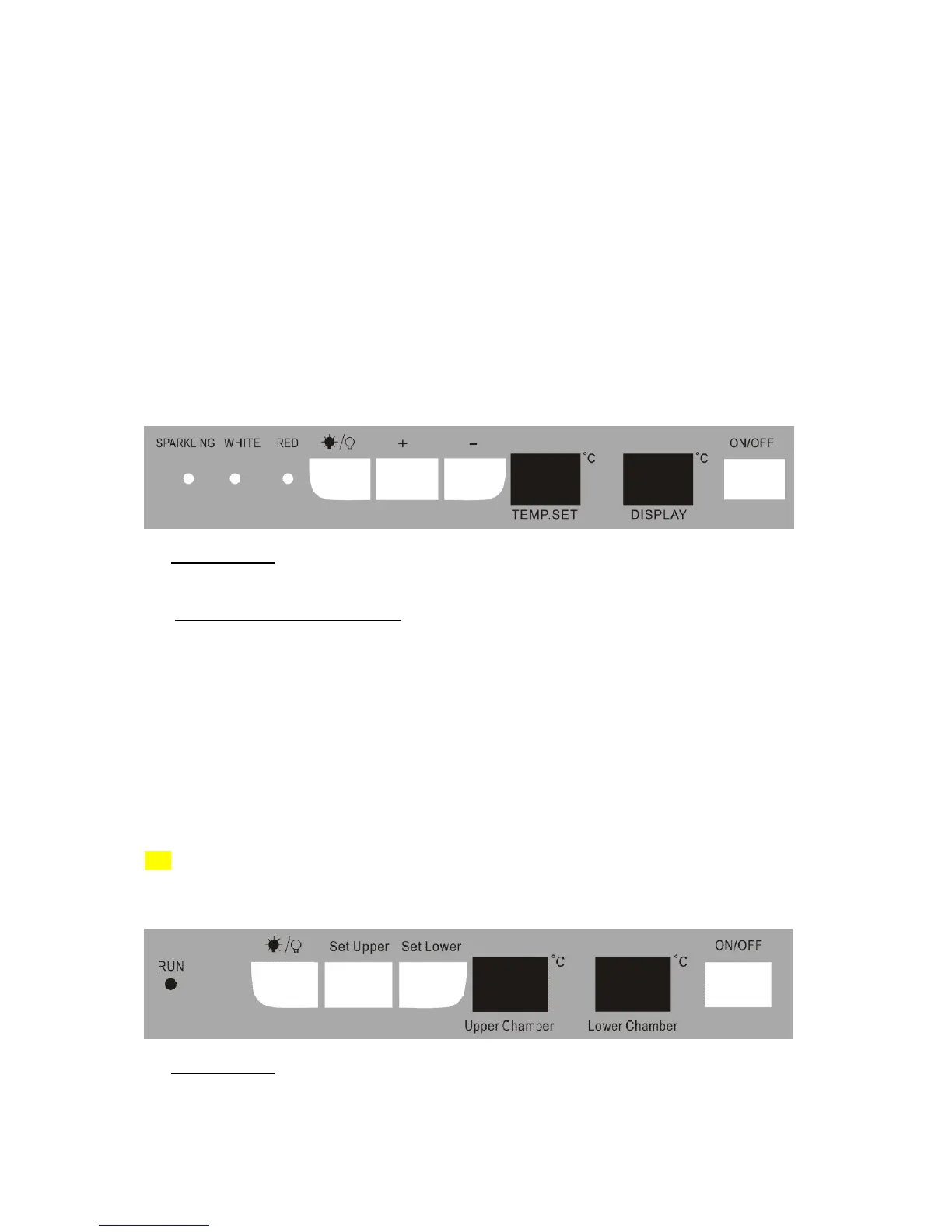
OPERATING YOUR WINE COOLER
The Wine Cooler should be placed in where the ambient temperature is between 41- 95 degrees
Fahrenheit(5-35℃). If the ambient temperature is above or below this range, the performance of the
unit may be affected. For example, placing your unit in extreme cold or hot conditions may cause
interior temperatures to fluctuate. The range of 39-64 degrees Fahrenheit (4-18℃) may not be
reached.
WF110BL
Recommended Temperatures for Chilling Wine.
Red Wines: 15-18℃ (59-64 F)
Dry/White Wines 9-14℃ (48-57 F)
Sparkling Wines 4- 8℃ (32-46 F)
The above temperatures may fluctuate depending on whether or not the interior bulb is ON or OFF or
whether the bottles are located on the upper/middle or lower section.
ON/OFF Power
To turn OFF the appliance, press the ON/OFF button.
Setting the Temperature Control
You can set the temperature as you desire by pushing the UP(+) or DOWN(-) button. When you
push the two buttons for the first time, the LED readout will show the original temperature set at
previous time (the temperature preset at the factory is 54ºF(12℃).
The temperature that you desire to set will increase 1ºF or 1ºC if you push the UP(+) button once,
on the contrary the temperature will decrease 1ºF or 1ºC if you push the DOWN(-) button once.
When you store mostly red wines, the temperature which you control by pushing the above two
buttons need to be set at between 59 to 64 F(15-18℃) and the LED lamp under “RED” will be lit
red.
When you store mostly white wines, the temperature needs to be set at between 48 to 57 F(9-
14℃) and the LED lamp under “WHITE” will be lit green.
When you store mostly sparkling wines, the temperature needs to be set at between 41 to 46 F
(5-8℃)and the LED lamp under “SPARKL” will be lit amber.
The temperature inside the unit will be appear in red color in the “DISPLAY” window.
WD100SS
ON/OFF Power
To turn ON/OFF the appliance, press the ON/OFF button.



 To Next Page