Need help?
Do you have a question about the Elgar CW 1251P and is the answer not in the manual?
Details terms and procedures for warranty claims and service, including return authorization and repair processes.
Details electrical specifications for voltage, current, phase, and power factor of the output.
Lists measurement capabilities for voltage, current, frequency, and power parameters.
Describes input voltage, frequency, current, and power factor requirements for the unit.
Outlines overcurrent, overvoltage, and overtemperature protection features for safe operation.
Lists available connectors on the rear panel for external interfaces like GPIB and RS-232.
Provides physical dimensions and weight specifications for the CW series models.
Lists available optional kits and accessories for enhanced functionality and configuration.
Provides instructions for inspecting and handling the unit upon receipt, including damage claims.
Guides on choosing appropriate wire gauges for power connections to ensure safety and performance.
Details methods for benchtop and rack mounting the unit, including hardware and clearance.
Explains the unit's cooling system, airflow requirements, and importance of unobstructed ventilation.
Describes how to connect the unit to the AC power source, including single, split, and three-phase options.
Explains how to connect the load to the unit's output terminals, including grounding considerations.
Details how to use remote sense leads for precise voltage regulation at the load.
Describes external control signals for voltage, frequency, and synchronization via rear panel connectors.
Explains how to connect multiple units for higher power or multiphase operation using specific cables.
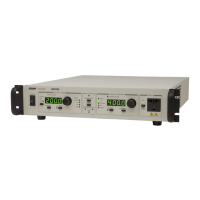
Details the functions of all buttons, knobs, and indicators on the unit's front panel.
Provides a general description of the front panel layout and basic operational procedures.
Describes the unit's startup sequence, including self-test, parameter loading, and output status.
Explains limitations and behavior of frequency adjustments based on voltage and phase angle.
Guides on setting voltage, current, frequency, and other parameters using front panel controls.
Explains how to select and view measured electrical parameters on the unit's displays.
Describes how to access and modify system parameters, settings, and configurations via the menu system.
Provides guidance on cleaning the unit and general upkeep procedures.
Lists replacement fuse types, their ratings, and manufacturer part numbers.
 General
| Output Power | 1250 VA |
|---|---|
| Voltage Adjustment Resolution | 0.1 V |
| Frequency Adjustment Resolution | 0.1 Hz |
| Display | LCD |
| Cooling | Forced air |
| Storage Temperature | -20°C to 70°C |
| Communication Interface | RS-232 |
| Operating Temperature | 0°C to 40°C |


 To Next Page