EasyManua.ls Logo

Elgas miniELCOR - User Manual

Default Icon
131 pages
Print Icon
To Next Page IconTo Next Page
Loading...
GAS-VOLUME CONVERSION DEVICE
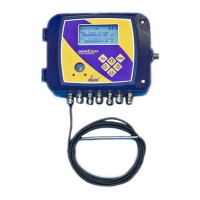
miniELCOR
Device Description
Operation Manual
Technical Description
Mounting instructions
Device settings
Single-channel conversion device of gas volume at measurement conditions to
volume at base conditions. Approved for installation in potentially explosive
atmospheres.
January 2010
Rev. 6g
PRELIMINARY
Question and Answer IconNeed help?

Do you have a question about the Elgas miniELCOR and is the answer not in the manual?

Summary

Introduction

Function principle

Explains how the device converts gas volume from measurement to base conditions.

Device technical description

Device power supply

Covers the primary battery, backup battery, and external power options for the device.

Safety instructions

Use in potentially explosive atmospheres

Specific safety measures for operating the device in potentially explosive atmospheres.

Risks of usage

Highlights potential risks associated with device usage, such as electrostatic charge.

Metrology characteristics

Measuring temperature

Details the PT1000 temperature sensor, its measuring range, and configuration.

Measuring pressure

Describes the analog pressure converter, its sensor, measuring range, and configuration.

Compressibility calculation

Explains methods for calculating gas compressibility factor and validity ranges.

Volume measuring and calculation

Details the counters used for volume measurement and calculations at different conditions.

Connecting inputs and outputs

Inputs

Describes the four digital inputs (DI1-DI4) and their configuration options.

Outputs

Details the four digital outputs (DO1-DO4) and their configuration as binary, impulse, or data.

Communication with device

RS-232 and RS-485 interfaces

Information on using RS-232 and RS-485 serial interfaces for device communication.

Description of function

Archives

Details the different types of archives available for storing device data and quantities.

Putting in operation

Device operation

Parameter settings menu

How to set selected device parameters directly from the device keypad.

Mounting instructions

Accessories

Technical parameters

Inexplosiveness parameters

Device setting

Configuration examples

Setting of communication through MODBUS protocol

Steps to configure and enable communication using the MODBUS protocol.

Pressure and temperature sensor;transducer replacement

Software settings of device for proper communication with new temperature sensor

Software configuration required for the device to communicate with a new temperature sensor.

Software settings of device for proper communication with new pressure transducer

Software configuration required for the device to communicate with a new pressure transducer.

Software settings of the device for proper communication with external digital temperature (EDT-34) or pressure transducer (EDT-23)

Final verification of the device after replacement of sensor;transducer or adding of digital transducer

What to do if something does not work

Elgas miniELCOR Specifications

General IconGeneral
TypeMedia Converter
ModelminiELCOR
ManufacturerElgas
CommunicationEthernet
Operating Temperature-20°C to 60°C

Related product manuals