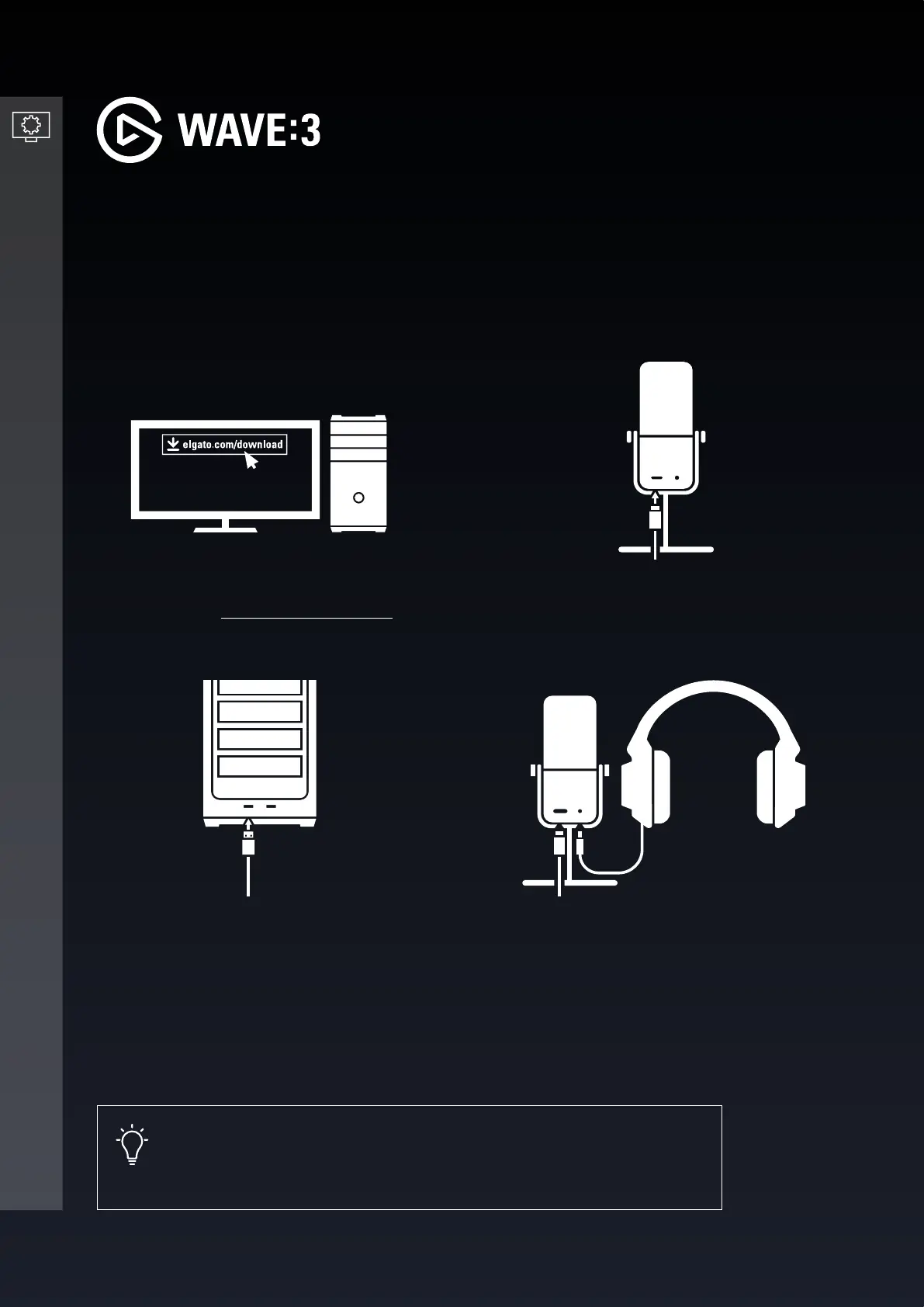
Plug in the provided USB-C cable into
the USB-C port on the microphone.
Plug the USB-A plug into an available
USB-A slot on your computer.
Connect headphones to the 3.5mm
headphone jack on the back of the
microphone.
SETTING UP WAVE
:
3
3
4
1 2
Wave:3 is plug-n-play with no software required for it to function. However, Wave:3 is truly
unleashed when used with the Wave Link software.
2/8 | Version 01 | February 19 2021
Download and install the Elgato Wave
Link Software - elgato.com/download
Pro tip
Plugging headphones into the Wave:3 headphone jack will provide
clearer, latency-free audio.


 To Next Page