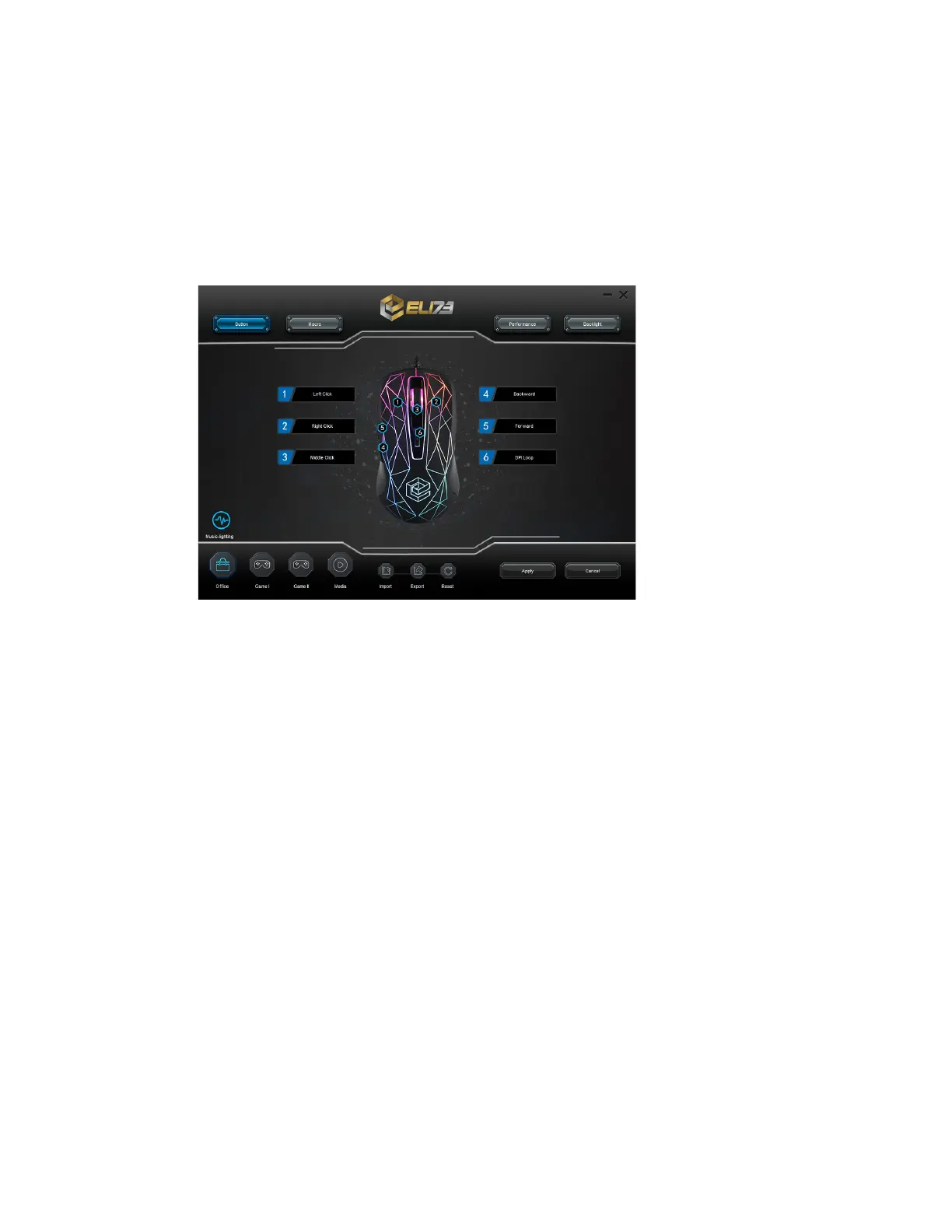
5. Click on the “ELI73 Heist V2 Mouse” shortcut to start the software. You can now start to
configure the mouse.
6. MOUSE BUTTON PROGRAMMING AND FUNCTIONS
- Click at “Button” tab on the Button you want to reassign
- Click on the function you want to assign.
- Click on “Apply” button, the mouse is being updated
7. MACRO SETTINGS
- Click on the “Macro” button.
- Right click on the “Macro List” tab to create a new group and macro.
- Click “Record” to Record the macro.
- Enter on “Key in macro” tab your preferred macro sequence.
- Set the delay time between each action.
- Click “Stop” to Stop the macro.
- Click on “Apply”.
- To assign a macro follow the step “MOUSE BUTTON PROGRAMMING AND
FUNCTIONS” of this manual.
8. PERFOMANCE & DPI SETTINGS
- Find the “Performance” > “DPI Control” tab.
- Click on the checkbox above to the DPI number to enable or disable this DPI level.
- Choose a LED colour for each DPI setting.
- Click on the “DPI” button.
- Change the DPI level by dragging the respective bar.
- Click on “Apply” button, the mouse is being updated.


 To Next Page