EasyManua.ls Logo

ELINTA CHARGE CityCharge V2 - User Manual

ELINTA CHARGE CityCharge V2
60 pages
Print Icon
To Next Page IconTo Next Page
Loading...
1
Public Electric Vehicle Charging station
CityCharge V2
Installation Manual
Elinta Charge, UAB | Partizanu g. 63M, Kaunas 50306, Lithuania | www.elintacharge.com

Questions and Answers

Summary

Introduction

Purpose of the Manual

This manual provides information about the installation process of the public charging station CityCharge V2.

Qualified Personnel

Product installation must be done by qualified personnel aware of risks and safety instructions.

Symbol Usage

Explains the meaning of symbols used in the manual, including danger and note indicators.

High Voltage Warnings

Provides warnings about electric shock hazards from incorrect connections and live electrical parts.

Important Safety Instructions

Details safety practices, including checking for damage and understanding procedures before installation.

Additional Safety Information

Covers restrictions on modifying components and intended use for charging vehicles without ventilation.

Repair and Maintenance

Explains that the station requires no routine maintenance but periodic checks; unauthorized modifications void warranty.

Key Definitions

Defines technical terms and acronyms used in the manual, such as AC, kW, EVSE, RCD, and connector types.

Moving, Transporting, and Storage

Provides recommendations for storing the charging station indoors in a non-humid environment and handling during movement.

Preparation

Site Selection Criteria

Discusses factors for selecting an installation site, including power rating, parking space, and visibility.

Installation

Charging Station Overview

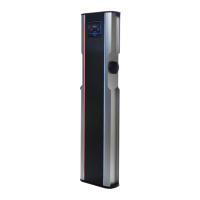
Describes the CityCharge V2 as a fast Mode 3 charging station and highlights its features like LED screen and cable locking.

Technical Specifications

Lists detailed technical specifications including weight, dimensions, power, IP class, temperature range, and communication types.

Internal Components (Standard)

Diagram and labels for internal components of the standard CityCharge V2 model, such as MainBoard, Charge Controllers, and RCDs.

Internal Components (RCD Reset)

Diagram and labels for internal components of the CityCharge V2 with automatic RCD trip reset functionality.

Tools and Consumables

Lists recommended tools and consumables required for the installation process, including concrete mixture and wrenches.

Mounting Pad Preparation

Instructions for preparing the mounting pad, including removing the metal plate and aligning threaded rods.

Concreting the Mounting Pad

Details on setting the mounting plate in concrete, ensuring proper cable routing and base levelness.

Power Supply Cable Introduction

Guidance on routing and protecting the power supply cable using a corrugated PVC pipe, ensuring perpendicularity.

Ethernet Cable Introduction (Optional)

Instructions for installing a UTP Ethernet cable for LAN connectivity, ensuring sufficient length and protection.

DLM Data Cable Introduction (Optional)

Guidance for using a UTP Ethernet cable for data transmission in the dynamic load management system.

Charging Station Unpacking

Instructions on unpacking the charging station, storing packaging, and listing standard and optional package contents.

Charging Station Installation Steps

Step-by-step guide on how to physically install the charging station, including opening service doors and securing it.

Power Supply Connection

Details electrical connection procedures for TNC-S, TNS, and TT power supply systems, emphasizing ground resistance.

LAN Cable Connection (Optional)

Instructions for connecting the LAN cable, including routing, avoiding heating elements, and DHCP configuration for internet access.

GSM Modem Settings and Setup (Optional)

Details on installing and configuring the Teltonika RUT240 modem for GSM/3G/4G communication.

Alternative LAN Connection

Explains connecting the charging station via Ethernet/LAN cable to the modem's WAN port and warns against pressing the reset button.

Dynamic Load Management Wiring (Optional)

Instructions for wiring the smart energy meter to the charging station for the Dynamic Load Management system.

Initial Startup

First Time Start-Up Procedure

Step-by-step guide for the initial power-up of the charging station, including turning on circuit breakers and closing doors.

Charger Boot Sequence

Describes the charger's boot sequence, the 'Ready' message, and the appearance of the Elinta Charge logo during startup.

Settings and Testing

RCD Type B Configuration (Optional)

Explains the function of RCD Type B, its necessity for certain installations, and alternatives like residual current measuring rings.

RCD Type A and Type B Testing

Provides instructions for testing the residual current circuit breakers (RCDs) every three months, including steps for standard and auto-reset RCDs.

Dynamic Load Management Setup (Online)

Guide to configuring Dynamic Load Management settings via the elios.cloud website, including min/max current parameters.

Payment Solution: Payter Terminal (Optional)

Introduces the Payter contactless payment terminal as an option for accepting payments.

Using the Payter Payment Terminal

Explains the steps to start and end charging using the Payter contactless payment terminal and RFID.

Setting Price Rules for Payter

Guide on configuring pricing parameters for charging services via the Elios platform.

Troubleshooting

Station Not Functioning

Troubleshooting steps for when the charging station is not functioning and the screen shows nothing.

LED Stripes Not Lit

Resolving issues where one side of the charger's LED stripes is not lit, potentially due to RCD/MCB.

Charging Process Does Not Start

Solutions for when the station is activated but the charging process fails to initiate, checking cable and car status.

Unable to Stop Charging

Troubleshooting when the charging cable is locked and the charging cannot be stopped, checking communication or RFID tag.

Losing Server Connection

Addresses issues with the charging station losing connection to the server, focusing on signal strength and communication type.

Station Shuts Down on Start

Diagnosing why the station shuts down when attempting to start a charge, checking for faulty cables or RCD triggers.

Slow Charging Process

Investigating reasons for a slow charging process, potentially due to reduced charging current or configuration.

Station Flashes Red (Error)

Troubleshooting errors indicated by the charging station flashing red, involving checking charging logs and restarting the station.

Warranty Information

Warranty Rules and Conditions

Outlines the terms and conditions of Elinta Charge's warranty, including coverage duration and requirements for validity.

What Warranty Does Not Cover

Lists exclusions from the warranty, such as installation work, wear and tear, damage from misuse, or natural disasters.

Not Included in Warranty

Details items not covered by the warranty, including periodic maintenance, user training, and fixing faults in the power input circuit.

In Case of Breakdown

Provides instructions for actions to take in case of a breakdown, including turning off the unit and contacting technical support.

Final Thoughts and Support

Offers contact information for questions and reiterates consumer rights regarding product quality.

ELINTA CHARGE CityCharge V2 Specifications

General IconGeneral
Charging points2
Output power per charging point22 kW
Input frequency50/60 Hz
Operating temperature-30°C to +50°C
Protection degreeIP54
Impact resistanceIK10
AuthenticationRFID, Mobile App
Communication protocolsOCPP 1.6
Output Voltage400 V AC
Output Current32 A
CompatibilityType 2

Related product manuals