Need help?
Do you have a question about the Elipson Connect Wi-Fi Receiver and is the answer not in the manual?
Lists the included items: Connect Wi-Fi Receiver, USB C power cable, and RCA extension cable.
Details the power socket, status LED, and reset button located on the front of the device.
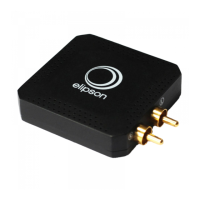
Illustrates the RCA audio output ports on the rear of the Connect Wi-Fi Receiver.
Describes the Elipson App's capabilities for connecting, managing, and controlling devices and music playback.
Guides users to follow the Elipson Connect application for successful home network connection.
Explains how to hold the 'RESET' button to restore factory settings and observe LED indicators.
Addresses product disconnection from Wi-Fi, checking broadband sufficiency and device proximity to router.
Provides solutions for incompatibility issues with RCA socket spacing using the supplied extension cable.
Offers troubleshooting steps for verifying the connection to the amplifier when no sound is present.
 General
| Brand | Elipson |
|---|---|
| Model | Connect Wi-Fi Receiver |
| Category | Media Converter |
| Language | English |

 To Next Page