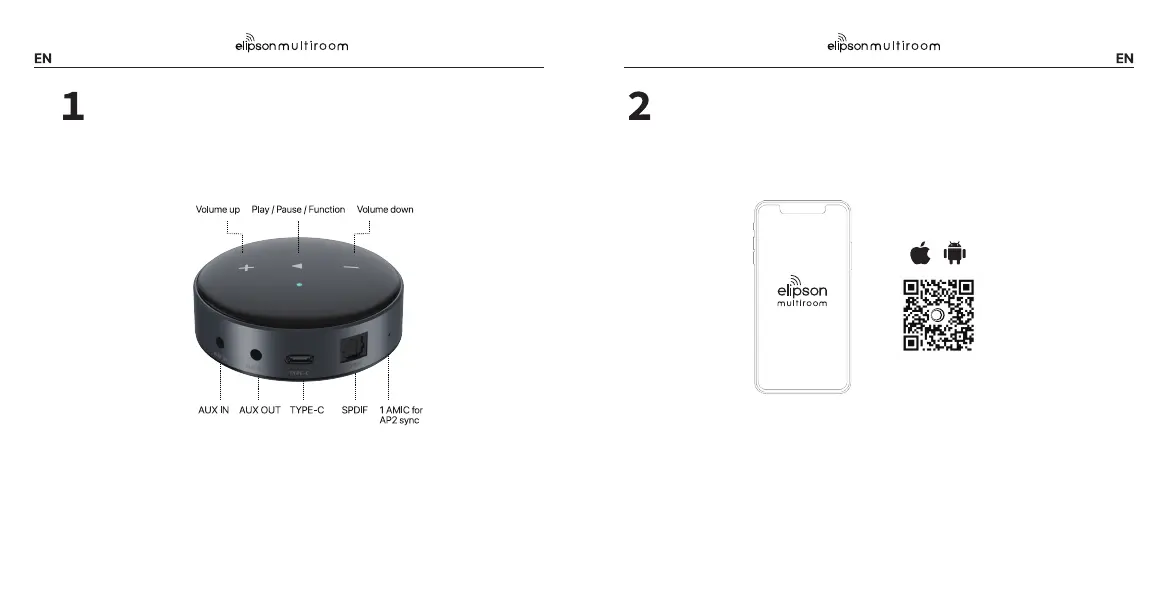
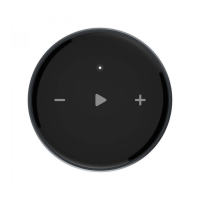
Setup - Press/hold play button on the WiiM Mini for 3 seconds or longer.
Restore to factory setting - Press/hold play button on Wiim Mini for 10 seconds
or longer.
Bluetooth pairing - Press/hold volume +&- for 2 seconds or longer.
Connect WiiM Mini to your stereo system through AUX OUT (not AUX IN)
or SPDIF.
Plug in USB cable to Type-C power port.
Connect WiiM Mini to your stereo system
Open the Elipson Multiroom app when you're ready to get started. You'll use it to
setup and control your WiiM Mini.
Download the Elipson Multiroom app
1. Turn on Bluetooth in your device's settings.
2. Back to the Elipson Multiroom app, choose the device you found and tap "Set up"
3. Allow the location permission to discover the nearby network to set up the
Wi-Fi network for WiiM Mini.
Connect to Elipson Multiroom app


 To Next Page