
 Need help?
Do you have a question about the Elite ProAV Spectrum2 Series and is the answer not in the manual?
Follow essential safety guidelines for unit operation, handling, and electrical connections to prevent damage or injury.
Details specific conditions like heavy rain, direct sun, or moisture where the unit should not be used.
Emphasizes professional installation, warns against modifications, and covers FCC rules for interference.
Covers initial steps of unpacking, handling the screen carefully, and protecting it from contaminants.
Component used for attaching the screen to a surface.
Fastener for securing mounting brackets.
Wall anchor for screw insertion.
Adapter for ceiling mounting installations.
Hardware for connecting ceiling bracket components.
Tool to ensure the screen is installed level.
Steps for marking, drilling, installing brackets, and attaching the screen to a wall.
Steps for marking, drilling, installing brackets, and attaching the screen to a ceiling.
Instructions for hanging the screen from a ceiling using chains and bracket connectors.
Details the functionality and use of the integrated 3-way control switch.
Procedure for safely detaching the screen case from its mounting brackets.
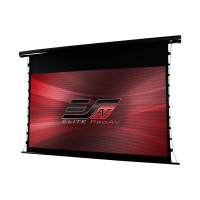
The EliteProAV AV Spectrum2 Series is an electric motorized projection screen designed for various installation environments, offering a versatile and convenient solution for displaying projected content. This user's guide provides essential information for safe operation, installation, and maintenance of the device.
The AV Spectrum2 Series projection screen is an electrically operated screen that can be lowered and raised with ease, providing a dynamic display surface for presentations, home theater, and other applications. Its motorized function allows for precise control over the screen's position, ensuring an optimal viewing experience. The screen is designed to be flush-mounted to a wall or ceiling, or suspended from a ceiling using chains, offering flexibility in placement to suit different room layouts and aesthetic preferences.
The screen comes with a built-in 3-way control switch, conveniently attached to the power cord, which is 3.5 meters in length. This switch allows users to easily control the screen's movement, with "Up," "Stop," and "Down" functions. This integrated control provides immediate access to adjust the screen's position without the need for additional remote controls, making it straightforward to operate.
For installation, the guide outlines clear steps for flush mounting to both walls and ceilings. The process involves marking locations, drilling holes, inserting M10 anchors, and securing mounting brackets with M4x50 screws. Once the brackets are in place, the screen case is attached by inserting its top into the first fix plate and securing the back to the second fix plate, ensuring the case slots are securely connected to the mounting bracket. A bubble leveler is provided to ensure the screen is perfectly level before plugging in the power cord, which is crucial for a professional and aesthetically pleasing installation.
For suspended ceiling installations, additional hardware is required, specifically chains (not included). The guide details how to connect the suspended ceiling bracket connector to the mounting bracket using M5x15 screws and bolts, and then to insert chains through the loop holes of the connector. This method offers an alternative installation option for spaces with high ceilings or specific architectural requirements.
The screen's design emphasizes ease of use and installation, with clear instructions and diagrams to guide users through each step. The motorized operation eliminates the manual effort associated with pull-down screens, providing a smooth and quiet transition between retracted and deployed states.
The AV Spectrum2 Series is designed with user safety and product longevity in mind, incorporating several maintenance and care guidelines. Users are advised to retain the user's guide for future reference, highlighting the importance of following recommended procedures to ensure the screen's optimal performance and to avoid voiding the warranty.
A critical warning is provided regarding the screen's black top drop, which is factory-set to its maximum distance. Users are explicitly cautioned against attempting to extend it further, as there is no extra drop in the roller, and doing so will void the warranty. Similarly, any unapproved changes or modifications to the unit, with the exception of cutting the power cord for hardwire installations, are prohibited and will also void the warranty. This emphasizes the importance of adhering to the manufacturer's specifications and seeking professional assistance for any issues.
The guide stresses the importance of careful handling during transportation to prevent damage to the unit. For safe and reliable operation, direct connection to a properly grounded power source is advised, and the power outlet should be close to the unit and easily accessible. Users are warned against installing the unit on uneven or inclined surfaces, or placing heavy objects on the power cord. Overloading the power cord is also prohibited to prevent electric shock or fire.
Regarding internal components, the guide explicitly states that there are no user-serviceable parts within the unit. Users are advised not to attempt to disassemble the unit themselves, and only authorized technicians should open and repair it. This ensures that any necessary repairs are performed by qualified personnel, maintaining the screen's integrity and safety.
To prevent damage and ensure proper functioning, users are instructed not to use unauthorized accessories. The power source connected to the unit should have a continuous power flow. If an extension cord is necessary, it must have an equal rating as the appliance to avoid overheating. Additionally, users are cautioned against handling the power plug with wet hands or when their feet are in contact with water, to prevent electric shock.
The guide also lists circumstances under which the unit should not be used, such as during heavy rain, wind, thunder, or lightning, and advises disconnecting the power cord in such conditions. It also warns against exposure to direct sunshine, rain, moisture, fire sources, and high temperatures to prevent overheating. The power supply should be cut off before transportation or maintenance. For prolonged periods of non-use, the unit should be fully disconnected from the power supply, similar to other household appliances. Finally, users are advised not to use the screen if there is obvious damage or broken parts, to prevent possible injury or electric shock.
For pre-installation, the guide recommends carefully unpacking the screen and handling it in a leveled position on a clean surface. To protect the screen from stains, it should be kept away from foreign particles like dust, sawdust, and liquids. Regardless of the mounting method, the screen must be securely supported to prevent it from becoming loose or falling due to vibration or pulling on the viewing surface. The installer is responsible for ensuring that the fasteners used are of adequate strength and suitable for the installation location.
Screen removal from mounting brackets is also detailed, involving pulling down on the mounting bracket release tab and removing the bottom of the case first, followed by the top. This process ensures safe and controlled removal of the screen when necessary.
 General
| Viewing Angle | 180 degrees |
|---|---|
| Aspect Ratio | 16:9 |
| Housing Color | White |
| Screen Size | 100 inches |
| Installation | Wall/Ceiling Mountable |
| Remote Control | IR and/or RF Remote |
| Control Options | Infrared remote, Wall control box |

 To Next Page