The system allows two function keys to be programmed as discount or premium either as a monetary or a percentage
value. The function reports to totals on the financial report recording the value of discounts or premiums given. If the %
key is pressed immediately after the department or PLU, the sales value is reported net to the financial report of the %
value. Alternatively, if the % key is pressed after the subtotal key only the sales total is reported
as a net value and the departments and PLUs are reported gross..
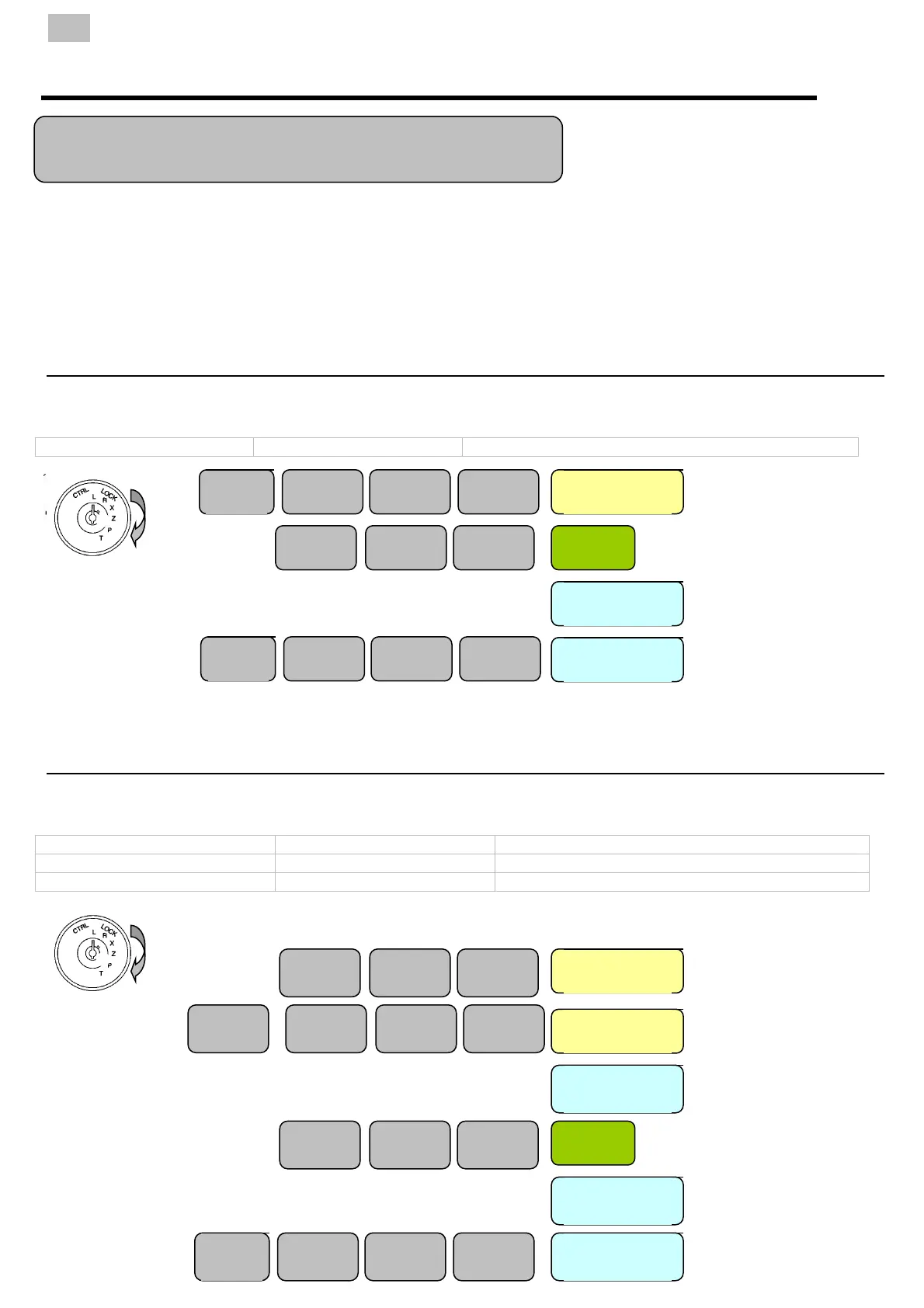
Item Monetary Discount
The discount is entered immediately after the item, ensuring the values are reported net of discount to the department
and PLU report. This operation is available as standard
Example
Department 1 to report £8.50p and £1.50p discount
Sale Monetary Discount
The discount is entered immediately after the subtotal key. The values are reported gross to the department and PLU
Report. This operation is available using the programming of the %1 and %2 keys
Example
Department 1 to report £1.00
Department 1 to report £10.00
Monetary Discounts
Basic Operations
SUBTOTAL
#1
CASH
0 0 0 2
% 1
(-)
5
0
1
SUBTOTAL
#1
CASH
0 0 0 2
6
0
1
R Mode
% 1
(-)
R Mode
0 0 0 1
0
0
1
#1
SUBTOTAL
0
0
1 1



 To Next Page