To Next Page
N
nashchristopherJul 27, 2025
What to do if my ELNA Sewing Machine skips stitches?
- HhowardcatherineJul 27, 2025
If your ELNA Sewing Machine is skipping stitches, try these solutions: * Use the stretch stitch needle. * Change the needle.

What to do if my ELNA Sewing Machine skips stitches?
If your ELNA Sewing Machine is skipping stitches, try these solutions: * Use the stretch stitch needle. * Change the needle.
What to do if my ELNA eXcellence 680 Sewing Machine fabric is not feeding smoothly?
To ensure the fabric feeds smoothly, make the stitch longer.
What to do if my ELNA eXcellence 680 Sewing Machine seam is puckering?
If the seam is puckering, try the following: * Make the stitch shorter. * Apply a stabilizer.
What to do if ELNA Sewing Machine buttonhole sewing is not sewn properly?
To ensure proper buttonhole sewing, apply an interfacing.
Why does the needle thread appear on the wrong side of the fabric when the stitch width value is larger than “7.0” on my ELNA eXcellence 680?
When the needle thread appears on the wrong side of the fabric with a stitch width greater than 7.0, it indicates that the thread tension is not balanced.
Instructions to reduce the risk of electric shock when using the sewing machine.
Warnings to reduce the risk of burns, fire, electric shock, or injury to persons.
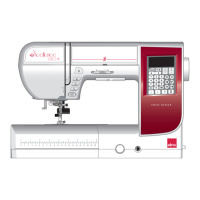
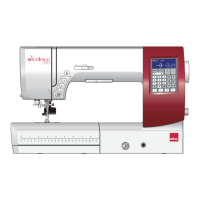
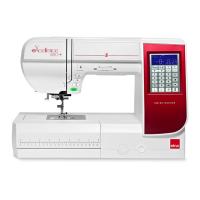
Identification and description of the sewing machine's main components.
Step-by-step guide for connecting the sewing machine to the power source.
Functions of the start/stop, reverse, auto-lock, and needle up/down buttons.
Operation of the thread cutter button for trimming threads.
Keys for selecting stitch patterns, modes, numbers, and clearing settings.
Keys for stitch length, width, elongation, twin needle, and mirror image.
Cursor, thread cutting, set, startover, lockout, and memory keys.
How to adjust foot pressure for different fabric types.
Procedure for lowering the feed dog for special sewing techniques.
Setting thread tension using AUTO and balanced stitch appearance.
Adjusting thread tension manually based on fabric and layers.
Using the lockout key to deactivate buttons and keys for safety.
Step-by-step guide for removing and attaching presser feet.
Instructions for safely removing and attaching the foot holder.
Procedure for changing the sewing machine needle.
Selecting stitch patterns using modes 1-6.
How to select specific stitch patterns directly.
Instructions for starting a straight stitch seam.
Techniques for fastening the ends of seams with reverse stitches.
Using the thread cutter button or face cover cutter.
Guide to sewing the zipper using the zipper foot.
Adjusting stitch length and width for zigzag stitches.
Guide to sewing blind hems for invisible stitches.
Steps for attaching elastic to fabric using a satin stitch foot.
Recommended settings for sewing square buttonholes.
Step-by-step guide for sewing a square buttonhole.
Step-by-step guide for sewing buttons onto fabric.
Procedure for sewing darning stitches.
How to sew tacks of different lengths and sizes.
Instructions for attaching the FMQ foot.
Steps for preparing the machine for twin needle sewing.
Guidelines for sewing with twin needles, including pattern selection.
How to combine and program multiple stitch patterns.
How to select alphabets, numbers, and symbols for monograms.
Step-by-step guide to programming a monogram.
Instructions for cleaning the hook area and related parts.
Steps for cleaning the thread guide plate and pre-tension leaf.
Troubleshooting issues with needle thread breaks, bobbin breaks, and needle issues.
Resolving seam puckering, feeding, and loops on seams.
Troubleshooting machine not working, buttonhole, noise, layer shifts, and errors.
 General
| Stitch Patterns | 170 |
|---|---|
| Buttonholes | 7 |
| Screen | LCD |
| Bobbin Type | Horizontal |
| Type | Computerized |
| Maximum Stitch Width | 9 mm |
| Maximum Stitch Length | 5 mm |
| Free Arm | Yes |
| Sewing Space | 210 mm |
| Lighting | LED |
| Buttonhole Styles | 7 |