EasyManua.ls Logo

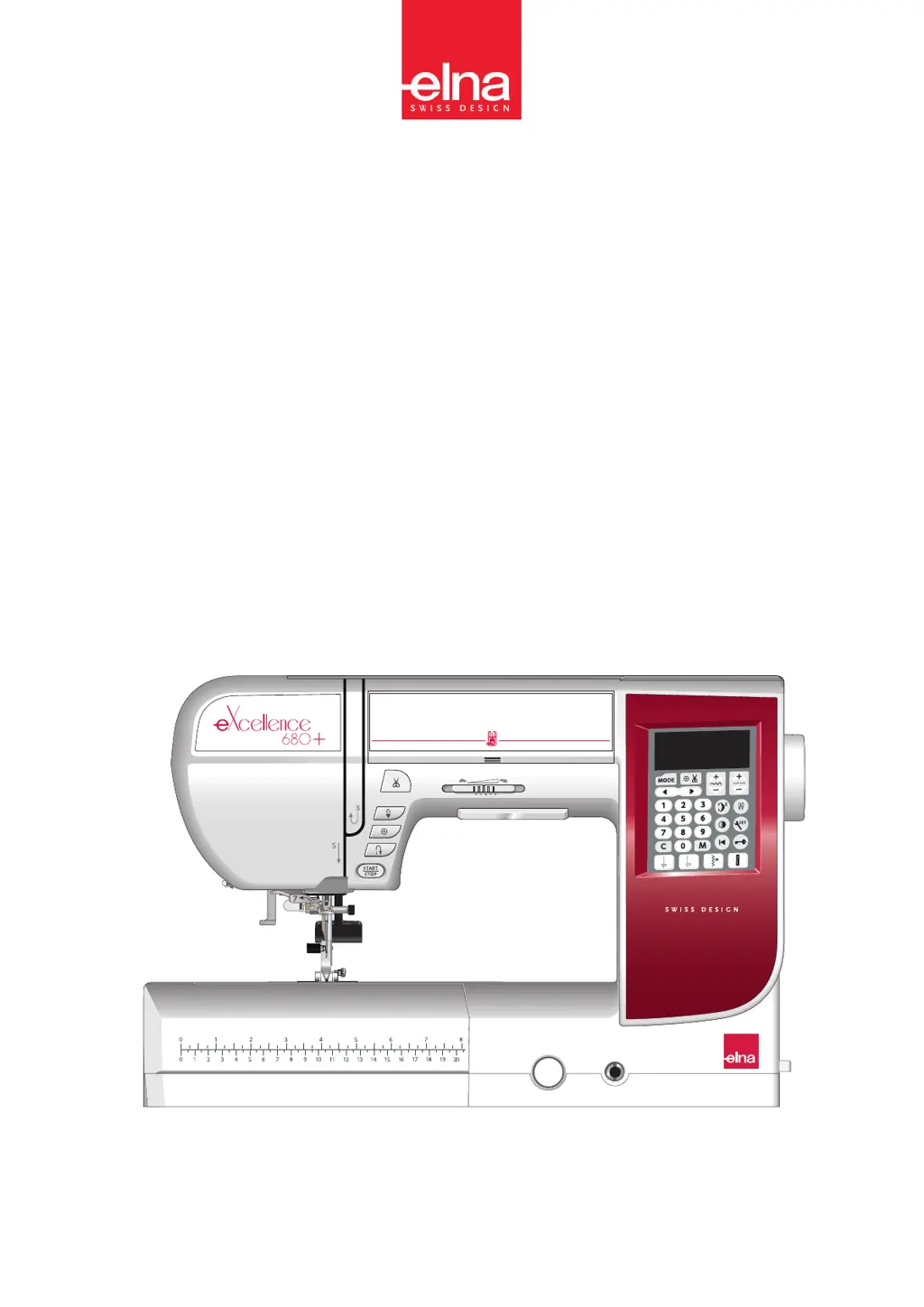
ELNA eXcellence 680+ - User Manual

ELNA eXcellence 680+
96 pages
Print Icon
To Next Page IconTo Next Page
Loading...
| Instruction Manual |
eXcellence 680+

Table of Contents

Questions and Answers

  • L
    Lisa WilliamsAug 16, 2025
    What to do if my ELNA eXcellence 680+ Sewing Machine is skipping stitches?
    • J
      johnelliottAug 16, 2025
      Skipped stitches can occur if the needle is incorrectly inserted, bent, or blunt. It could also be that the needle and/or threads are not suitable for the fabric you're using. If you're sewing stretch, very fine fabrics, and synthetics, ensure you're using a blue tip needle. Also, the needle thread may not be threaded properly, or you might be using a poor-quality needle. Try using the stretch stitch needle or changing the needle.
  • A
    Amanda JohnsonAug 19, 2025
    What causes the bobbin thread to break on my ELNA eXcellence 680+ Sewing Machine?
    • E
      Eric LeeAug 19, 2025
      The bobbin thread may break if it's not threaded properly in the bobbin holder, or if lint has collected there. A damaged bobbin that doesn't turn smoothly can also cause this issue. Try changing the bobbin.
  • B
    Brandy PonceAug 22, 2025
    What to do if the fabric is not feeding smoothly through my ELNA eXcellence 680+ Sewing Machine?
    • K
      Karen DavisAug 22, 2025
      If the fabric isn't feeding smoothly, the feed dog might be packed with lint, or the stitches might be too fine. Also, the feed dog may not be raised after ”drop feed” sewing. Try making the stitch longer.
  • C
    Chad PriceAug 26, 2025
    Why is the buttonhole sewing not working properly on my ELNA Sewing Machine?
    • J
      Jeremy ParksAug 26, 2025
      If buttonholes aren't sewing properly, it could be that the stitch density isn't suitable for the fabric, or interfacing hasn't been used for stretch or synthetic fabrics. Also, the buttonhole lever might not be lowered. Applying an interfacing may help.
  • M
    Marissa BautistaAug 28, 2025
    Why does the needle thread keep breaking on my ELNA Sewing Machine?
    • B
      Bobby GutierrezAug 28, 2025
      The needle thread may break due to several reasons. It might not be threaded properly, or the needle thread tension could be too tight. The needle itself may be bent or blunt, or incorrectly inserted. Ensure the needle thread is under the presser foot before starting to sew. Avoid moving the fabric too fast when free motion quilting, and check that the thread isn't tangled around the spool. Using the spool holder may resolve these issues.
  • V
    Victor KelleyAug 31, 2025
    Why is the needle breaking on my ELNA Sewing Machine?
    • V
      vmckayAug 31, 2025
      A needle can break for several reasons: it might be incorrectly inserted, or the needle clamp screw could be loose. Pulling the fabric forward when using the open-toe foot can also cause breakage. Additionally, the needle might be too fine for the fabric, or an inappropriate presser foot is being used. Using the correct foot may solve the problem.
  • C
    Catherine BlankenshipSep 3, 2025
    How to prevent seam puckering on my ELNA eXcellence 680+ Sewing Machine?
    • S
      Sandra AustinSep 3, 2025
      Seam puckering can occur if the needle thread tension is too tight, or if the needle thread isn't threaded correctly. It may also happen if the needle is too heavy for the fabric, or the stitch length is too long. Improper foot pressure or failure to use a stabilizer with very fine fabrics can also cause puckering. Try making the stitch shorter or applying a stabilizer.
  • T
    theresa08Sep 6, 2025
    Why did the auto thread cutting fail on my ELNA Sewing Machine?
    • J
      Jordan GrahamSep 6, 2025
      Auto thread cutting may fail if the thread is too thick or if threads have been caught in the thread cutter mechanism.
  • T
    travisleeSep 9, 2025
    Why can't I select a stitch pattern on my ELNA eXcellence 680+?
    • H
      huffmanclaireSep 9, 2025
      The stitch pattern cannot be selected if the needle plate for straight stitch is attached to the machine, or if the stitch pattern is 40 or 42 in mode 2 (Bridge stitches).
  • M
    Michael ThompsonSep 12, 2025
    Why is the needle thread appearing on the wrong side of the fabric when the stitch width value is larger than “7.0” on my ELNA eXcellence 680+?
    • M
      Michael WilliamsSep 12, 2025
      The needle thread may appear on the wrong side of the fabric when the stitch width value is larger than “7.0” if the thread tension is not balanced.

Summary

Important Safety Instructions

DANGER - Electric Shock Prevention

Instructions to reduce the risk of electric shock.

WARNING - General Safety Precautions

Precautions to reduce risks of burns, fire, electric shock, or injury.

Machine Setup and Initial Use

Connecting the Power Supply

Steps for safely connecting the sewing machine to the power outlet.

Threading the Machine

Step-by-step guide for threading the sewing machine.

Built-in Needle Threader

How to use the machine's built-in needle threading system.

Decorative Stitching

Free Motion Quilting

Techniques for guiding fabric during free motion quilting.

Buttonhole Operations

Buttonhole Types Overview

Variety and procedures for sewing different types of buttonholes.

Pattern Programming and Editing

Troubleshooting and Maintenance

Warning Signs and Causes

Interpreting LCD warnings and their solutions.

Troubleshooting Guide

Detailed guide to diagnose and fix common sewing issues.

ELNA eXcellence 680+ Specifications

General IconGeneral
Stitch Patterns170
Buttonholes10
Bobbin TypeHorizontal rotary hook
Thread Tension ControlAutomatic
Presser Foot Pressure AdjustmentYes
TypeComputerized
Maximum Stitch Width9 mm
Maximum Stitch Length5 mm
Speed ControlYes
Needle ThreaderAutomatic
Start/Stop ButtonYes
Needle Up/DownYes
Knee LifterYes
Dimensions475 x 316 x 223 mm
ScreenLCD
LightingLED

Related product manuals