78
Bridge Stitches
Stitch pattern numbers 38 to 42 (mode 2) are bridge
stitches, which are used to insert straight stitches after a
stitch pattern.
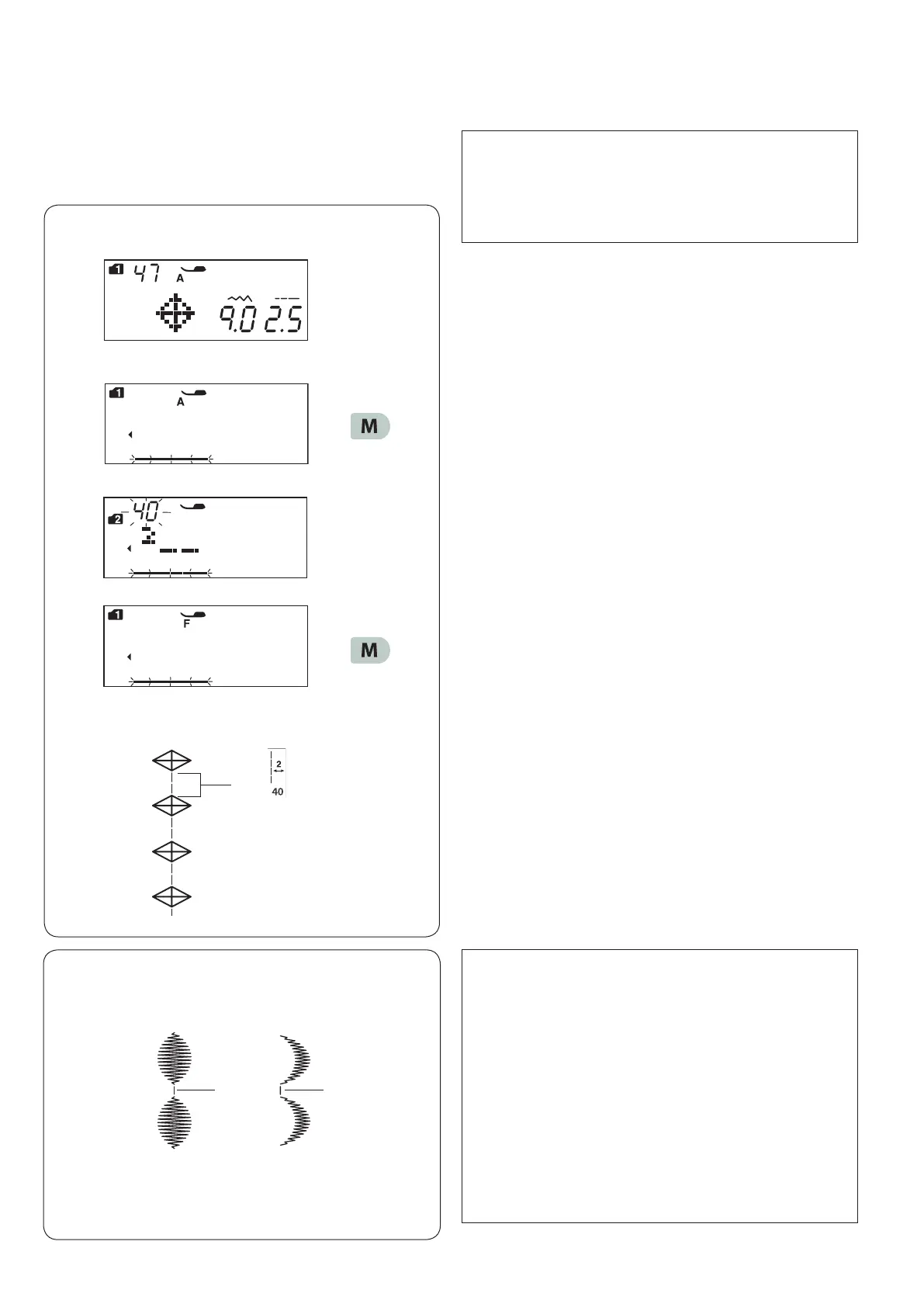
Example: Combination of pattern 47 (mode 1) and
pattern 40 (mode 2).
z Select pattern 47 (mode 1).
x Press the memory key.
c Select pattern 40 (mode 2).
v Press the memory key.
q
NOTE:
The number on the right of the stitch image indicates
stitch counts to be inserted.
The stitch length and needle drop position of patterns
38, 39 and 41 in mode 2 are independent from those
of the combined pattern.
Patterns 40 and 42 in mode 2 will inherit the stitch
length and needle drop position of a previous pattern
in the programmed pattern combination.
Use patterns 38 or 39 in mode 2 with satin stitches.
q Pattern 38
w Pattern 39
Use pattern 41 in mode 2 if you wish to add straight
stretch stitches.
z
x
c
b Start sewing.
Two counts of the straight stitch are added to pattern
47.
q Bridge stitch
v
b
wq
NOTE:
The bridge stitch pattern numbers 40 and 42 (mode 2)
cannot be selected individually.
Insert the bridge stitches after a stitch pattern.
When the pattern is deleted, the inserted bridge
stitches are also deleted.












 To Next Page