75
Programming Automatic Thread Cutting
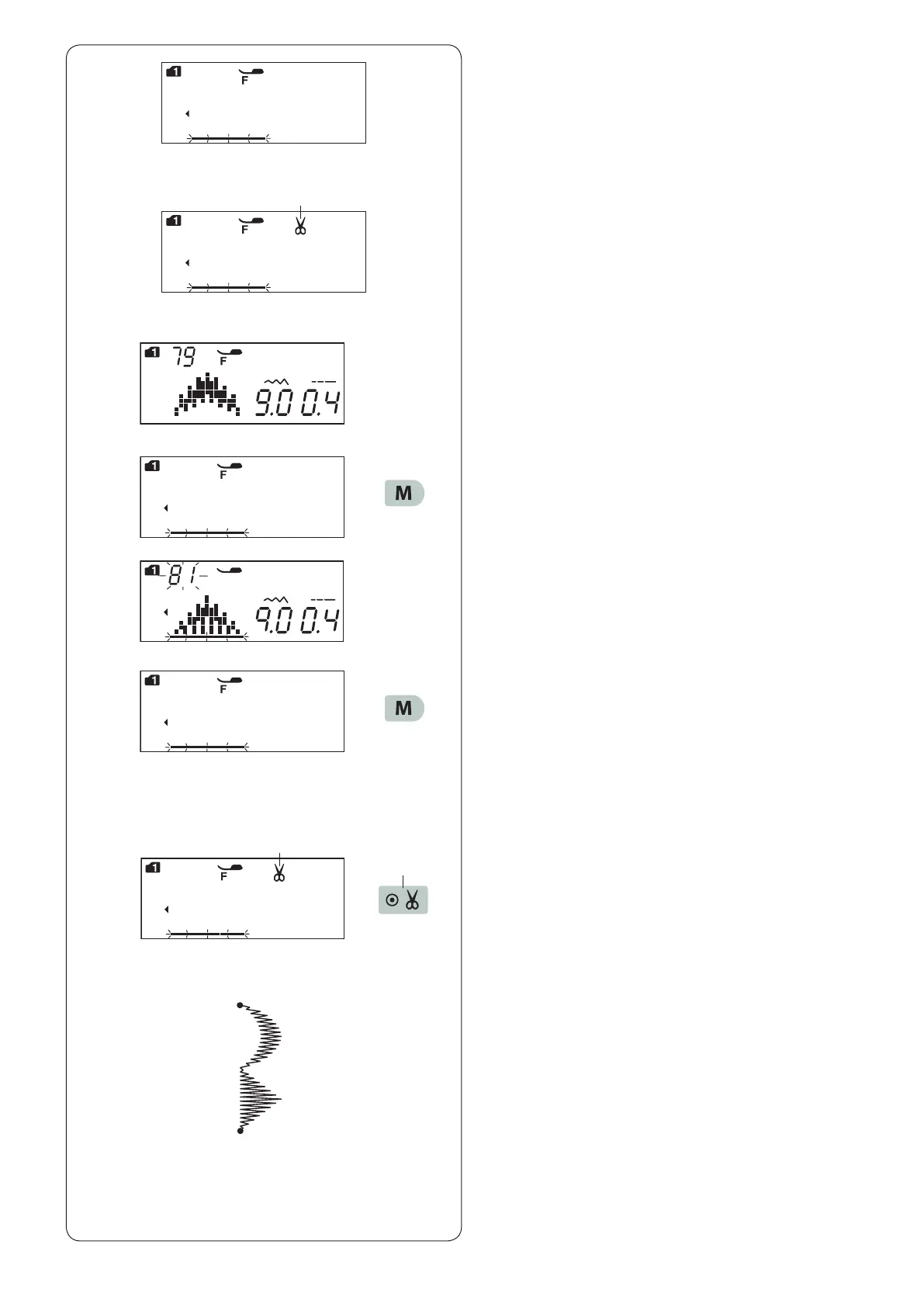
To cut the threads automatically after sewing the pattern
combination, press automatic thread cutting key.
The cutter sign will be indicated on the LCD screen.
Press the automatic thread cutting key again to cancel it.
q Cutter sign
q
z Select pattern 79 (mode 1).
z
x
c
v
x Press the memory key.
c Select pattern 81 (mode 1).
v Press the memory key.
b Press the automatic thread cutting key.
The cutter sign appears on the LCD screen.
w Automatic thread cutting key
b
q
w
n Start sewing.
The machine will sew the pattern combination,
auto-lock stitch and cut the threads, then stop
automatically.
n












 To Next Page