12
Adjusting the Foot Pressure
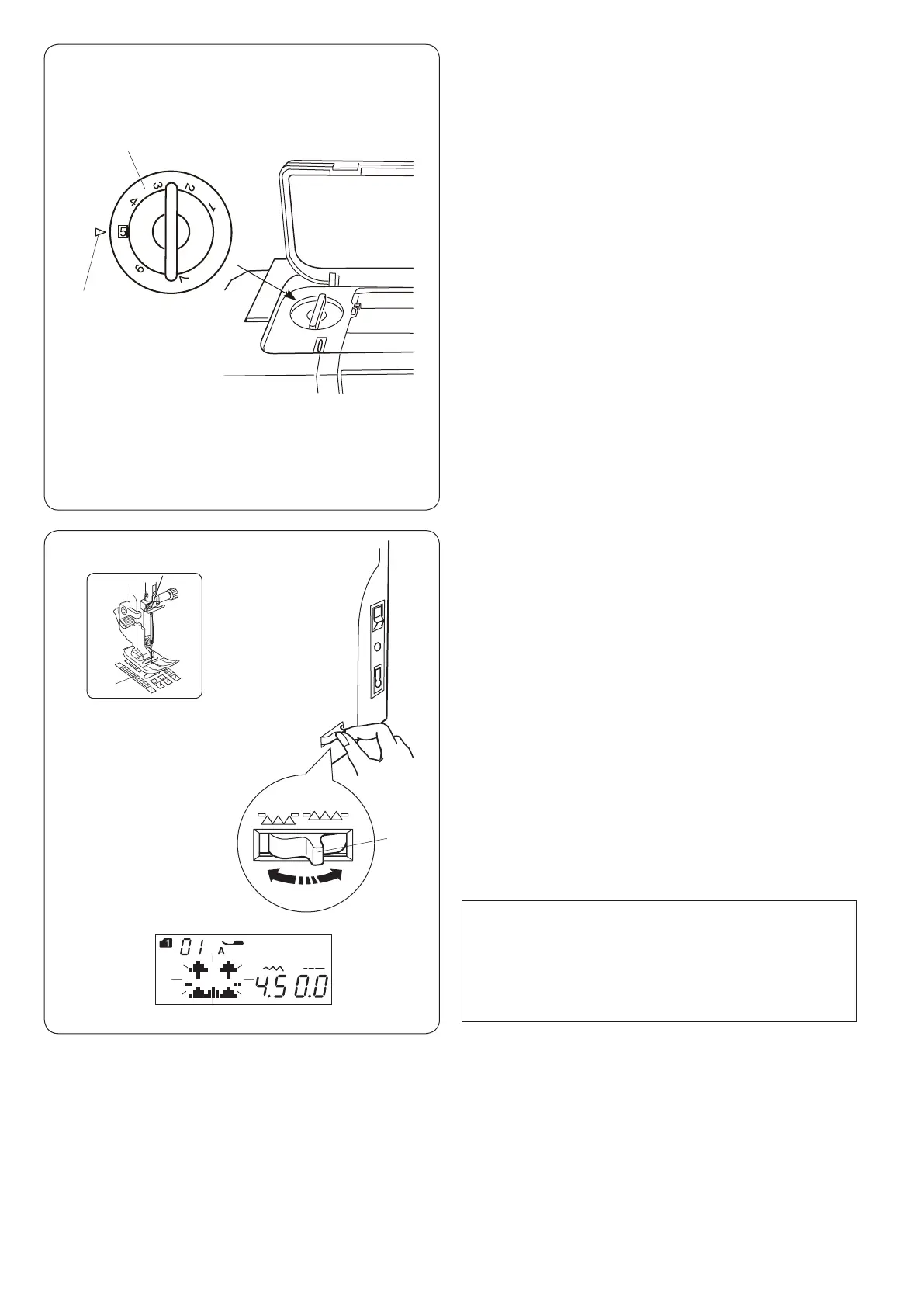
The foot pressure can be adjusted with the foot pressure
dial located under the top cover.
The dial has 7 setting positions from 1 to 7.
For ordinary sewing, set 5 at the setting mark.
q Foot pressure dial
w Setting mark
Reduce the pressure when sewing ne synthetics and
stretch fabrics.
To reduce the pressure, set the dial at a lower number.
Increase the pressure when sewing heavy weight fabrics.
To increase the pressure, set the dial at a higher number.
Dropping the Feed Dog
The feed dog can be lowered for sewing on buttons, free
motion quilting etc.
Shift the drop feed lever toward you to lower the feed
dog.
q Drop feed lever
w Feed dog
Shift the drop feed lever away from you to raise the feed
dog, it will return to the up position when you start the
machine.
NOTE:
If you start the machine with the feed dog lowered, a
message will appear on the LCD screen.
The machine will not run with the feed dog lowered
when selected following pattern numbers; 23 to 32, 34
to 36 in mode 1, stitch patterns in mode 3 to 6.
q
w
q
w












 To Next Page