83
Deleting and Inserting a Pattern
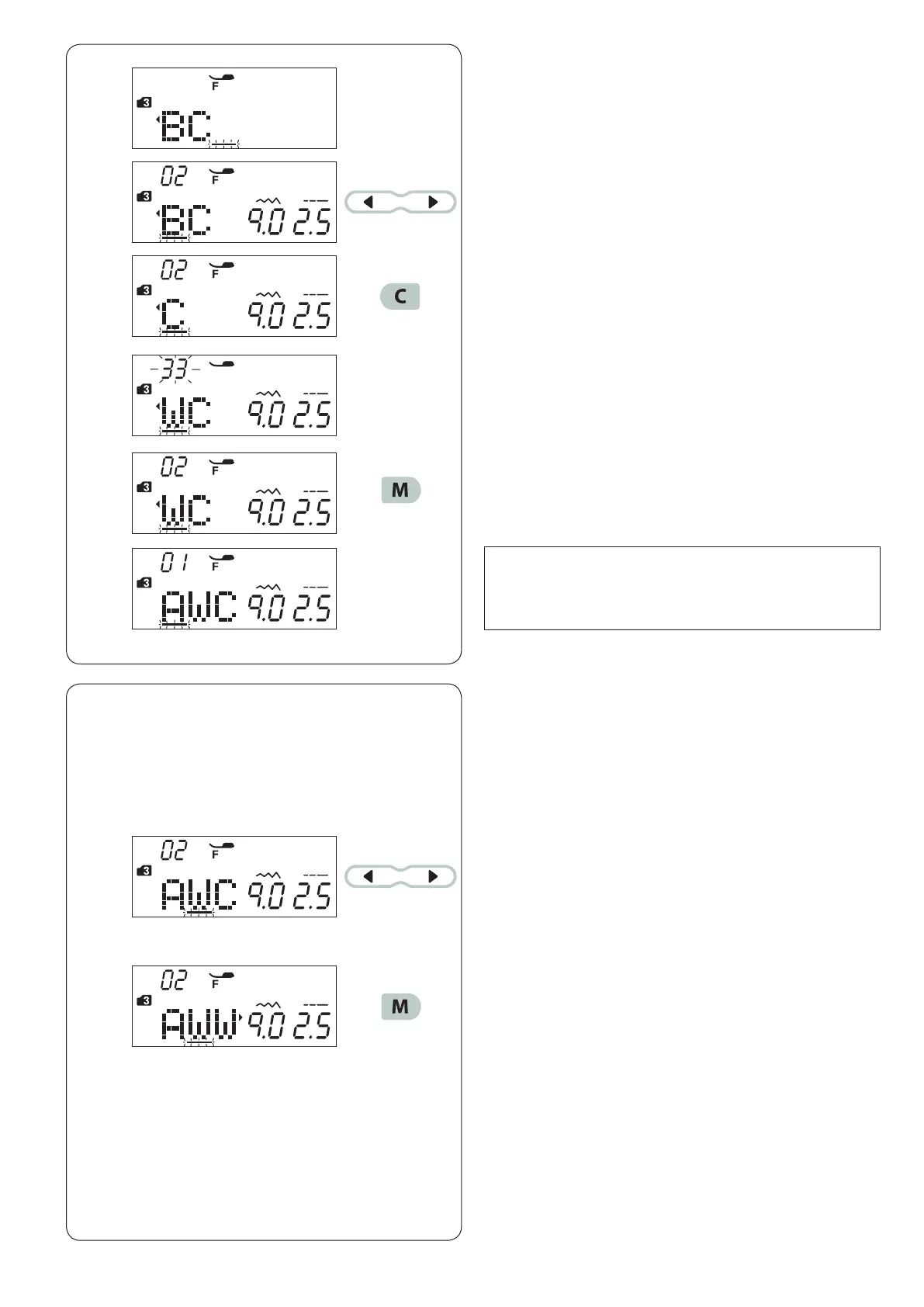
Example: Deleting pattern “B” and inserting “W” from
“ABC”.
c Enter “W”.
Pattern “W” will be inserted between “A” and “C”.
Duplicating a Pattern
Example:
Duplicating a “W”.
z Press the cursor key to shift the cursor under the
pattern to be deleted.
Move the cursor under the pattern “B”.
x Press the clear key.
Pattern “B” will be deleted.
NOTE:
Pressing and holding the clear key will delete all the
programmed patterns and the LCD screen will return
to the display prior to programming.
z
Press the cursor key to shift the cursor under the
pattern to be duplicated.
x Press the memory key and “W” will be duplicated after
the pattern “W”.
z
x
c
z
x
v
v Press the memory key to memorize the new pattern
combination.














 To Next Page