76
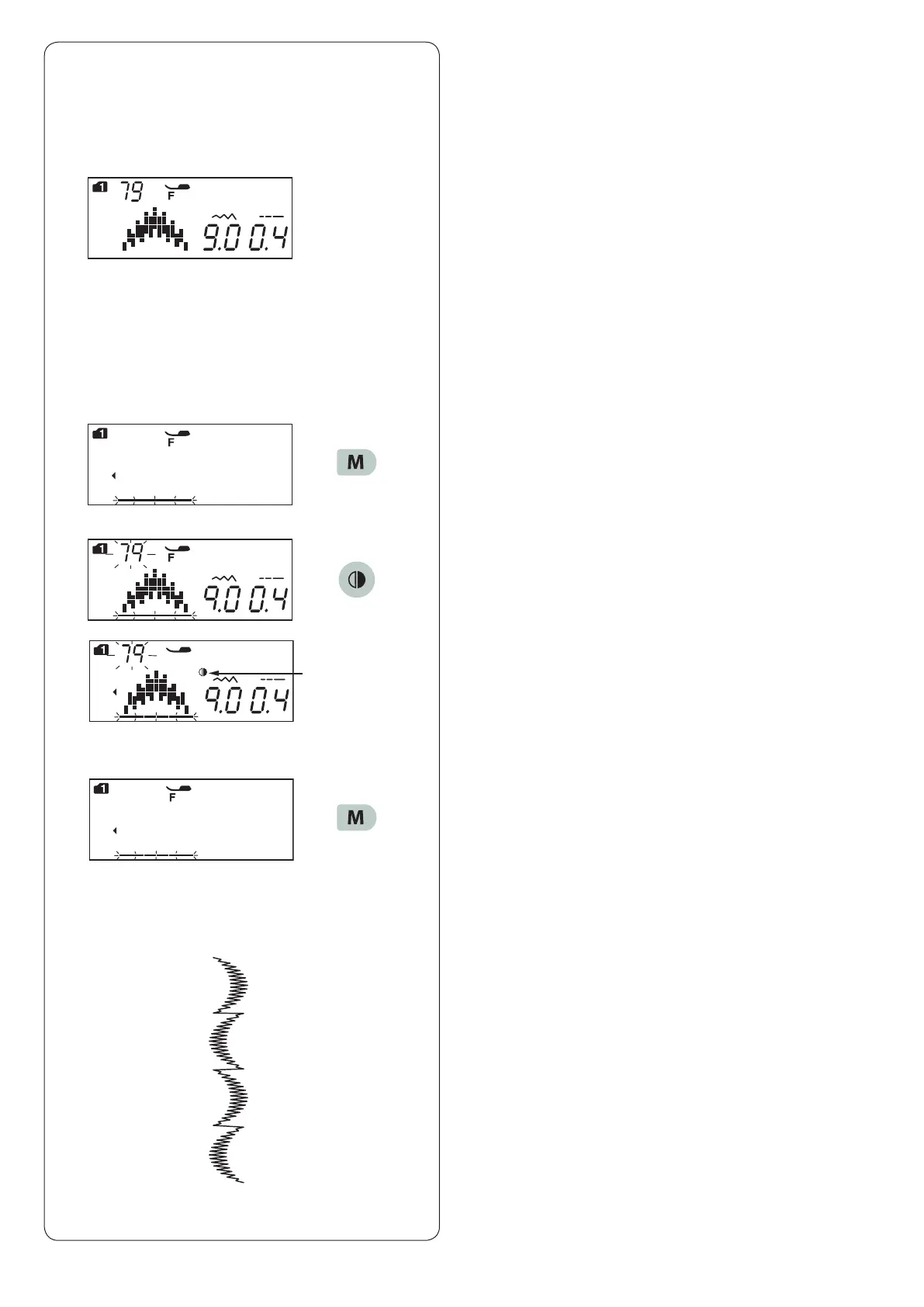
Pattern Combination with a Mirror Image
Example:
Pattern 79 (mode 1) and its mirror image
z Select pattern 79 (mode 1).
x Press the memory key.
c Select pattern 79 (mode 1).
Press the mirror image key.
The mirror sign will appear on the LCD screen.
q Mirror sign
v Press the memory key.
b Start sewing.
The machine will sew the pattern combination
repeatedly.
z
q
x
c
v
b












 To Next Page