70
Satin Stitches
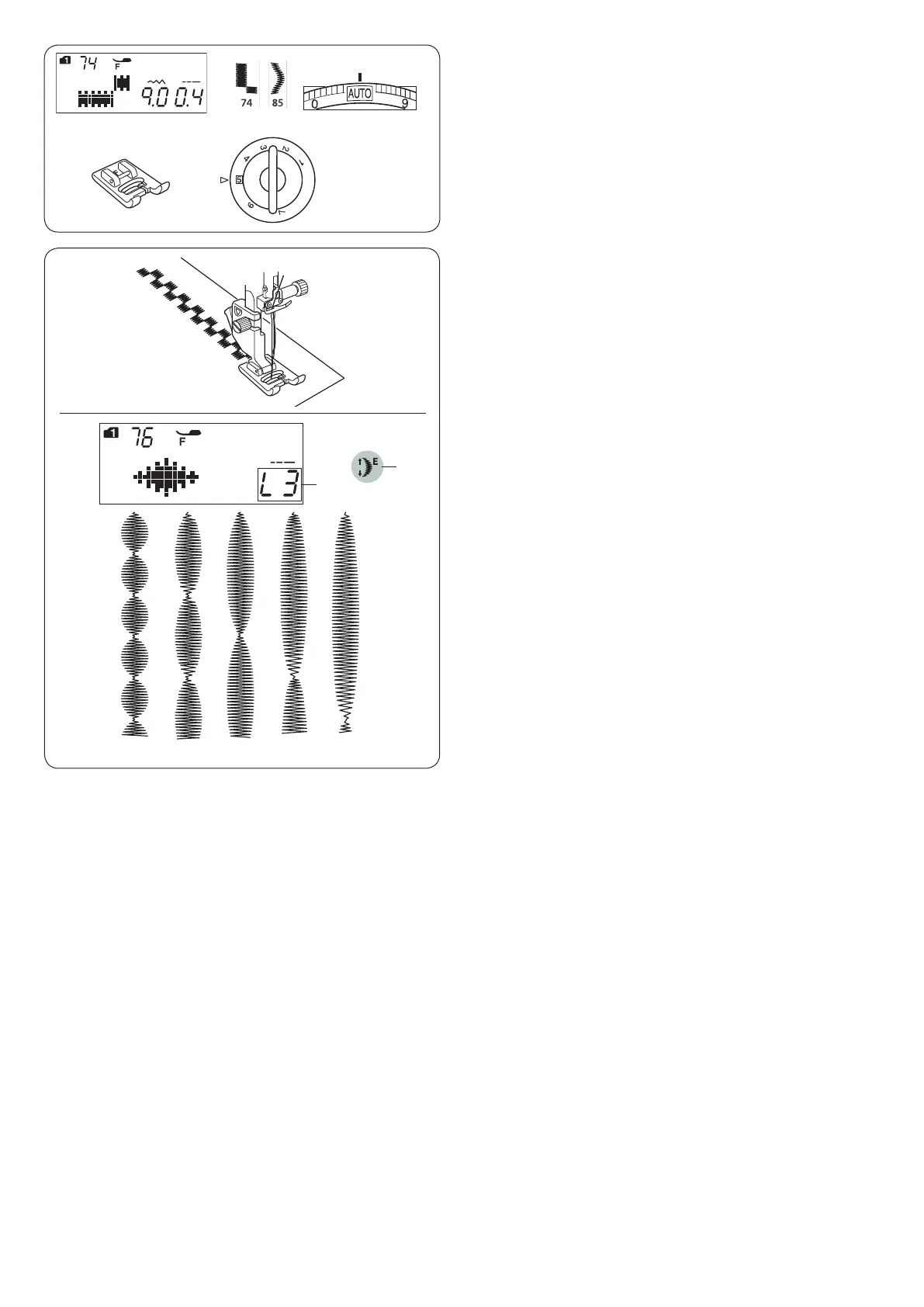
Machine settings
q Pattern: MODE 1: 74–85
w Thread tension: AUTO
e Presser foot: Satin stitch foot F
r Foot pressure: 5
q
e
w
r
−
Patterns 74–85 can be elongated up to 5 times their
original length while the stitch density remains the same.
Elongation ratio
Example: Pattern number 76 (mode 1)
Select pattern number 76 (mode 1).
Press the elongation key to select the desired elongation
ratio.
Elongation ratio is indicated in multiples of the original
pattern length; L1 (original length) to L5.
q Elongation key
w Elongation ratio
The stitch length and width can also be changed.
q
L1 L2 L3 L4 L5
w












 To Next Page