32
Lock-a-Matic Stitch
Machine settings
q Pattern: MODE 1: 02, 02S
w Thread tension: AUTO
e Presser foot: Zigzag foot A or
Even feed foot
r Foot pressure: 5
q
e
w
r
Use this stitch to secure the beginning and the end of a
seam with backstitching. When you reach the end of the
seam, press the reverse button q once. The machine
will sew four reverse stitches, four forward stitches, and
then stop sewing automatically.
q Reverse button
This unique stitch is used where an invisible locking stitch
is needed. Lower the needle close to the front edge of the
fabric.
The machine will sew several locking stitches in place
and continue sewing forward. When you press the
reverse button q at the end of the seam, the machine will
sew several locking stitches in place, then stop sewing
automatically.
q Reverse button
Locking Stitch
Machine settings
q Pattern: MODE 1: 03, 03S
w Thread tension: AUTO
e Presser foot: Zigzag foot A or
Even feed foot
r Foot pressure: 5
q
e
w
r
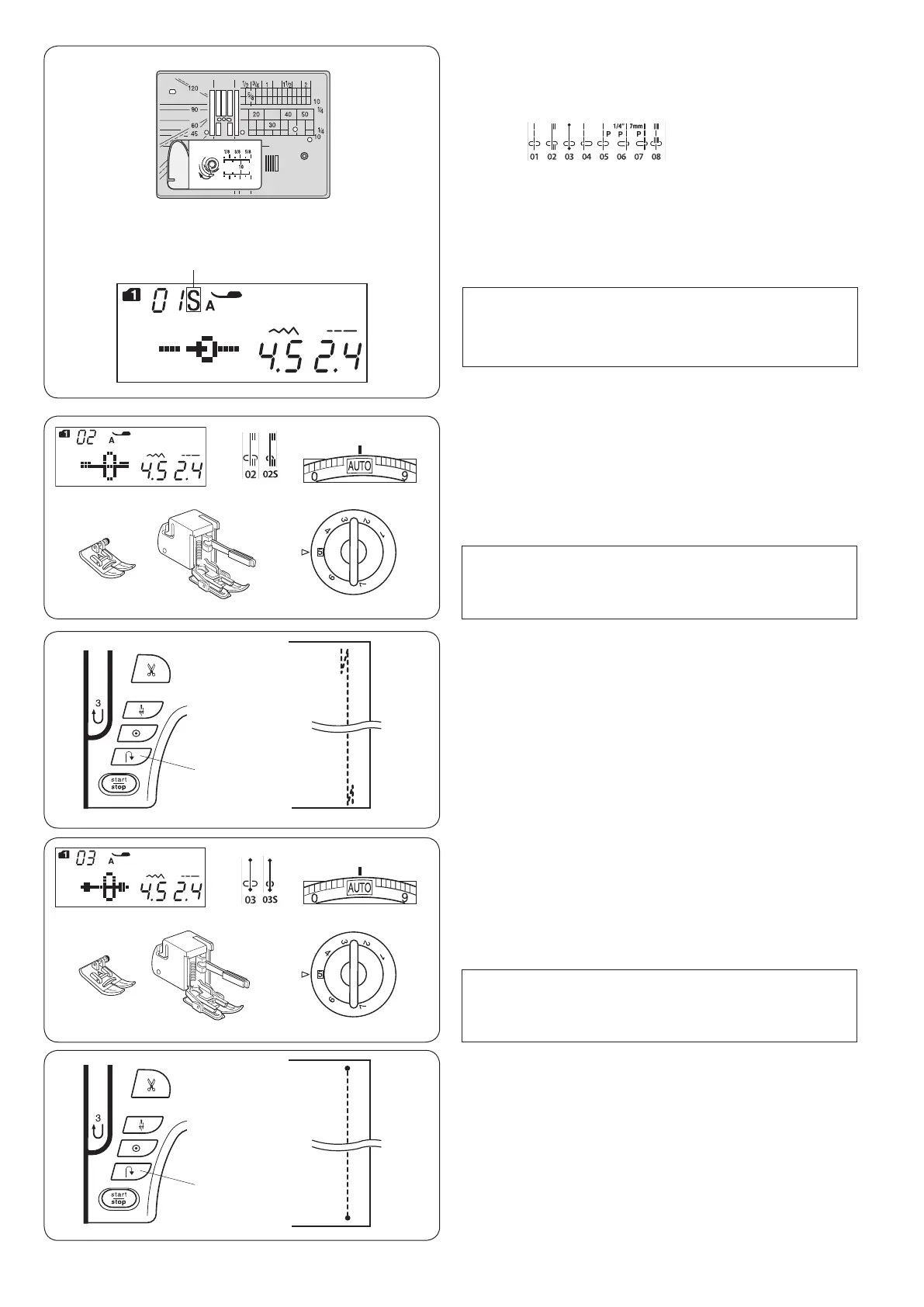
Needle Plate for Straight Stitch
The stitch patterns 01-08 (mode 1) can be sewn with the
needle plate for straight stitch.
Replace the needle plate with the needle plate for straight
stitch (refer to page 16).
“S” mark will appear at the end of the pattern number
when the needle plate for straight stitch is attached.
q Needle plate for straight stitch
w S mark
Mode 1:
q
w
NOTE:
When the straight stitch needle plate is attached to
the machine, the patterns not suitable for the straight
stitch needle plate cannot be selected.
q
q
NOTE:
When sewing with the even feed foot, be sure to sew
at a slow speed.
NOTE:
When sewing with the even feed foot, be sure to sew
at a slow speed.












 To Next Page