User Manual: Elo
®
Paypoint
SW602189 Rev A, Page 10 of 24
Chapter 2: Getting Started
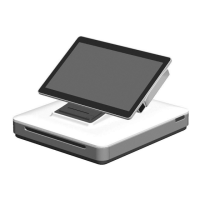
Setting up your PayPoint Register
Unpacking the PayPoint Register:
To unpack your PayPoint Register:
1. Open the box
2. Check that the following items are present and in good condition:
a. PayPoint Register
b. Power cord
c. Quick Installation Guide
d. Stickers
3. Remove the protective bag / cover, desiccant packs, and other packaging materials
appropriately. Please take extra caution to ensure that they are not accessible by small
children.
4. Plug your PayPoint register to a power supply. Your PayPoint Register is now ready to
be powered on.


 To Next Page