User Manual: Interactive Digital Signage
SW602296 Rev A, Page 25 of 39
For Mac OS X higher, these drivers are automatically installed when the system is connected to the
monitor. To find information on the drivers, do the following:
NOTE: The Elo Touch Solutions Touchmonitor ID will be different per touch technology.
In Mac OS X:
- Open the Terminal window and under Hardware, select USB. The available USB devices will be
displayed.
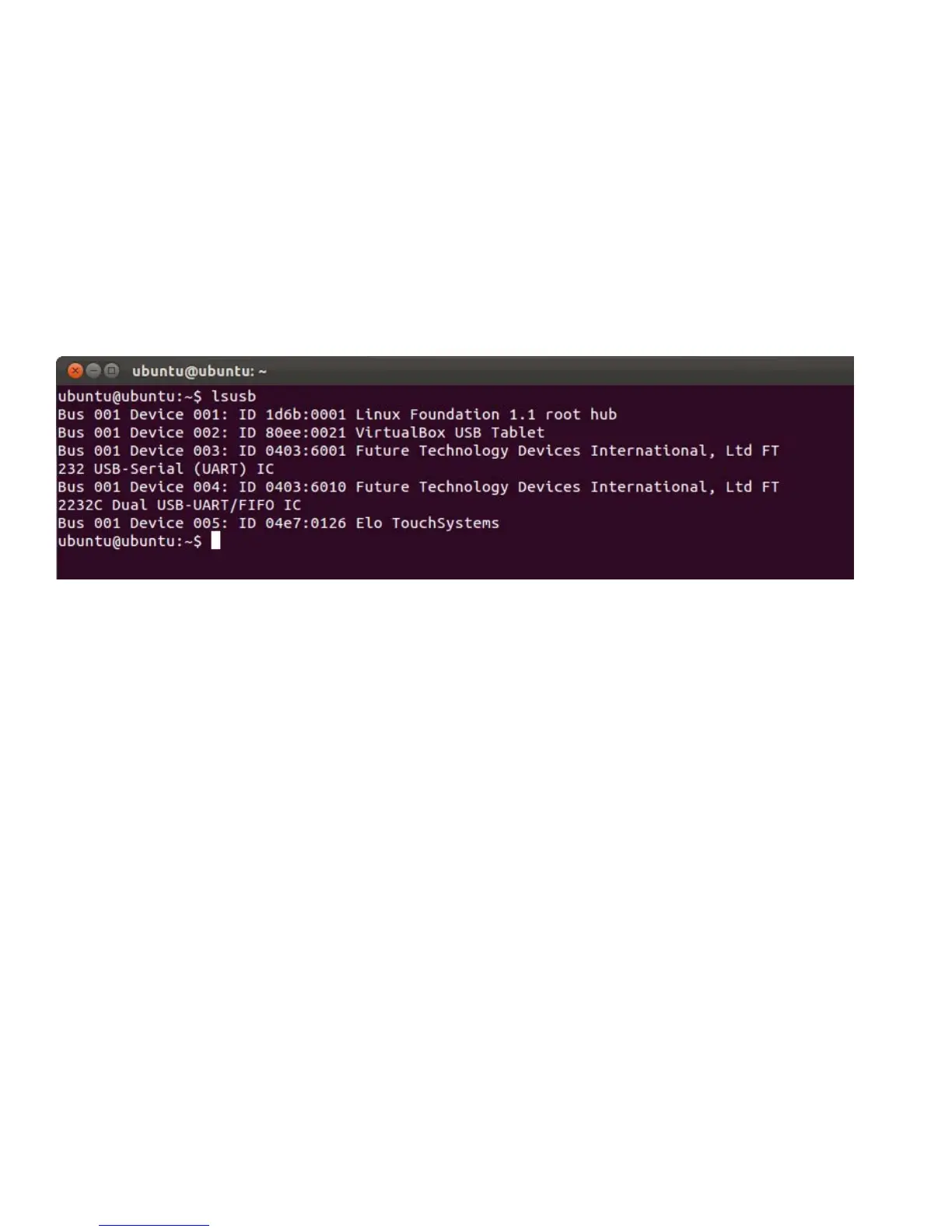
In Ubuntu versions that support touch:
- Open a Terminal window and type “lsusb” as the command. A screen that looks like below will
open. The available USB devices will be displayed.
For Android:
- The monitor support HID protocols, so touch will work on most android devices.
- If your specific device does not support touch out of box, please contact Elo customer service
for device configuration.


 To Next Page