User Manual: i-Series Interactive Signage
SW602242 Rev C, Page 11 of 35
Dual Touch Gestures and their Functions:
Swipe – The action of moving a finger across the screen.
- The ability to swipe through from one picture to another or drag an icon
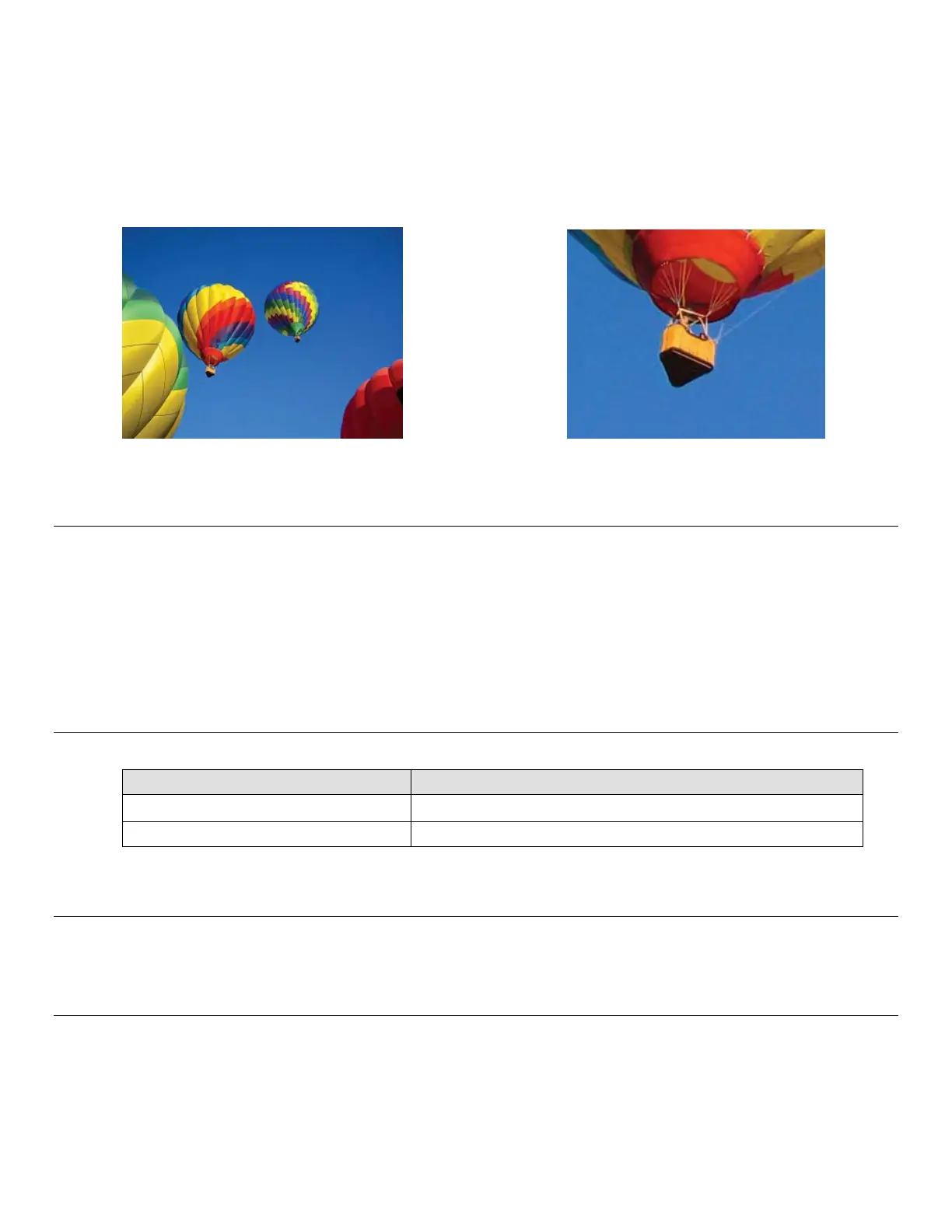
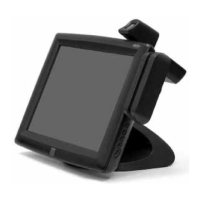
Pinch-Zoom – Zoom into a picture
- Place two fingers on the screen and move them closer together to zoom in. Move your
fingers away from each other to zoom out.
Before zoom After zoom
Video
An LCD panels native resolution is its width and height measured in number of pixels.
In almost all cases, an image displayed on an LCD monitor will look best when your image
resolution matches the LCD panels native resolution.
10.1” is 1280x800, 15.6” is 1920x1080, 21.5” is 1920x1080.
Physical Button Functionality
Audio
Earphone output with microphone input is supported.
3G/4G LTE module Information (Optional)
For the units that have 3G/4G LTE built in, the following are the supported bands:
LTE (FDD) B1/B2/B3/B4/B5/B7/B8/B13/B17/B20
Penta-band DC-HSPA+/HSPA+/HSPA/UMTS B1/B2/B4/B5/B8
Parameter Available Adjustment
Power Button
Turn on the system
Home Button
Returns to the Home page


 To Next Page