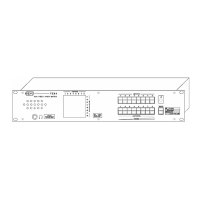
5.3 Audio monitoring
The unit is equipped with a loudspeaker to which the last audio source selected
is routed. The volume of the loudspeaker can be adjusted using the OUTPUTS
buttons.
WARNING
On the loudspeaker, there is a mono signal obtained
from L+ R; the stereo signal is present on the headphones output
To adjust listening volume:
- Set the unit to LOCK/VOLUME using the MODE button (leds off)
- Press OUTPUTS keys 1÷8 to modify volume.
The last setting is stored and displayed through lighting up of the leds of the
buttons "in a string".
It is possible to listen through the headphones
using the 6.3mm jack present on
the front panel. The volume is adjusted in the same way as the loudspeaker.
use of the headphones disables the built-in loudspeaker.
WARNING
The recommended headphones are of the 32Ω to 600Ω dy namic ty pe
6 .0 INFRA-RED REM OTE CONTROL
The unit is equipped with a receiver for the infra-red remote control. This must
be ordered separately. (Code IRTZ09)
WARNING
The remote control is of the self-learning type. After inserting the
batteries and each time these are changed, press the "Set" k ey for
a few seconds. Infra-red reception is enabled and disabled holding
down the M ODE button at power-on
The following functions can be carried out using the IR remote control:
MUTE On-Off Mute on audio monitor output
VOLUME
± Volume adjustment on the built-in monitoring output
V A A+V Setting of switching operating mode
IN keys 1÷8 Input selection as from the keypad
OUT keys 1÷8 Output selection as from the keypad
WARNING
Using the remote control, switching operations are performed in
(See paragraph 3.2 How to enable "Free running" operation)
7.0 COMPUTER CONTROL
All the functions of the TZ09 matrix can be controlled through transmission and
reception of strings of hexadecimal characters by a computer.
Exchange via RS232 is based on the following procedure:
8 data bits, no parity, 1 stop bit transmission standard with a speed of
9600 baud.
7.1 Physical connection
The physical connection must be made with a cable according to the attached
diagram:
7.2 Video and audio switching controls
The host must send the following sequence: BXXYY followed by CR where:
B is the character Hex 42
XX is the output from 01 to 08)
YY is the video and audio input (from 01 to 08)
Warning: if YY is 00 the video output will be set to high impedance
the audio output will be set to 0 Volt
Example: to switch the video and audio input 5 on output 7, the following characters must
be sent on line: 42 30 37 30 35 0D
10
TZ09 8X8+1 VIDEO AND AUDIO MATRIX TZ09 8X8+1 VIDEO AND AUDIO MATRIX
ELPRO BROADCAST s.r.l.
Strada della Pronda 17 - TORINO (ITALY)
Tel. 0117071955 - FAX 011706210
ELPRO BROADCAST s.r.l.
Strada della Pronda 17 - TORINO (ITALY)
Tel. 0117071955 - FAX 011706210
11


 To Next Page
 Loading...