- 2 -
ENGLISH
PAIRING PUSH BUTTON AND DOORBELL
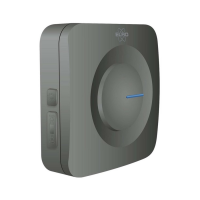
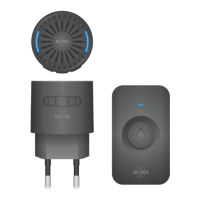
The push button and doorbell are supplied paired. The battery of the push button must be activated (7), pull off the plastic lip.
• Proceed as follows if the pairing is to be made:
- Press the pairing button (approx. 5 sec.), the blue led will go on.
- The doorbell will now go into the pairing learning mode (25 sec.).
- Then press the doorbell push button.
- The doorbell responds with the set melody, the push button is paired.
Remark
- Multiple pushbuttons can be paired.
- The doorbell has an internal memory, after battery change there is no need to be paired.
MELODY SELECTION
• With the melody selector switch (1) you set the melody of your choice.
SET VOLUME
• The volume can be set with the volume knob (2): 100 % | 75 % | 50 % | 25 % | off.
WIPING THE MEMORY OF PAIRED BUTTONS
• Plug-in models
- Unplug the doorbell from the wall outlet
- Press the pairing button.
- While pressing the button place the doorbell back.
- While pressing the led will flash and then will remain lit.
- Release the button, the led turns off.
- The memory of all paired buttons is erased.
TROUBLESHOOTING
• The doorbell does not ring
- The doorbell may be out of range of the push button.
- Change the distance between doorbell and push-button; the range may be affected by local conditions (metal, iron
wickerwork, heavy concrete walls).
• The battery of the push-button is empty
- Replace the battery.
- Note the polarity (+ and -).
- If necessary, reconnect the push-button to the doorbell.
• The doorbell has no power.
- Check the socket
DoC
- I, ELRO Europe, hereby declare that the radio equipment type DB2000 is in conformity with Directive 2014/53/EU. The full
text of the EU Declaration of Conformity can be found at the following internet address: www.elro.eu/compliance
- Frequency: 433.92Mhz
- Maximum transmitting power: -1.02 dBm


 To Next Page