-2-
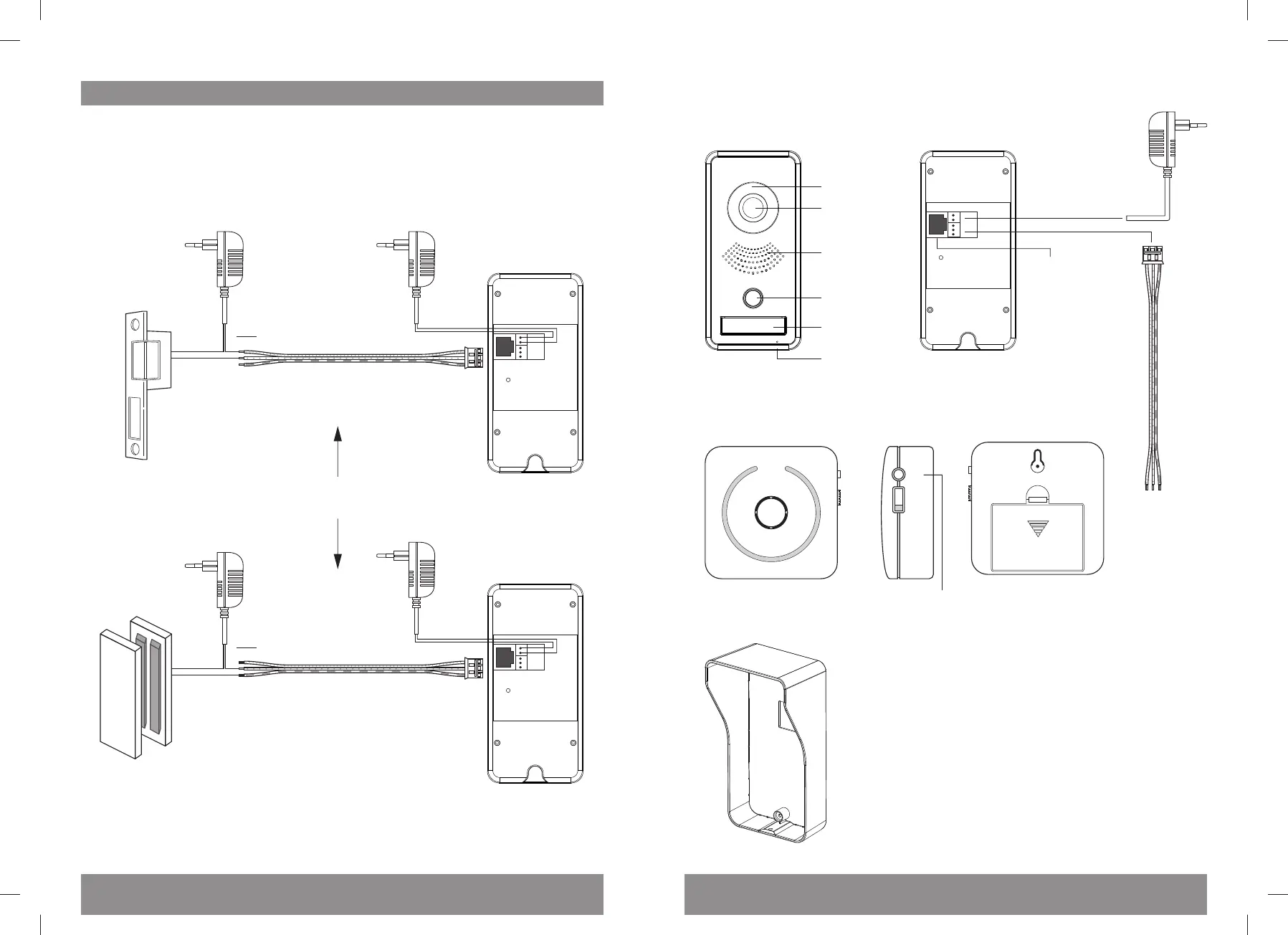
Night view LEDs
Camera
Bell push
Speaker
Reset
Adapter
Input: 110-240V AC / 50-60Hz
Output: 12V - 1,1A
Adapter
Input: 110-240V AC / 50-60Hz
Output: 12V - 1,1A
Adapter
Input: 110-240V AC / 50-60Hz
Output: 12V - 1,1A
LAN Oponally
Nameplate
Microphone
-5-
Adding a door lock
Through the ELRO Intercom app, you can remotely operate a door lock. Please note that a
door lock will usually need separate power supply; check the door lock manual or inquire
with an electrician. To wire an electrical door lock (which is more common than a
magnec lock), use the upper 2 wires. Plug the short 3-wire cable into the corresponding
back-slot of the outdoor unit.
Note:
Please verify carefully whether you want others to enter your home, even if you are not
at home. Be aware of the risks involved in leng others in.
Outdoor unit frontside
Wireless Chime frontside backside
Outdoor unit backside
Rainshade
Adapter
Door lock
cable
connector
OPEN
Code
3 x AA baeries
(not included)
sideview
ON
OFF
Melody choice
Adapter
NOT included
Adapter
NOT included
Door lock cable connector
Door lock cable connector
Electrical doorlock
Magnec doorlock
For a electrical door lock, use the upper and middle wires
For a magnec door lock, use the middle and lower wires



 To Next Page