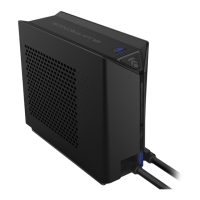
Note:
1.
Due to different water quality, mineral water has a higher chance of
water scaling.
2.
Coolant and chemical toxic liquids are not recommended.
3.
Please do not connect to power before injecting water. Only turn on the power/connect once
the reservoir has been filled with liquid properly.
4.
If there is abnormal noise coming from the pump, this could be the result of air bubbles still
trapped inside the tubes.
Reminder:
1.
Please read th
is entire User Manual before operating the device.
2.
Please check all ports in case of water leakage before powering up
the device.
3.
In the event the connector is attached and the water is not
flowing, the connector may accumulate heat in the metal part. This is because of the
temperature generated by the operation of the system. P lease be aware of the high
temperature when touching.
4.
If you want to remove the quick release connector, make sure the
LPP is turned off (to avoid water leakage), and test the connector by hand to make sure the
temperature is not too high before removing it.
5.
Any changes or modifications that result in damage to the LPP or laptop not expressly
approved by Eluktronics will void your warranty.
6.
Using unauthorized extension cables/tubes or tampering of the LPP will invalidate your
warranty.
7.
Please reach out to Eluktronics technical support in the event you encounter issues that you
are unable to remedy or resolve via this user manual or how-to guides provided at
Eluktronics.com/How-To-LPP.
We are here to help!
Toll Free: 1-888-552-0750
Local: (302) 380-3242
Telephone Business Hours:
Monday - Friday: 9AM to 5PM EST
Saturday & Sunday: Closed
For after hours support, please visit www.Eluktronics.com/Support


 To Next Page
 Loading...