4
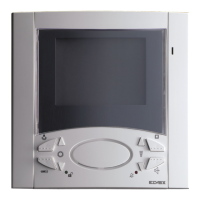
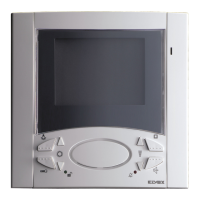
TERMINALS FOR MONITOR TYPE 6300, 6301, 6303, 6500,
6501
1: Interphone receiver
2: Interphone microphone
3: Common audio line
4: Button for auxiliary services
5: Power supply negative
6: Power supply positive (minimum input voltage 15V
D.C.)
7: Not connected.
8: Call from entrance panel
9: Lock push-button
10: 12V D.C. output for video distributor
11: Landing call
12: System self-start push-button
13: Green LED supply voltage
V1: For systems with coaxial cable, input for connection of
the 75 Ohm video cable. For systems without coaxial
cable, input for connection of the V1 signal.
V2: For systems with coaxial cable, output for connection of
the 75 Ohm video cable or connection of the load resi-
stance of 75 Ohm in the last monitor of the cable riser.
V3: For systems without coaxial cable, input for connection
of the V2 signal.
M: Ground for terminals V1, V2, V3.
N.B. The monitors type 6300, 6500 have a microswitch
on the back for setting the connection "coaxial
cable/without coaxial cable" and one for the setting
“conversation privacy/without conversation privacy”
(type 6300,6303,6500).
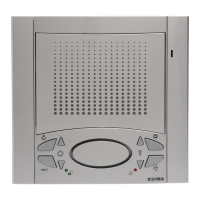
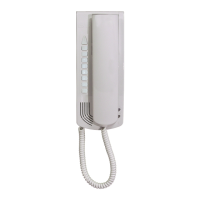
INTERPHONE 6200
CN1: Monitor interface connector
7: Lock release push-button
AU: Monitor self-start control
1: Interphone receiver
2: Interphone microinterphone
3: Phonic common
6E: Entrance panel call
6: Intercommunicating call
6P: Apartment landing call
6S: Ringtone activation output
TERMINALS FOR MONITOR TYPE
6000, 6003
V1: Input for connection of 75 Ohm video cable in systems
with coax cable; input for connection of video signal V1
in systems without coax cable.
V2: Output for connection of 75 Ohm video cable or 75 Ohm
resistor in last monitor in systems with coax cable.
V3: Input for connection of video signal V2 in systems
without coax cable.
N.B. Terminal V3 must be shorted to terminal M in
systems with coax cable.
M: Earth for terminals V1, V2 and V3.
+A: Not used
+: Power supply (positive), minimum input voltage 15 V
d.c.
-: Power supply (negative), minimum input voltage 15 V
d.c.
+D: +12 V d.c. output for video distributor
CH: Monitor activation call
CN2: Monitor interface connector
TERMINALS FOR MONITOR TYPE 6600
1: Interphone receiver
2: Interphone microphone
3: Common audio line
4: Button for auxiliary services (related to terminal 5)
5: Power supply negative
6: Power supply positive (minimum input voltage 15V D.C.)
7: Second auxiliary function or self-start (its operation is controlled by the microswitch placed on the monitor rear side).
8: Call from entrance panel
9: Lock push-button
10: 12V D.C. output for video distributor
11: Landing call
12: Push-button for the audio activation (or self-start with switch in “A” position)
13:
Green LED supply voltage (18V D.C. (max) positive voltage imput)
V: For systems with coaxial cable, input for connection of the 75 Ohm video cable.
M: Ground for terminals V.
NOTE: Monitor type 6600 dispose on the rear of a microswitch for the switching of the "auxiliary (position A)/self-start
(position B)" function of push-button .
PROGRAMMING OF THE CONVERSATION PRIVACY
FOR MONITOR TYPE 6600
The "Conversation privacy" function can be obtained by pressing both push-buttons " " for 3 seconds at the same time; when
the red led flashes press the push-button. The "without conversation privacy" function can be obtained as indicated above,
but using both " " push-buttons.


 To Next Page