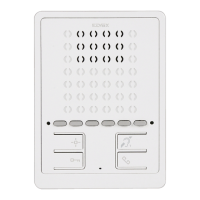
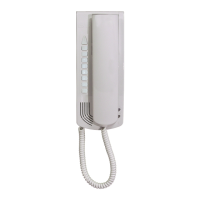
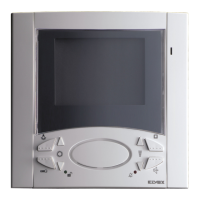
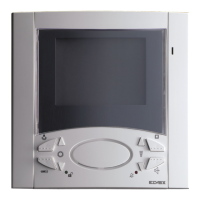
38
GB
Deleting all settings
This procedure is recommended when you want to change the ID of
a previously programmed video-interphone without retaining its pro-
gramming parameters.
Programming phase:
1) Press and hold down “I”.
2) Then press and hold down also “H” together with “I”.
3) Wait for nearly 3 seconds until the red led “M” flashes.
4) Now the microprocessor is physically reset.
5) Release both push-buttons “H” and “I”
6) Press and hold down the self-start push-button “H”.
7) After 2 seconds the video-interphone emits a continuous tone for two
seconds.
8) Release the self-start push-button “H”.
9) During the long tone press the lock push-button “G”.
If the deletion procedure was successful, press the lock push-button
“G” and the video-interphone will emit a triple “BEEP”.
OPERATION
Calls from an entrance panel, intercommunicating calls and landing calls
are differentiated by means of different tones.
Landing calls
Calls from entrance panels do not follow the pressing of the call push-but-
ton but are generated internally by the video interphone. The call time dwell
or cycle consists of a ringtone of 1 second and a pause of 2 seconds, re-
peated twice (default setting of entrance panel). The duration of “Ding-
Dong” and “Ding-Dong-Dang” ringtones does not correspond to the time
dictated by the call cycle but to the natural duration of the ringtone. To an-
swer, press and release push-button "I". If push-button “I” has already
been pressed during the call, release it and press it again The call answer
time (30 s) and the conversation time (2 minutes by default) are set in the
entrance panel parameters. Once the conversation time has elapsed, con-
versation can be continued if the call is made again within 10 s, from the
same entrance panel. During conversation, the audio can be interrupted
momentarily (maximum 5 s) by pressing the "I" push-button.To resume
conversation, press the conversation push-button again within 5 s, other-
wise communication is lost. Press push-button "I" to terminate the conver-
sation. The red LED “M” remains lit while the audio is active.
Intercommunicating call.
Press the intercommunicating push-button, if programmed, for the inter-
phone/video interphone to be called. The loudspeaker of the calling video
interphone will emit a ringing tone (if the call is possible) or an engaged
tone (if the call is not possible). On the called interphone/video interphone
the ringtone starts sequentially at intervals of 1 s ringing and 4 s pause. The
maximum duration of the call is 30 s (6 cycles). If you wish to interrupt the
call, press the conversation push-button “I” before an answer is received
from the called device. To answer a call, lift the handset on the called in-
terphone/video interphone, or press the conversation push-button. When
answered, the video interphone enters direct communication with the cal-
led device. Maximum duration of conversation is 5 minutes. When the con-
versation time has elapsed, the user can continue without replacing the
handset if a new call is made within 10 s. Calls from the entrance panel
have priority over intercommunicating calls.
Denied calls.
The chime exclusion is indicated by the permanent lighting of the red LED
“M”. If calls are made from the entrance panel to the video interphone when
the call mute is enabled, they are denied. A denied call causes the red LED
“M” to briefly switch off according to the number of times calls are denied
(maximum 4 denied calls). The signal is repeated every 10 s (approx.). De-
letion of denied calls is by re-enabling the ringtone, resetting the video inter-
phone or a system power failure. On the entrance panel, a denied call is
indicated by means of a dissuasion tone (a series of “Beeps” at 100ms in-
tervals with a pause of 100ms for a total of 5 s). The message “Do not di-
sturb” also appears on entrance panels with display. The programming of
push-buttons “G” and “I” can be changed through two different configura-
tions (“HANDS FREE” or with the speak/listen push-button PRESSED), using
the programmer type 950C connected to a push-button entrance panel
and/or an alphanumeric entrance panel with software version V4 or bigger.
See instructions for programmer type 950C and entrance panels or electro-
nic units.
Lock Button
The lock button of each device works in the following manner.
- Device with handset at rest lock to the last entrance panel with
which it has spoken or from which it has been called.
- Device with handset raised but not engaged in a conversation call
to switchboard if the Switchboard flag is YES. Otherwise it goes back
to the first case.
- Device with handset raised and engaged in an internal conversation
as in the first case.
- Device with handset raised and engaged in an external conversation or
called from entrance panel lock to the entrance panel being spo-
ken with or from which it has been called.
In practice a lock is always activated except when the handset is raised
and you immediately press the lock button. This can also be taken to the
standard case if the system has no porter switchboard and the Switchbo-
ard flag is set on NO.
NOTE: In series 6600 the equivalent operation is to press for an instant the
“open voice” push-button and then the lock release. Also in this case the
switchboard is called.


 To Next Page
 Loading...