44
GB
At this point you may proceed with programming in two different ways:
1) with virtual 950C: click on the icon to open an interactive image of
the 950C programmer , allowing programming to take place by simula-
ting programmer 950C operation.
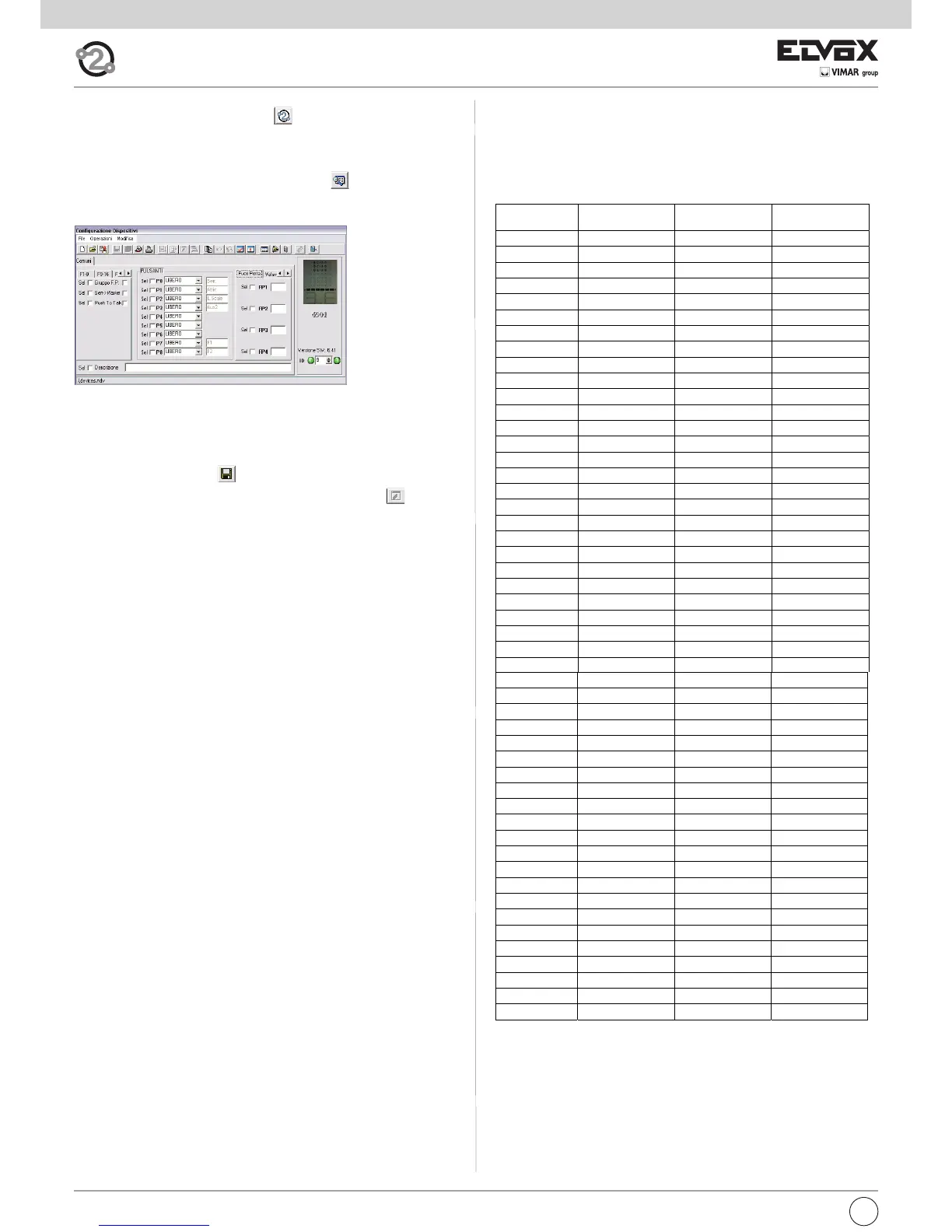
2) using the SaveProg windows: click on the icon to open the “Device
configuration” window.
At this point you can: change button programming (except the speak/listen
button), create groups, select melody types, adjust the chime or conversa-
tion volume and enable or disable functions.
When the desired settings have been applied:
- save them by clicking on ;
- transfer the program to the device by clicking on the icon .
At this point the device will have been reprogrammed.
ID list and respective secondary (video)interphones Due Fili Elvox
(Two-Wire Elvox)
In the following table there is the list of the secondary IDs, for each pri-
mary from 1 to 50, which are automatically used following the procedure
:”Assignation of the secondary Identification Codes”, described in the in-
structions of the single (video)interphones.



 To Next Page