EM TEST UCS 500 Series
Operating Manual V 3.05 29 / 57
10.1.1. Quick Start
Easy and very fast operation of all standard functions of the equipment. The latest simulator settings are stored
automatically and will be recalled when Quick Start is next selected.
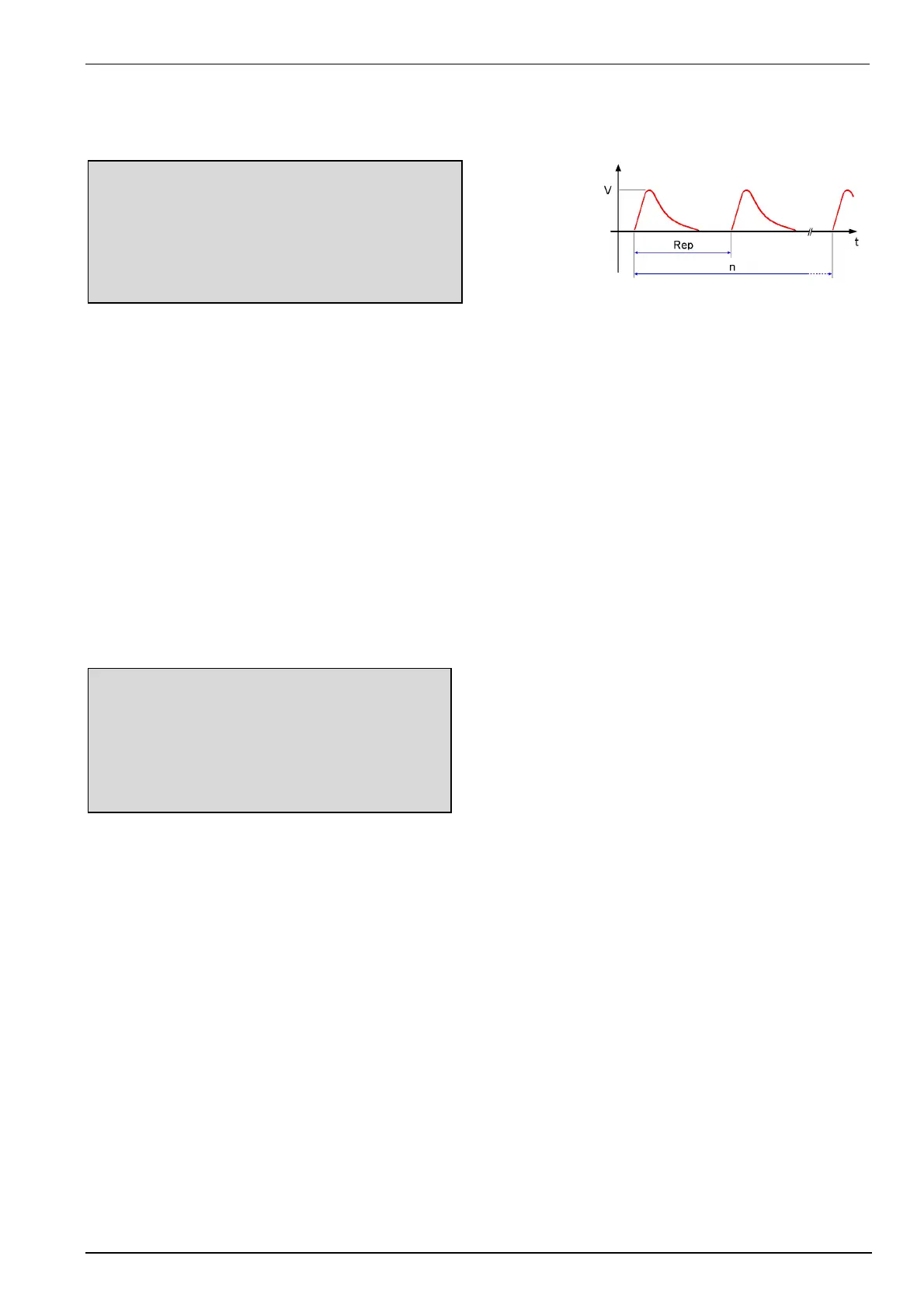
Surge Quickstart
V = 2000V A = 0 dgr
+/- = + cpl = L + N - PE
tr = 10s tri = Auto
n = endl
START CHANGE
F1 F2 F3 F4 F5 F6 F7
Press CHANGE and the test parameters parameter can be changed.
Select the desired parameter with the related function key and change the value by turning the front panel knob.
The cursor allows the user to define the digit to be changed (fast or slow change).
At polarity setting ALT it is necessary to double the number of impulses. Example n=2 => one impulse positive
and one impulse negative.
Pressing the ESC button will bring the user back to the previous level from where the test can be restarted with
new levels.
Press START and the test starts immediately with the displayed test parameters.
All functions keys except F2 (if MAN TRIGGER is selected) can stop the test routine. The latest setting will be
displayed.
Any pressing of a function key will indicate the functions START, CHANGE or CONTINUE. F3 will continue the
same test routine. If the user selects at first START or CHANGE the test will be stopped completely
Press ESC will bring the user back to the previous menu level.
Page 3 (Start)
Surge
V = 2000V A= 0 dgr
+/- = + cpl = L + N - PE
Rep = 10 s tri = Auto
n = endl.
Vsoll = 2000V U = + 2000V COUNTER
STOP I = + 0000A 0000043
F1 F2 F3 F4 F5 F6 F7
While a test is running the user can select parameters with the cursors ßà. The selected parameter then can be
changed online with the inc/dec knob.


 To Next Page
 Loading...