www.emachines.com
3
Connecting cables
To connect video and power cables:
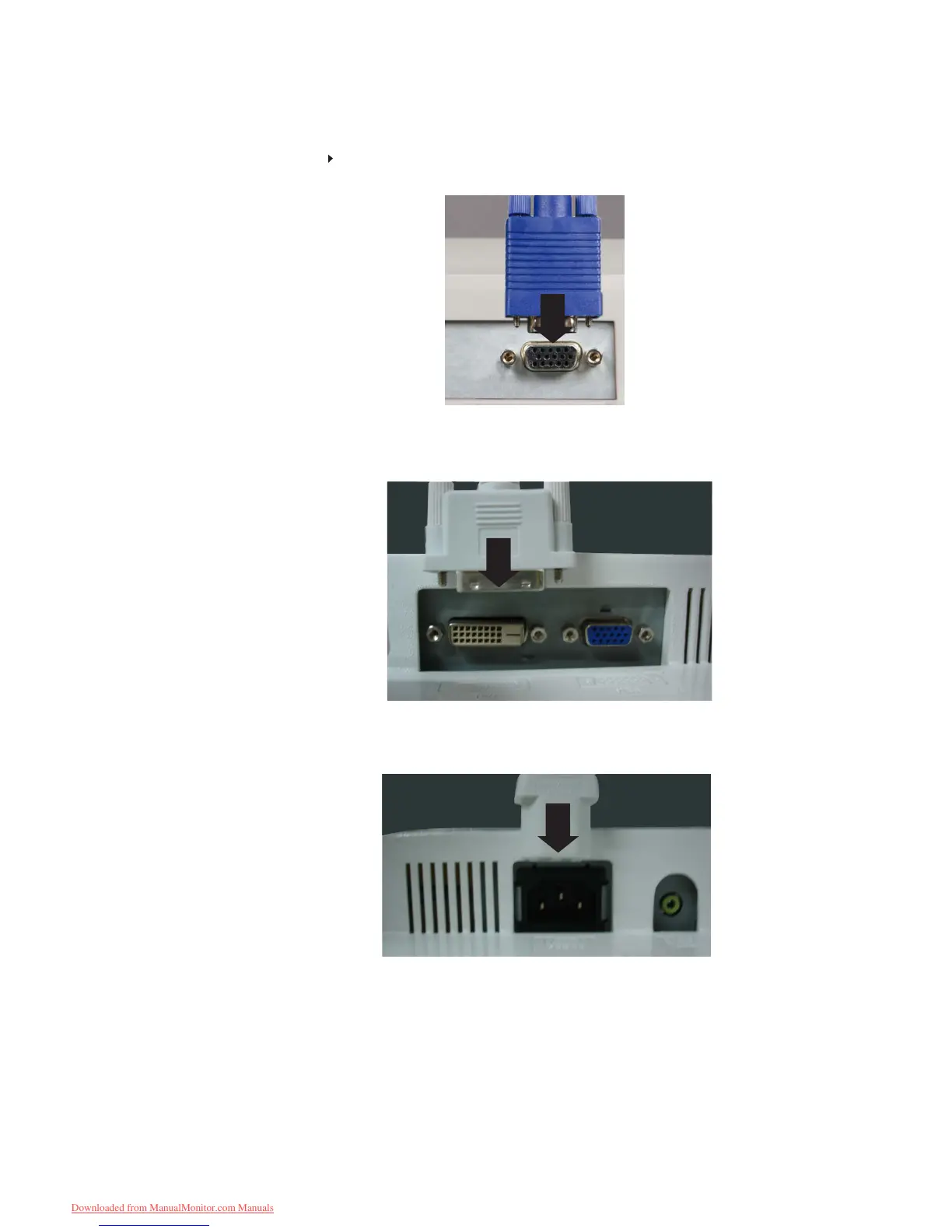
1 Position your computer and the monitor so you can reach the back of each, then connect
the blue VGA video cable to the blue VGA video connector under the back of the monitor.
Make sure that your computer is turned off, then connect the other end of the video cable
to the matching video port on the back of your computer.
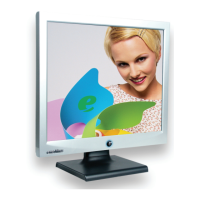
Connect the power cord to the power connector under the back of the monitor.
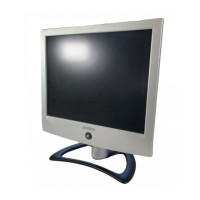
Option for Dual Model
Position your computer and the monitor so you can reach the back of each, then
connect the white DVI video cable to the white DVI video connector under the
back of the monitor.
2
*
3
4
2
Downloaded from ManualMonitor.com Manuals


 To Next Page