Need help?
Do you have a question about the emaldo EM-CAB-WH-01 and is the answer not in the manual?
Highlights mandatory safety information and symbols used in the manual.
Provides essential safety guidelines and warnings for operation and installation.
Focuses on electrical hazards, precautions, and safety measures.
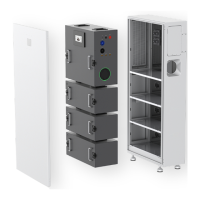
Overview of the Emaldo Power Core system, its capabilities, and connections.
Lists the key features and advanced functionalities of the Emaldo Power Core.
Outlines fundamental requirements and prerequisites for system installation.
Guidance on selecting an optimal and safe installation location.
Step-by-step instructions for securely mounting the main equipment cabinet.
Explains the wiring procedures for connecting the energy storage system components.
Instructions on connecting the photovoltaic array to the system.
Step-by-step guide for powering up the Emaldo Power Core system.
Procedure for safely shutting down the Emaldo Power Core system.
Reference for error codes and troubleshooting information.
Procedure for safely powering down the system before maintenance.
 General
| Type | Wall Charger |
|---|---|
| Color | White |
| Input Voltage | 100-240V AC |
| Output Voltage | 5V DC |
| Connector Type | USB-A |
| Protection Features | Short-circuit protection |


 To Next Page