14 15
SD/MMC/USB main menu
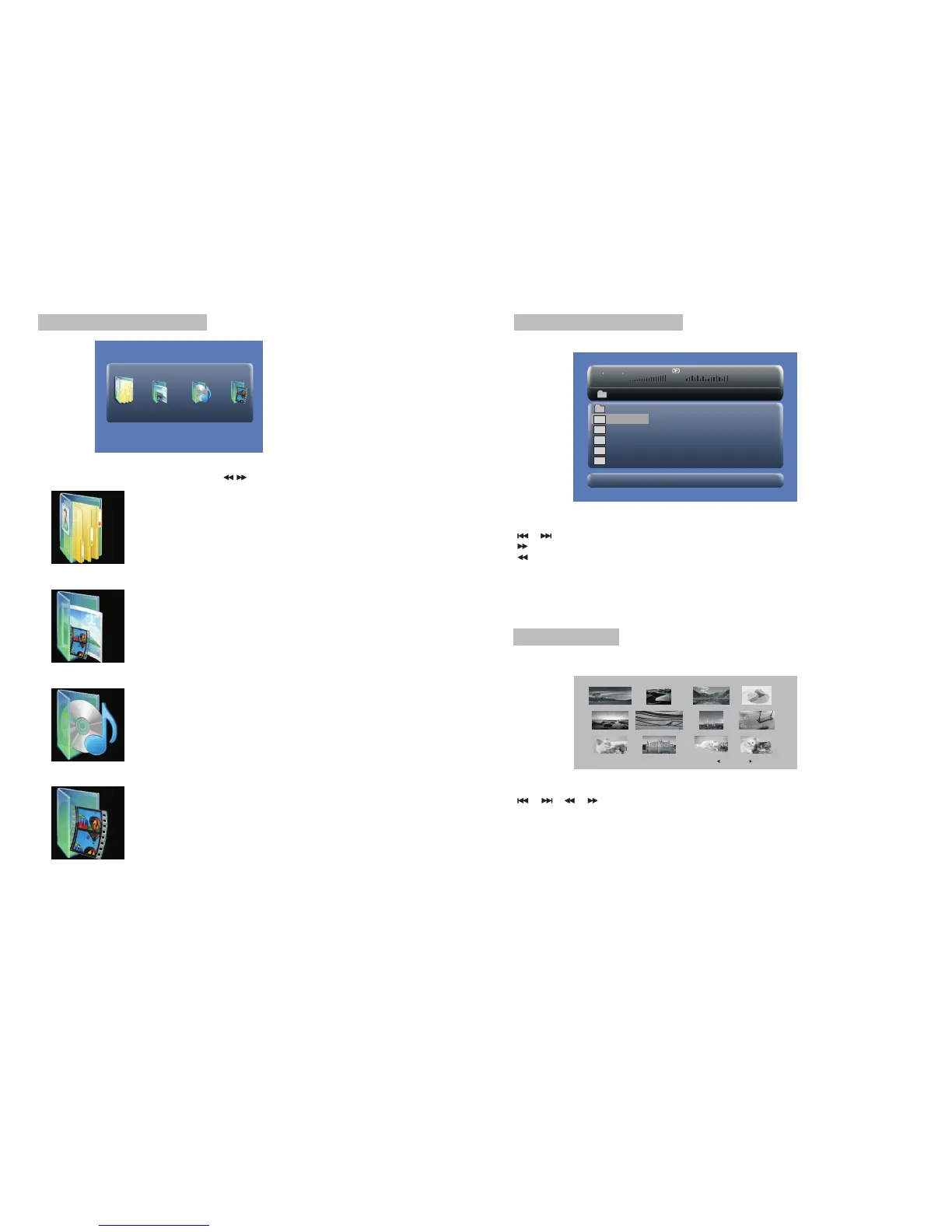
After entering the SD/MMC or USB,the system will show Main Menu which includes 4
Function ICONS.You can select them by and press key to confirm.“ ” “ENTER”
Photo Mode
Please refer to P15 -16 for detail explanation
Browser Mode
Please refer to P15 for detail explanation
Music Mode
Please refer to P16 for detail explanation
Movie Mode
Please refer to P17 for detail explanation
Note:Media cards formatted in exFAT file system are not supported.
Browser mode
Photo mode
Slide Show Menu Prev Next
In the Photo Mode,the System will show the thumbnail Mode first.
, , , , :select and play.
Slide Show:play the JPEG.
Menu:Enter the Help Menu.
Prev:Page Up.
Next:Page Down.
“ ” “ ” “ ” “ ” “ENTER”
In the Browser Mode,the system will show the list of files and folders.
, , key:select and play
:Enter the folder
:Quit the folder
“ ” “ ” “ENTER”
“ ”
“ ”
Note:
If you want to return to the Main Menu,please make sure the system is in list of file or
folder status,then press RETURN KEY.“”
00 00 03 43
001/008
\Ctyy\
......
Mp3
TRACK01
Mp3
TRACK02
Mp3
TRACK03
Mp3
TRACK04
Mp3
TRACK05


 To Next Page